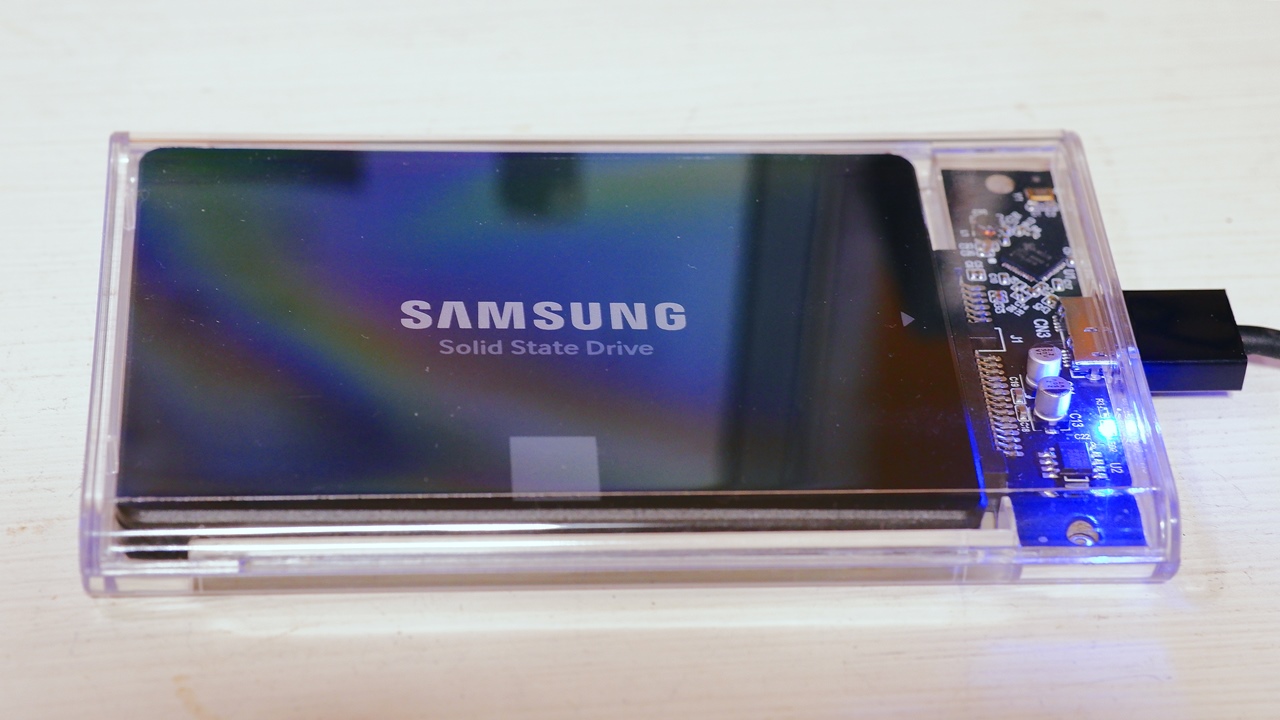
This is an addendum to a transparent SSD/HDD enclosure article I wrote in 2019. After updating my PC at the end of 2022, I found myself needing an empty 2.5-inch external SSD enclosure. To be precise, I do have several older USB 2.0 2.5-inch enclosures sitting around unused, but I had no spare USB 3.1 (USB 3.2) 2.5-inch drive enclosures that could keep up with SATA SSD transfer speeds — hence the additional purchase.
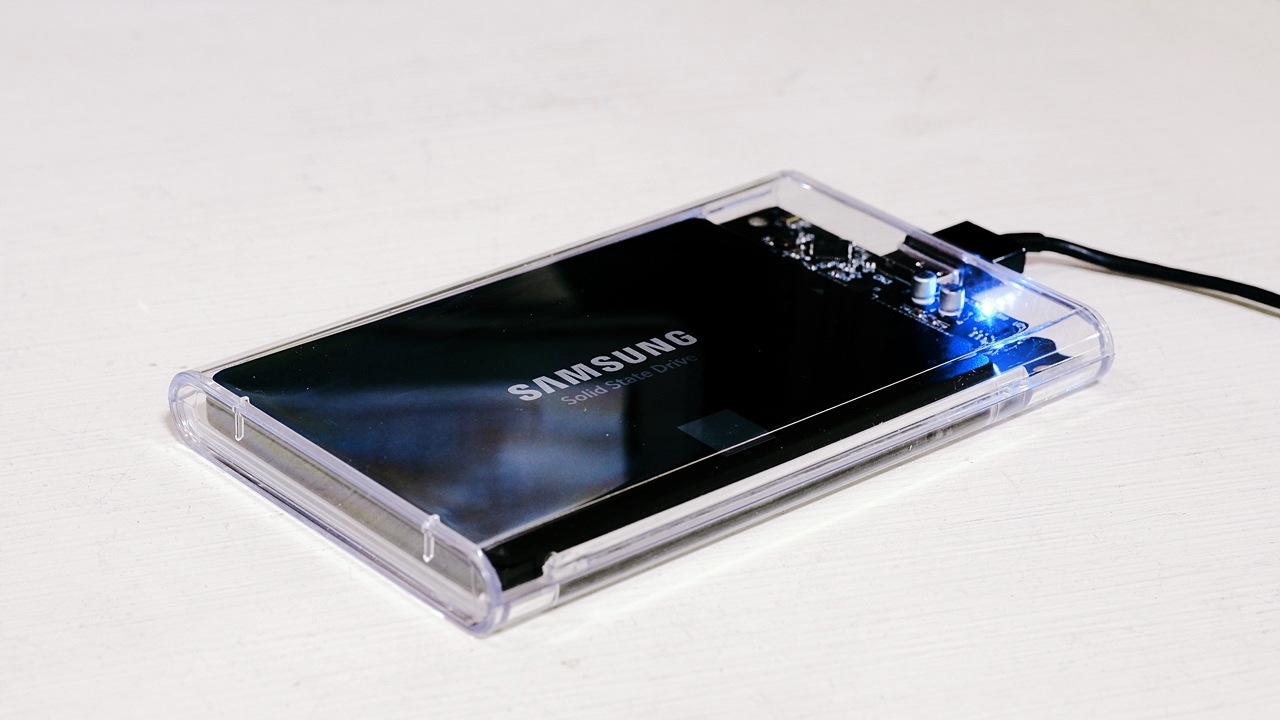
YFFSFDC USB 3.0 2.5-Inch HDD/SSD Enclosure 5Gbps UASP — Review
As ever, being someone who has a weakness for see-through gadgets, I naturally went for a skeleton — a transparent enclosure, needless to say. As with last time, I looked for something with USB 3.1 Gen 1 (USB 3.0) support and a USB 3.0 Micro-B connector, and from that selection I chose the YFFSFDC transparent HDD/SSD enclosure, which at the time of purchase was priced lower than either ORICO or ELUTENG. Incidentally — how on earth is YFFSFDC supposed to be pronounced? It remains a mystery. It appears to be a Chinese brand, but I couldn’t find any details when I looked it up; it has the feel of a general merchandise brand that deals in a wide range of products, rather than a dedicated PC peripheral vendor or major distributor like ORICO or ELUTENG.


 ポチップ
ポチップ
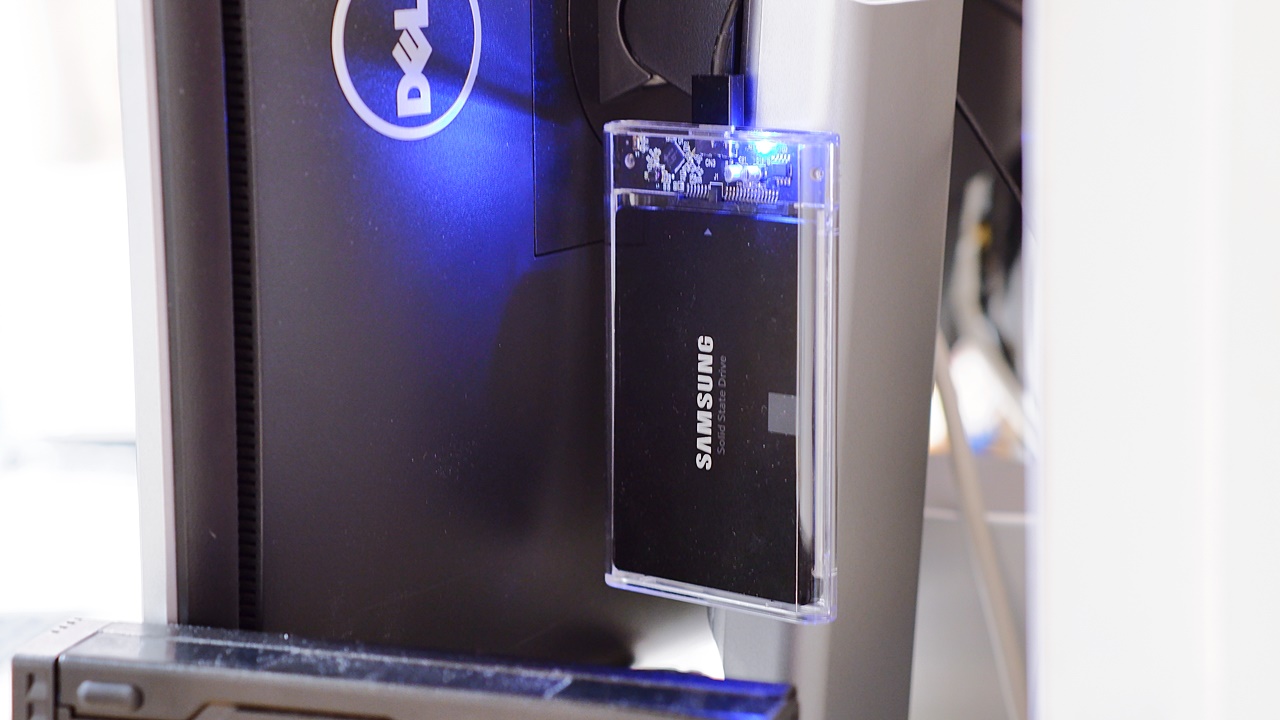
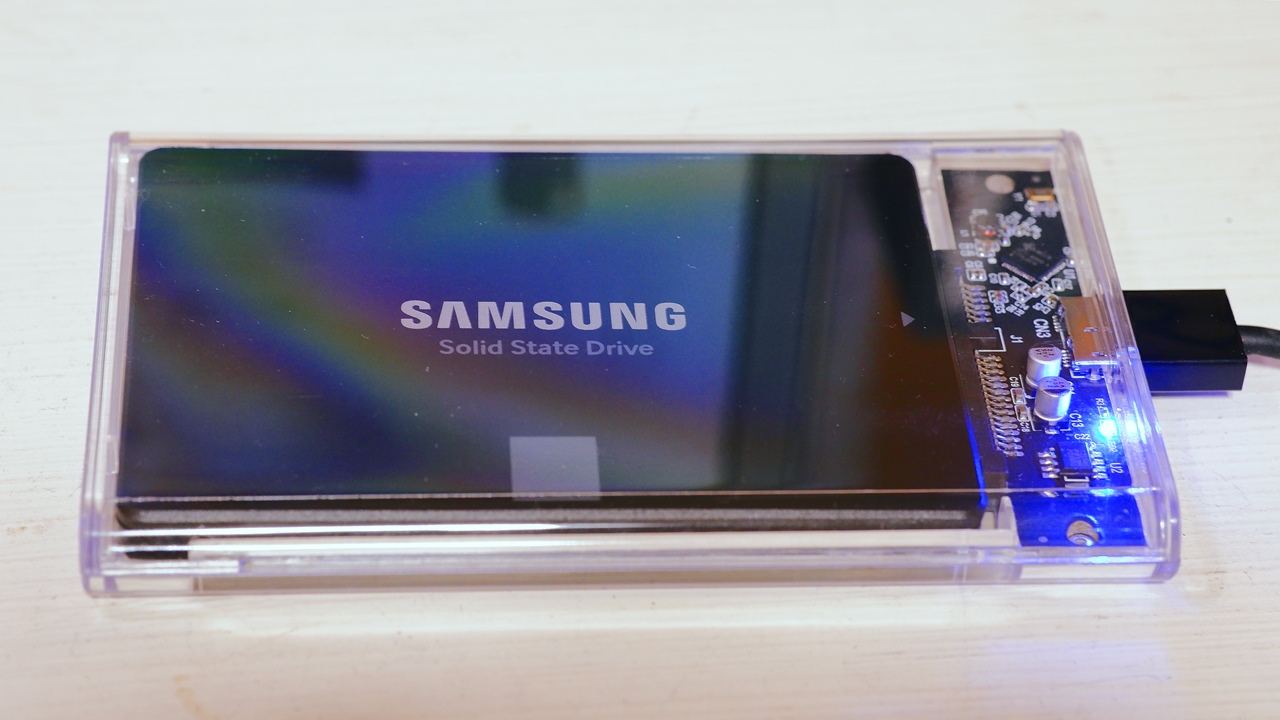
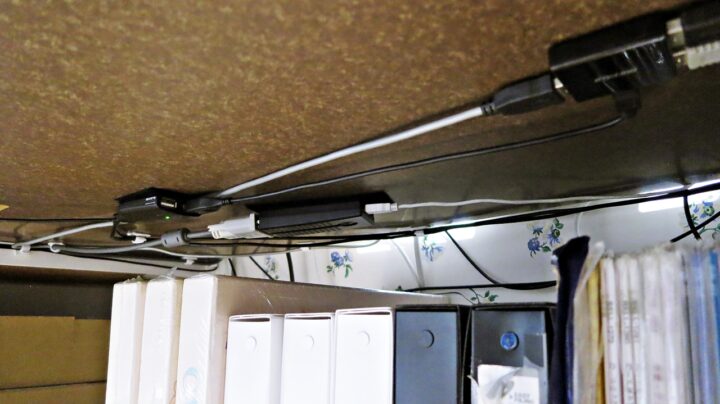
In person, the circuit board and polycarbonate enclosure construction are noticeably different from those of ORICO and ELUTENG, giving the impression that the actual manufacturer is different altogether. The LED indicator has also gone from the two-LED setup on the ELUTENG (blue and green) down to a single blue LED on the YFFSFDC. That said, the YFFSFDC is just as absurdly bright. Unlike with an HDD, the enclosure and SSD together are light enough that no dedicated mounting is needed; I simply hook a very slim USB cable over the stand bracket on the back of my monitor and let it hang there.
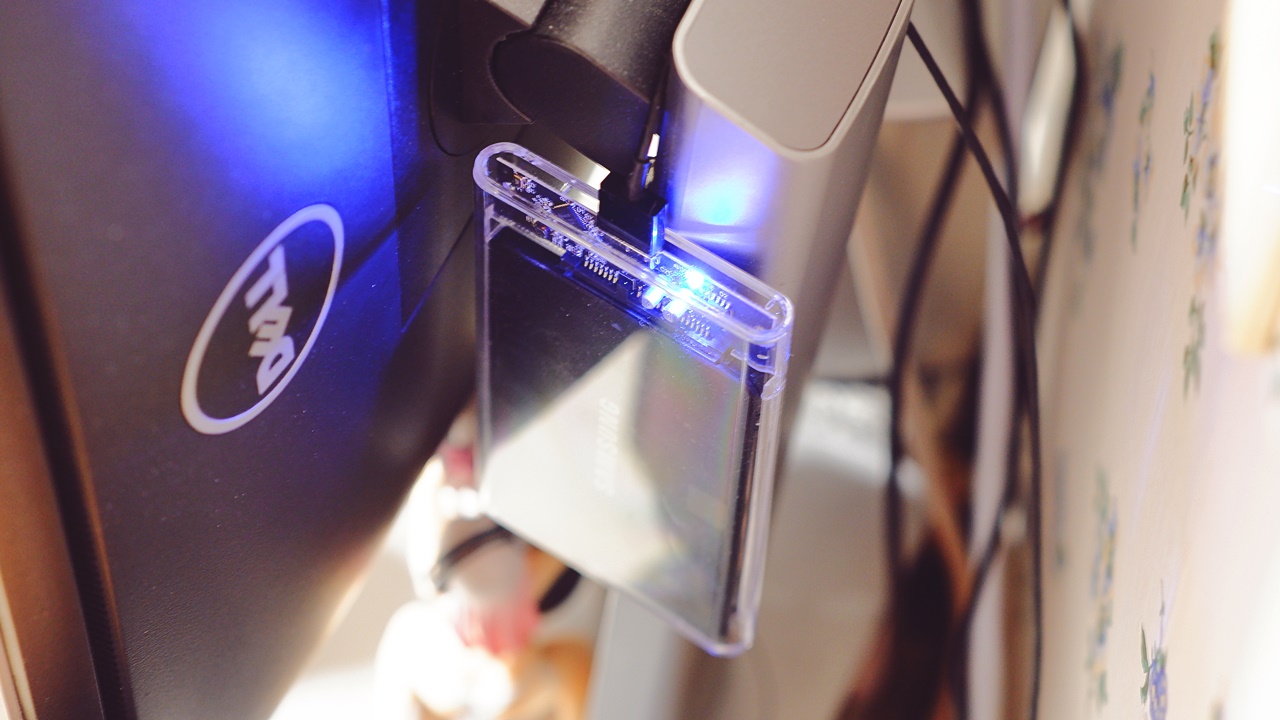
Compared to the ORICO/ELUTENG transparent HDD/SSD enclosures I bought nearly four years ago — which measured 131mm × 80mm × 14mm — the YFFSFDC at 126mm × 78mm × 12mm is clearly one size smaller. That said, both are equally prone to scratching on the polycarbonate surface, and neither is suited to what you might call portable, on-the-go use. Also, when I first bought the ORICO/ELUTENG units I worried they might yellow over time with age — and now, nearly four years on, placing them side by side confirms that the ELUTENG on the bottom has indeed begun to turn slightly yellow.
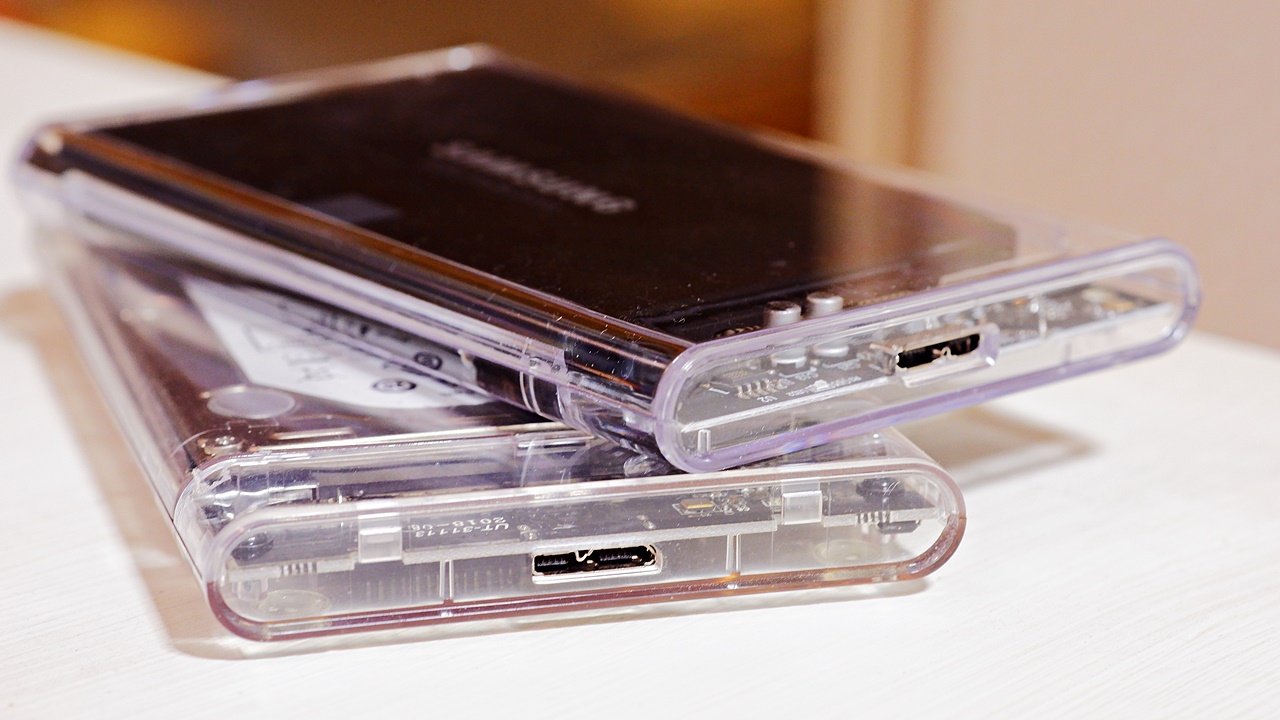
Speed Comparison by SSD Enclosure — YFFSFDC vs ELUTENG
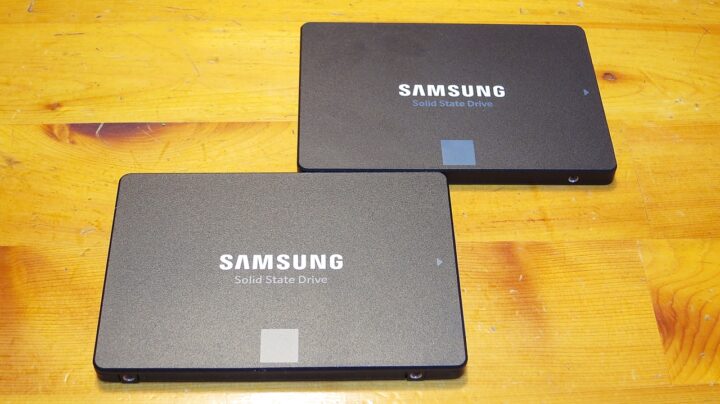
I loaded an SSD into each and ran a direct 1:1 speed comparison between the new YFFSFDC and the older ORICO/ELUTENG in identical conditions. I tested with both a Samsung 850 EVO 256GB and an 860 EVO 1TB, and the SSD speeds were close enough to be within the margin of error. Being a USB 3.1 Gen 1 (USB 3.0) connection, you won’t get the same speeds as a direct internal SATA connection, but the YFFSFDC came out faster in both cases. The speed difference between enclosures is fairly significant for Sequential Write and Random 4K even if not so much for Sequential Read, which goes to show that even these toy-like HDD/SSD enclosures have been improving year on year.
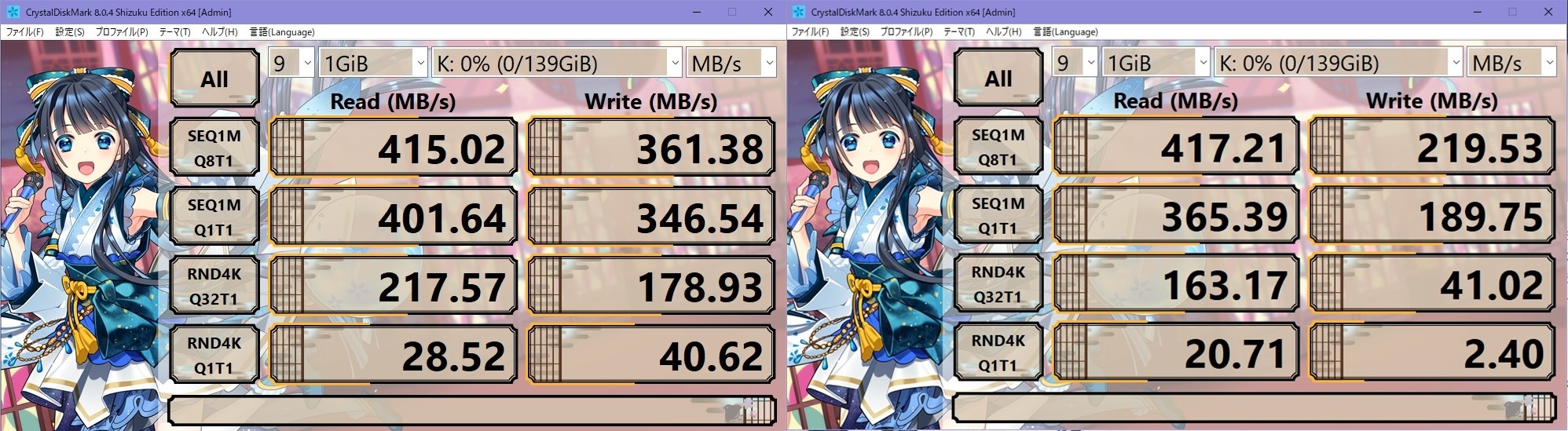
The Random 4K read/write on the ELUTENG/ORICO is frankly too slow for a 2018–19 model — and yet, despite being an utterly unknown brand, the YFFSFDC’s Random 4K read/write is remarkably fast for this type of product. I went in treating the skeleton enclosure purely as a novelty pick, performance deliberately ignored, but this turned out to be quite a pleasant surprise.

February 26, 2019
I Bought the ELUTENG/ORICO Transparent Portable HDD/SSD Enclosure
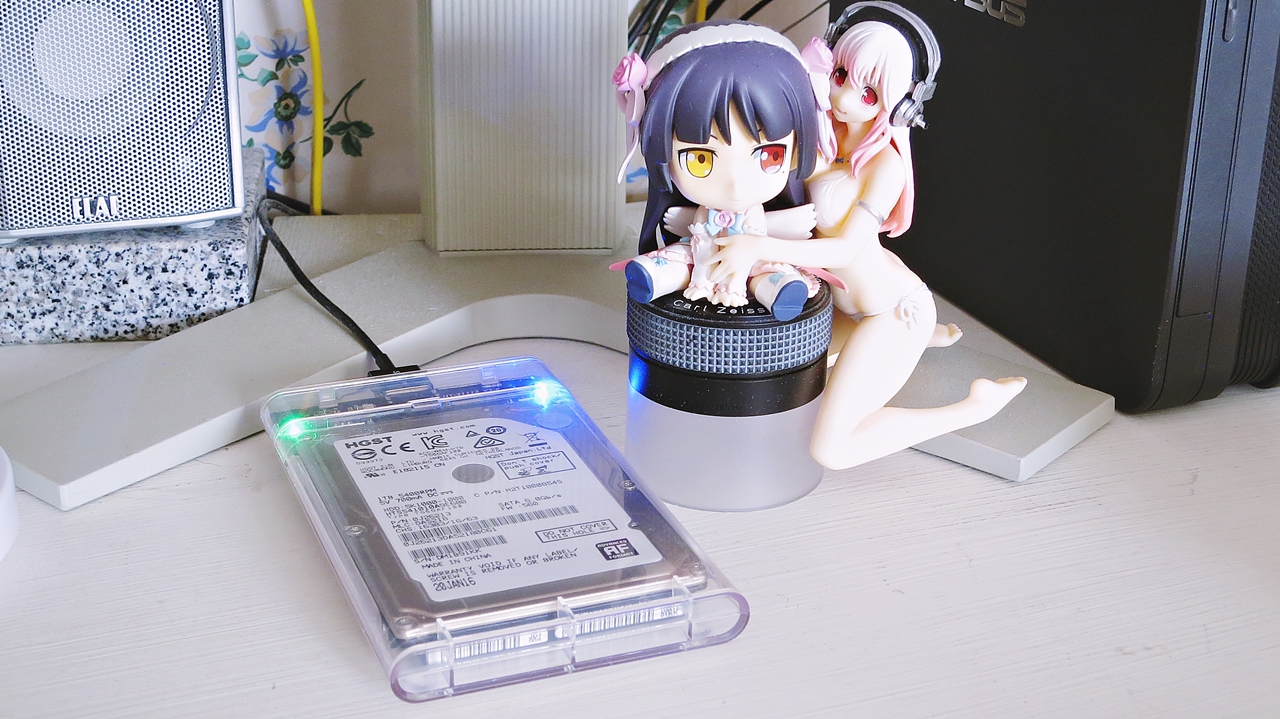
In short, I wanted a see-through, skeleton-style PC gadget. It’s a bare 2.5-inch HDD — bare as in exposed hardware, not a bare figurine — and to use it on the desktop I needed a suitable SATA 3 (SATA 600) 2.5-inch portable HDD/SSD enclosure. The four or five HDD enclosures I had lying around were all old SATA 150 or SATA 300 units with USB 2.0 connections, and at that speed the transfer rate would be a constant bottleneck — stressful to use as a permanently installed drive. So, as I tend to do, I set about hunting for a suitable new 2.5-inch portable HDD/SSD enclosure.
 ポチップ
ポチップ
And this is what I went with. See-through, in every sense of the word. A transparent skeleton enclosure from ELUTENG/ORICO — a USB 3.1 Gen 1 2.5-inch portable HDD/SSD enclosure where you can see straight through to the contents. Incidentally, if you look carefully, there are several variants available with different USB connector types — USB 3.0 Micro-B, Type-C, Type-A, and so on — and the product is sold under two brand names: ORICO and ELUTENG. Looking into it, both turn out to be PC parts suppliers originating from Shenzhen, China, and the product listing does actually state — in somewhat awkward Japanese — “This is a high-quality HDD enclosure designed by ELUTENG and manufactured by ORICO.”
 ポチップ
ポチップ
The ORICO brand’s own site is here. As a product from a newer Chinese manufacturer, I did have more than a passing concern about quality — but the star ratings in the user reviews were strong, and when combined with the sheer number of reviews across similar products, I figured it was probably going to be all right.
Unboxing the ELUTENG / ORICO Clear SSD/HDD Enclosure
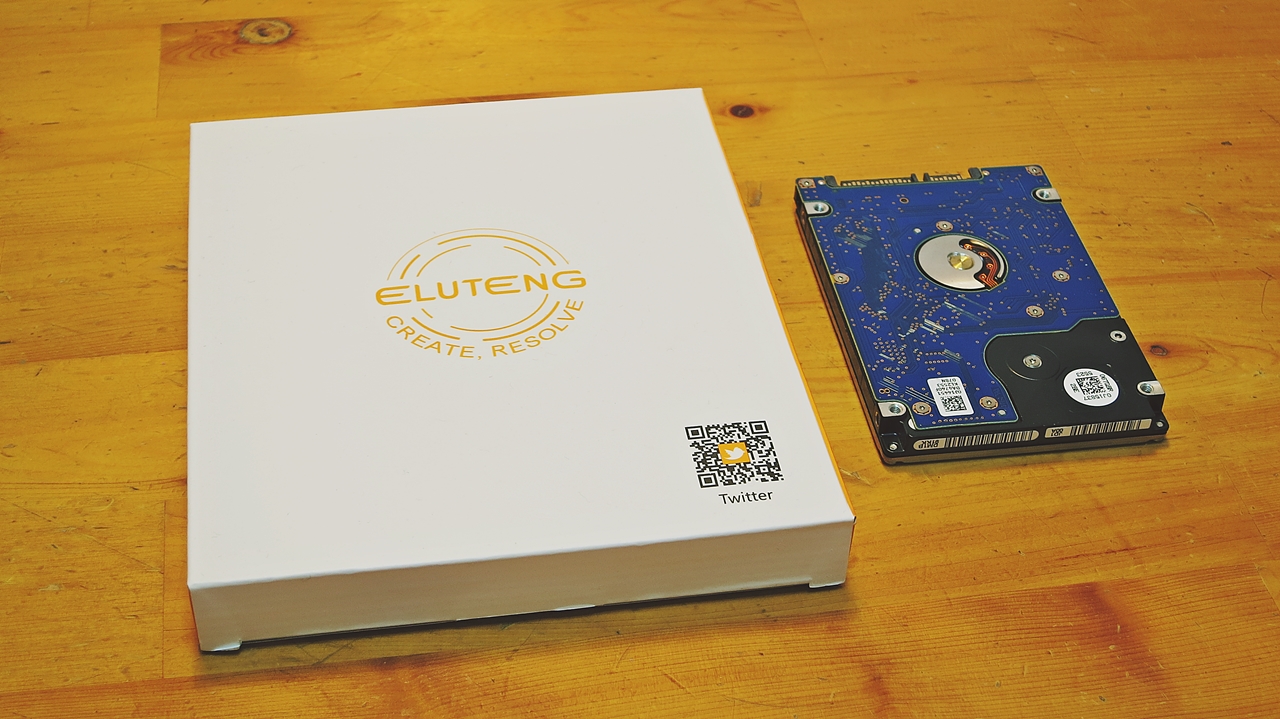
I went with the ELUTENG brand this time, and the deciding factor over the more popular ORICO was that ELUTENG includes a black storage pouch as a bonus, which felt like better value. That said, assuming the same specification, performance should be identical whichever you choose, and prices fluctuate daily, so the sensible approach is simply to go with whichever is cheaper at any given moment.
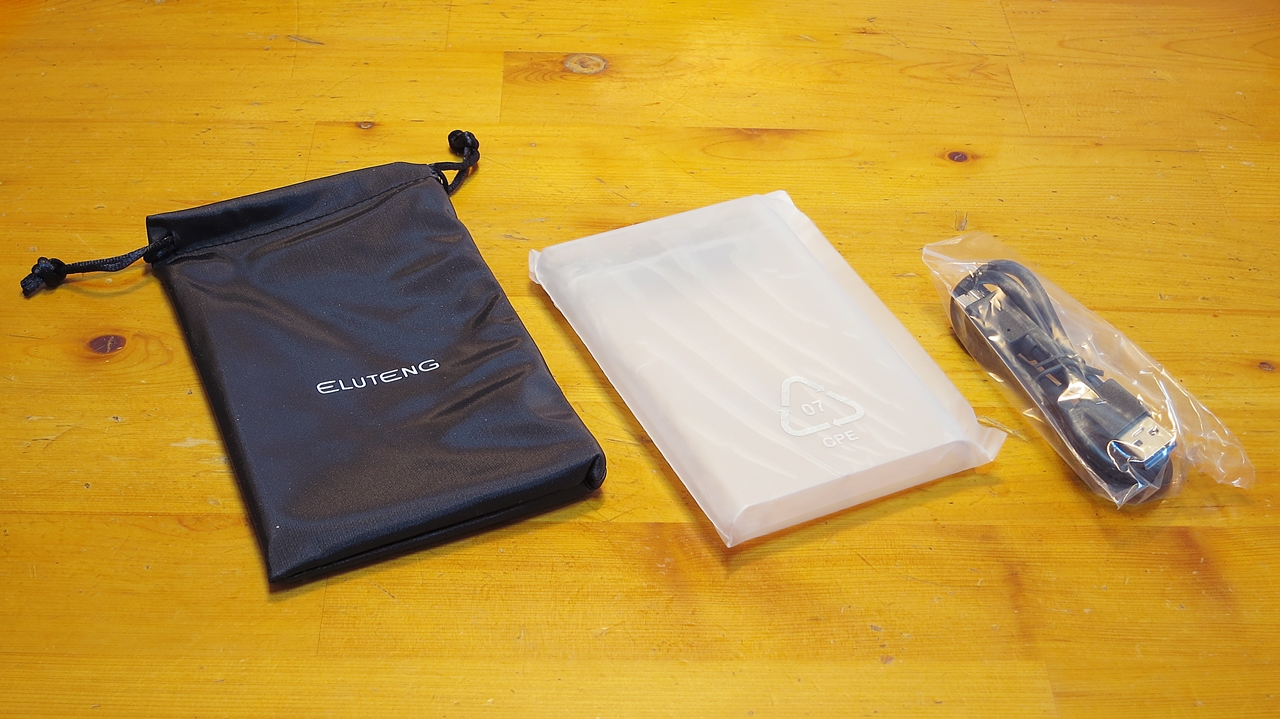
Also, most models in this series had always come with a single blue LED indicator, but at the time this particular ELUTENG product was the only one in the range with a dual green-and-blue indicator setup — and I must admit the novelty of that drew me in as well. For the enclosure’s connection port I chose the USB 3.0 Micro-B type, which I’d been using up to that point. USB Type-C is of course the way of the future, but in this product’s case, the Type-C connector variant did not appear to support USB 3.1 Gen 2, so there seemed little reason to choose it.
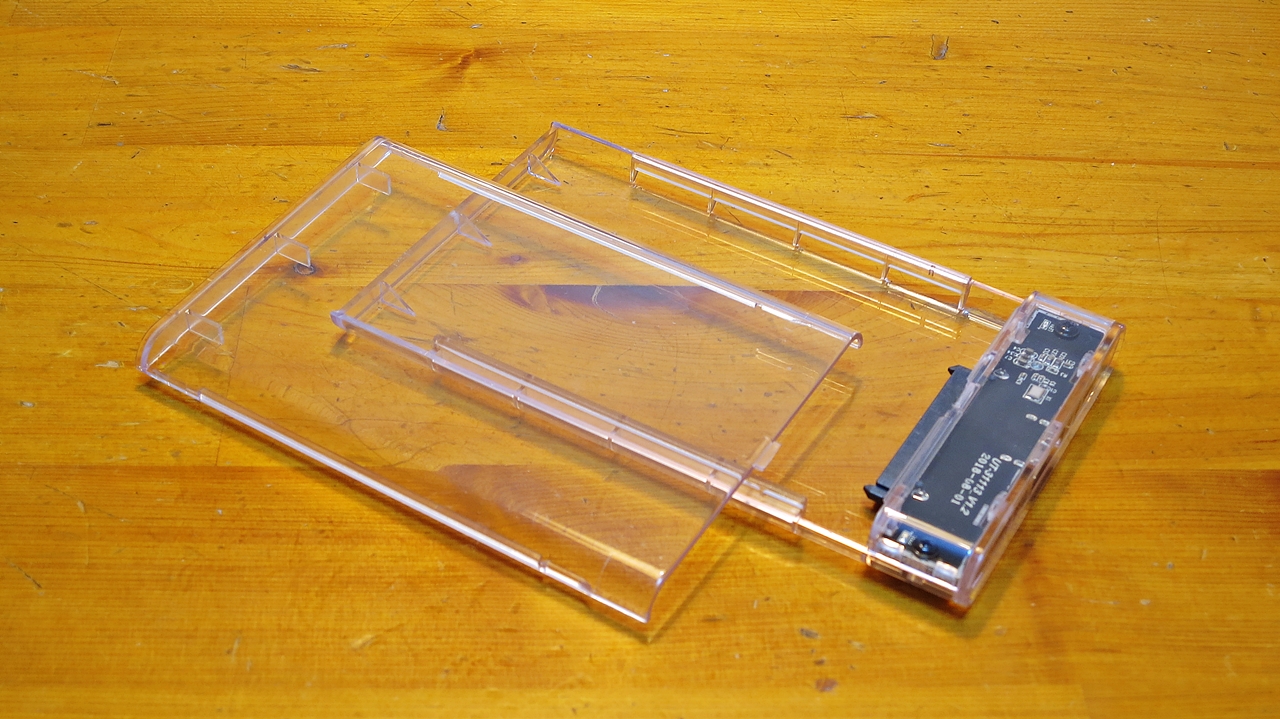
Opening the package, here is what you get. Many SSD/HDD enclosures use screws for assembly, which makes swapping drives a bit of a chore, but this one requires no screws at all — simply slide the top cover backwards and it opens easily. Some products have lids or SATA connectors that are far too stiff, or make it a real struggle to remove the drive once it’s been installed, but the ELUTENG/ORICO skeleton enclosure has just the right amount of resistance — not loose, but not tight — and the build quality is perfectly adequate. Fitting or removing a 2.5-inch drive takes all of about ten seconds.
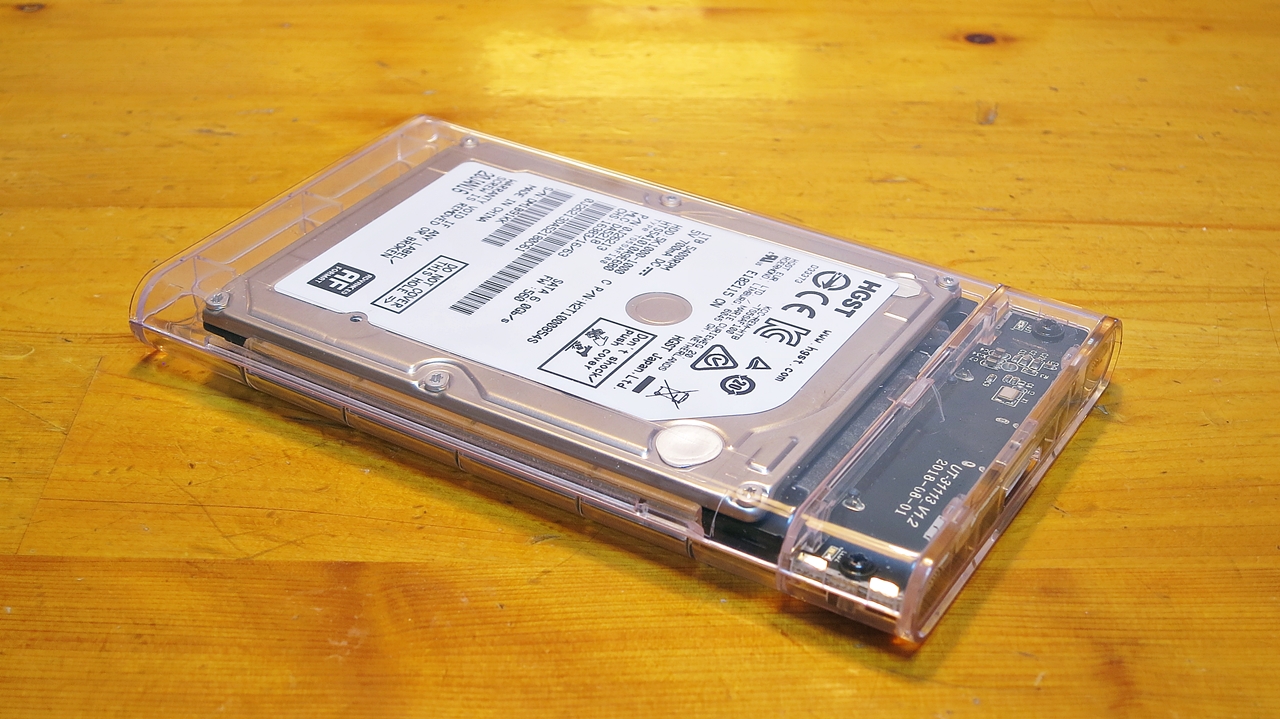
With a transparent HDD/SSD enclosure, the best thing above all else is simply being able to see the contents at all times. It brightens up the desk considerably compared to having a plain black rectangular lump like a WD Elements Portable sitting there, and it feels far less oppressive. There’s also another advantage for someone like me who keeps multiple portable HDDs in a drawer: the perennial problem when you dig one out after a long time is not knowing what’s inside without actually plugging it into a PC. With a transparent skeleton enclosure, the drive’s make and model are plainly visible, so you can tell at a glance which disk is inside without connecting it to anything.
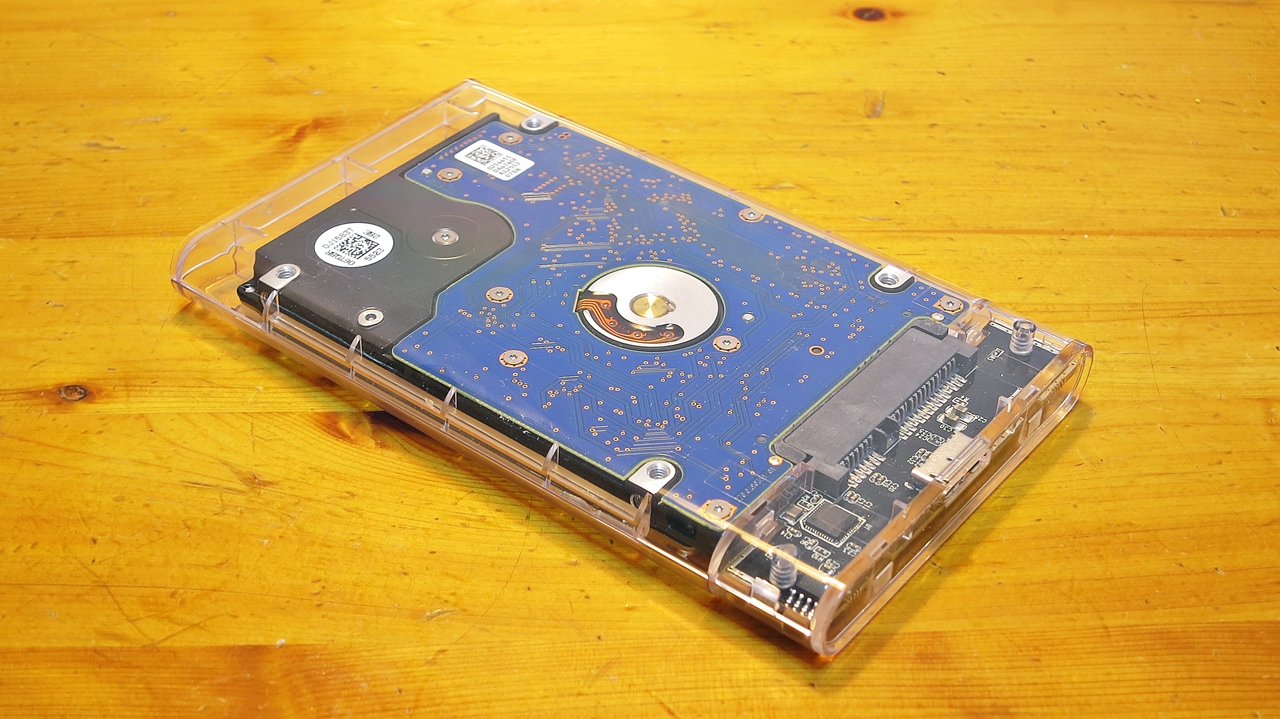
The enclosure material feels to me more like polycarbonate than the acrylic mentioned in many online reviews, but it scratches very easily, so handle with care. If you carry it around, it will be covered in scratches in no time and look rather sorry for itself. If it gets dusty or dirty on the desk, the safest approach is to use a lens or LCD display cleaner, or a glasses cloth lightly dampened with ethanol. For the record, I use ROGGE DUO-Clean for cleaning my LCD display.

Also, while it probably doesn’t matter for an SSD, there is no internal cushioning, so if you put an HDD inside, don’t expect much in the way of shock resistance. The noise isolation is likely better than a metal enclosure, but again, don’t expect too much. That said, the HGST Travelstar 5K1000 1TB I put in this time is essentially a silent HDD anyway, so replacing the WD Elements Portable with it achieved the noise-reduction goal I was after.
Recommended Accessories: Sanwa Supply Ultra-Slim USB Cable and 3M Transparent Rubber Feet
If I were to find fault, the polycarbonate isn’t quite as optically clear as, say, a CD jewel case — it has a faint whitish tint — and I’d expect it to yellow from UV exposure after a few years. As a gadget where you can see the HDD inside, there’s an undeniable mechanical charm to it, but given the quality of the resin, any sense of premium finish is, regrettably, absent.
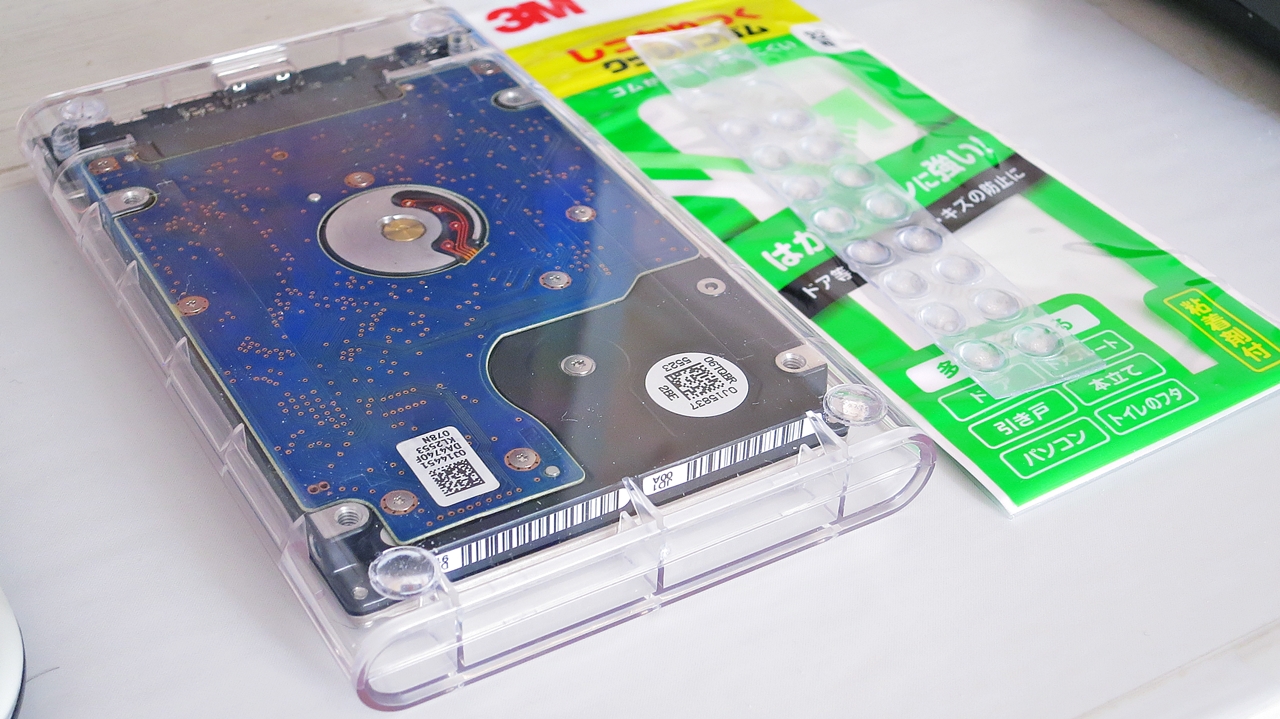
Also, this plastic enclosure has no feet, so placing it on the desk means the underside sits directly on the surface — which will result in scratches before long, and is not ideal for heat dissipation or vibration isolation either. My solution is to stick 3M rubber cushion feet to the four corners of the underside, lifting it off the desk and providing heat dissipation, isolation from vibration transmitted through the desk surface, scratch protection, and anti-slip grip all in one. With this arrangement, the HDD inside the clear enclosure typically runs at around 27–30°C, and even during extended continuous writes it stays around 40°C — touching the enclosure while powered feels barely warm to the touch, so thermal performance is entirely satisfactory.
 ポチップ
ポチップ
During drive access the green indicator blinks, which is very easy to read at a glance and works well. The green and blue LEDs on either side have a cheerful, lively look to them, but they are high-brightness and remain lit continuously, so honestly — they are quite dazzling. That said, if it bothers you, covering them with tape or a sticker is straightforward enough, so it’s not really a fundamental problem.
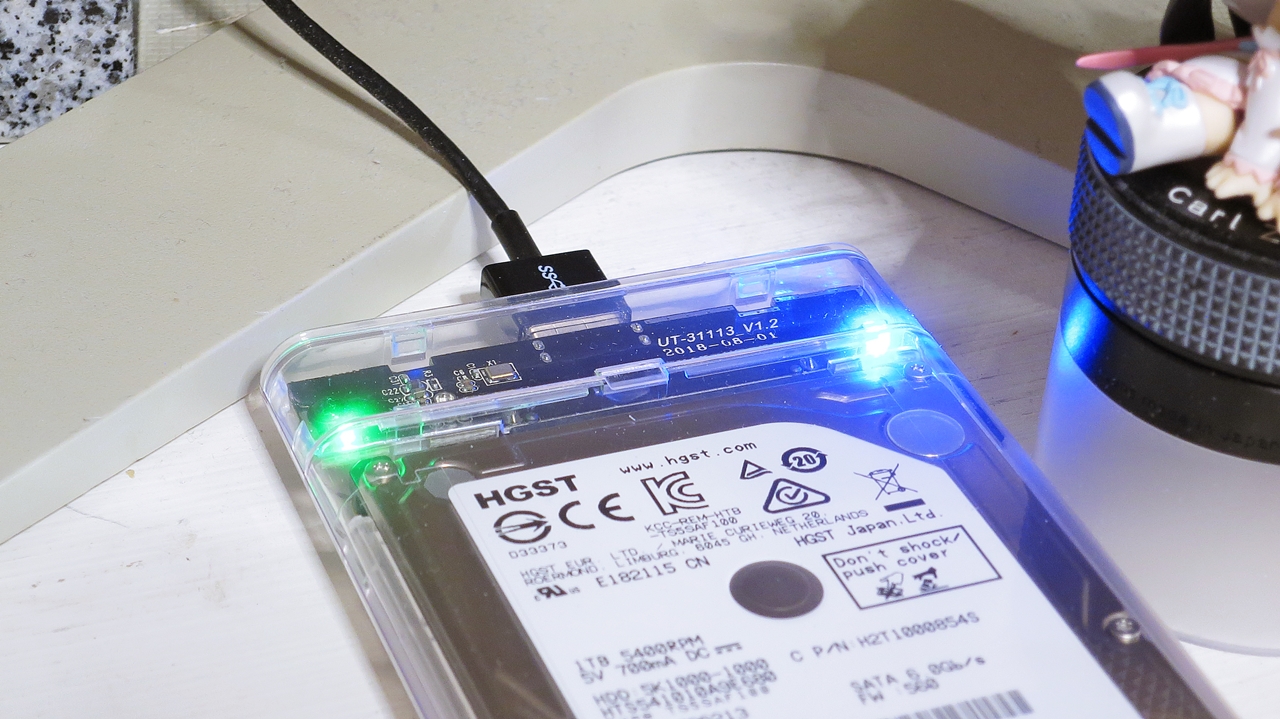
A 50cm USB 3.0 Micro-B cable is included in the box, but as I have written before about my preference for tidy cabling, I leave the bundled cable unopened and use a Sanwa Supply ultra-slim USB cable instead.
 ポチップ
ポチップ
This skeleton external enclosure is listed as USB 3.1 Gen 1, UASP-compatible, and supporting high-speed data transfer at 5Gbps — but USB 3.1 Gen 1 is simply another name for USB 3.0, meaning it supports a theoretical maximum transfer speed of 5Gbps (SuperSpeed). Accordingly, as of March 2019, no USB 3.1 Gen 2 (10Gbps, SuperSpeed+) variant of this product series exists. Even the USB Type-C connector version of this product is USB 3.1 Gen 1, which is rather confusing.
Speed Performance of the ORICO / ELUTENG USB 3.1 Gen 1 Transparent SSD/HDD Enclosure
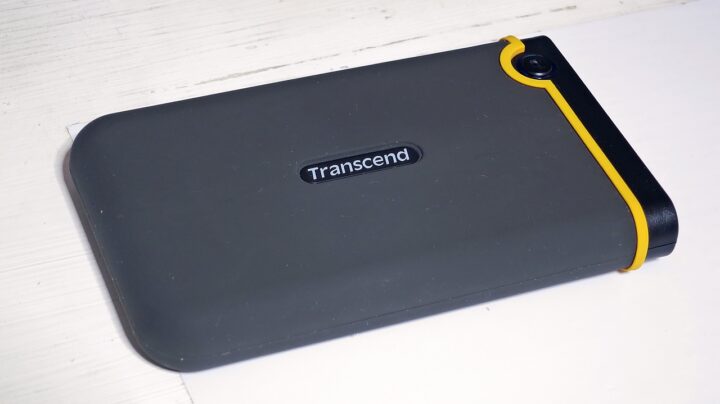
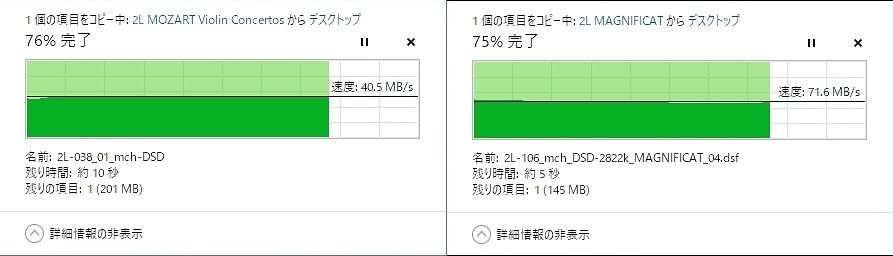
On to speeds. Using exactly the same HDD under identical conditions, I compared the ELUTENG transparent enclosure (USB 3.0, SATA 600) against a Transcend StoreJet 25 Mobile shock-resistant enclosure running USB 2.0 SATA 150 that I had previously reviewed. The results are shown below. You can see clearly that even for large DSD hi-res files, the ELUTENG transparent enclosure is 175% faster under the same conditions. ※ Someone will no doubt point out that 70MB/s is slow — but this is a 2.5-inch 5,400rpm drive, and the absolute transfer speed varies considerably depending on whether the data is located on the inner or outer tracks of the platter. Please treat these figures as a relative comparison using the same recorded data and the same HDD, not as absolute benchmarks.
Likewise, the following CrystalDiskMark results were taken with all background software running and on an HDD at 56% capacity, so these are not controlled benchmark conditions — but I am including them as a relative comparison of controller and transfer standard differences.
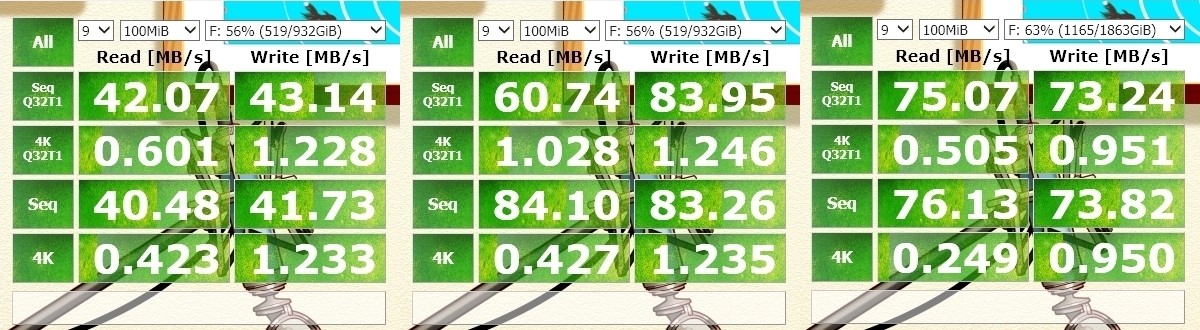
The rightmost result is from a WD Elements Portable 2TB USB 3.0 — also a USB 3.0 (USB 3.1 Gen 1) device — which I had been using previously. The HDD inside is different, so this is for reference only, but aside from Q32T1 sequential read, the speeds are considerably higher across the board.
 ポチップ
ポチップ
Whether this difference is down to the enclosure’s controller performance is not entirely clear, but combined with the different HDD, file access and load speeds are noticeably faster in practice. I had always had the impression that the HGST Travelstar 5K1000 1TB installed internally felt far more responsive than the external WD, and even over USB 3.0 (USB 3.1 Gen 1) — which is inherently at a disadvantage compared to internal connection — the HGST is clearly smoother than the WD Elements Portable 2TB USB 3.0. It obviously cannot match the subjective speed of an SSD, but where the WD Elements Portable 2TB USB 3.0 always felt sluggish, the HGST Travelstar 5K1000 1TB in the ELUTENG transparent enclosure is much less of an irritation. Ideally one would test the controller difference using the same HDD in both enclosures, but the WD Elements Portable unfortunately has an enclosure that simply cannot be disassembled, so that will have to do.
 ポチップ
ポチップ
When the Portable HDD Enclosure LED Stays On After Shutting Down the PC
One thing that caught my attention was that the dual blue and green LEDs are far too bright — and they remain on even after the PC is shut down. At night, the area around the desk is bathed in an eerie glow. However, this turns out not to be a problem with the HDD enclosure itself but rather with the host PC, an ASUS VivoMini VC65. Presumably designed with charging portable devices in mind, the default setting apparently keeps USB power flowing even after the PC is switched off — something I had been blissfully unaware of for two years, until the clear enclosure’s LED helpfully alerted me to the wasted standby power.
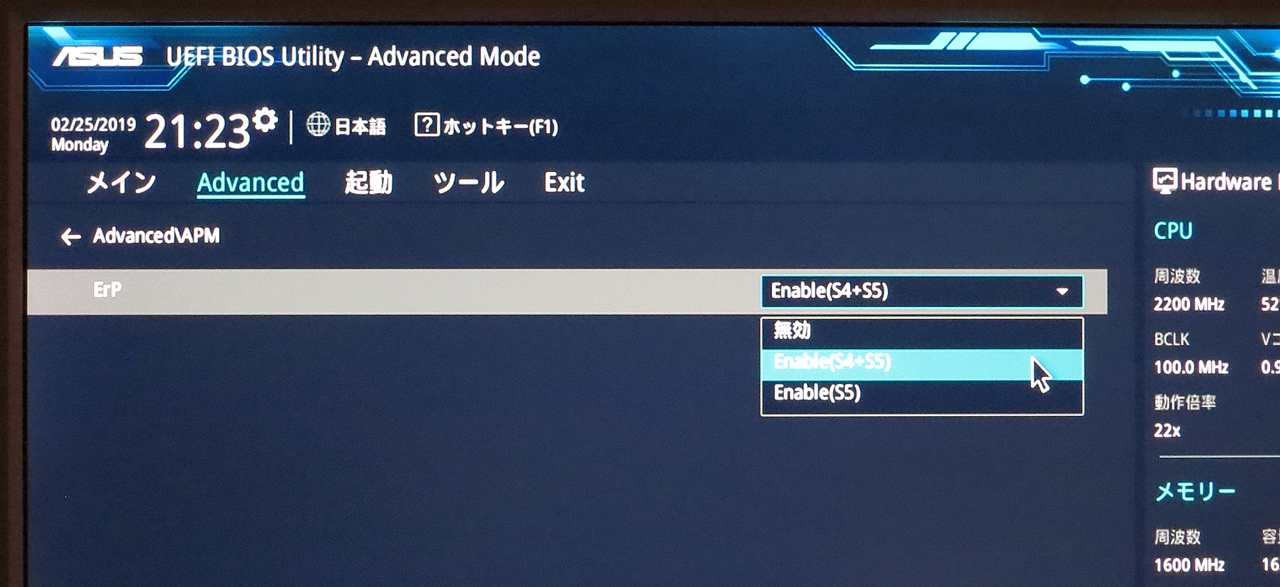
You can cut USB power entirely by holding Shift while clicking Shut Down, but doing that every time is a nuisance, so I went into the BIOS and changed the setting to stop supplying power to USB devices on shutdown. ※ To enter the BIOS, repeatedly press F2 or Delete during the ASUS logo screen at boot, then navigate to Advanced → ErP → change from Enable (S5) to Enable (S4+S5) → save and Exit. This put a stop to the skeleton HDD enclosure glowing away eerily in the dark after the PC was turned off. The BIOS procedure will differ depending on your PC manufacturer, so if you need to do the same, you will need to look it up for your specific model. For whatever reason, search results seem to be dominated by instructions for ASRock motherboards.

~ Summary ~
Empty portable SSD/HDD enclosures have long been a category where poorly made products are the norm — shoddy build quality, inadequate assembly precision, speeds that fall short of the rated specification, controller compatibility issues causing unstable operation. Finding a product that actually works properly has historically been the harder task. This product has a good reputation in user reviews and appears to suffer few compatibility problems; build quality is solid, real-world speeds are respectable, and despite coming from a newer Chinese brand, I believe it qualifies as a product you can use with confidence.
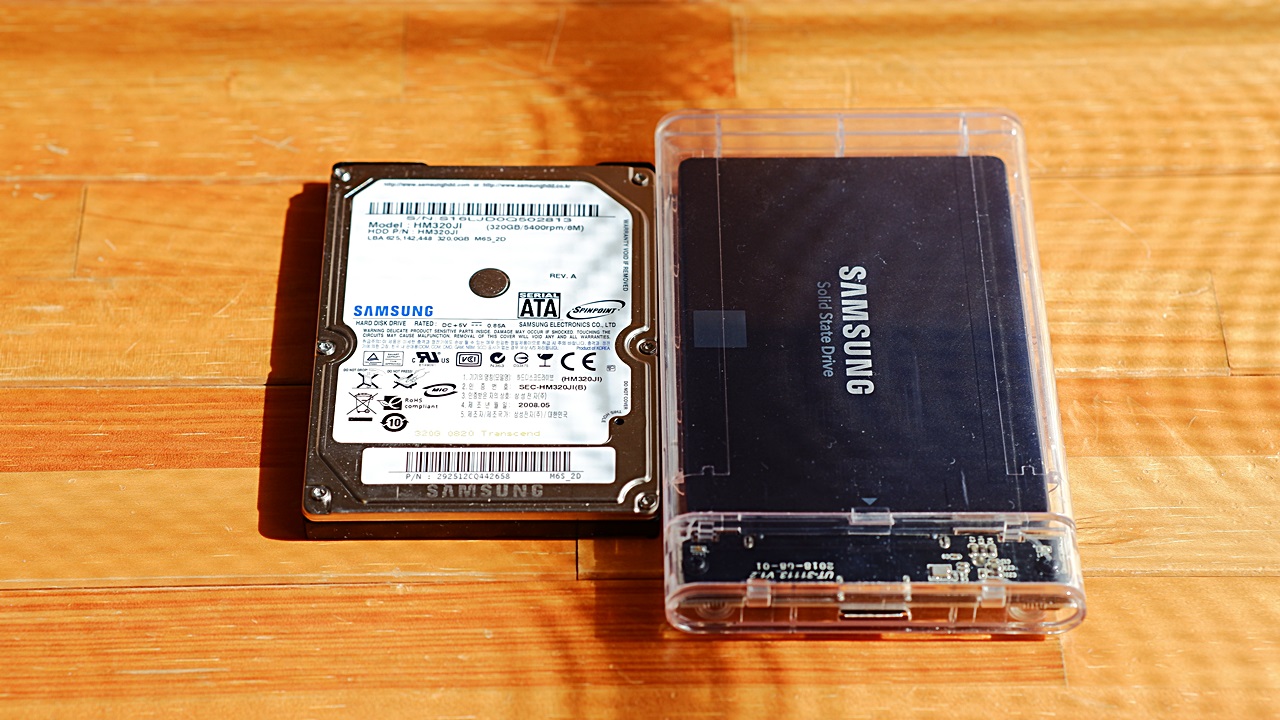
As for the polycarbonate resin quality, storing the unit in a dark drawer should be fine, but if you are running it out in the open as I do, you may find yourself concerned about discolouration from UV-induced deterioration over time. For that kind of use, rather than going with clear transparent, there are also tinted translucent versions in different colours, and choosing one of those might make any discolouration less noticeable.

Auto Translated by CS4.6