【PC Slim & Smart Cable Management Know-How】
USB Hub|Monitor Switching|Monitor Cabling|Input Devices|DisplayPort
Always obsessing over cables — for both PCs and Hi-Fi — I am the author behind this rather out-of-the-ordinary desktop pure audio blog. When it comes to multi-monitor cabling for my PC, I wrote previously about deliberately using ultra-slim HDMI cables even though the monitors have no HDMI input. But now a new adversary has appeared: the DisplayPort cable.
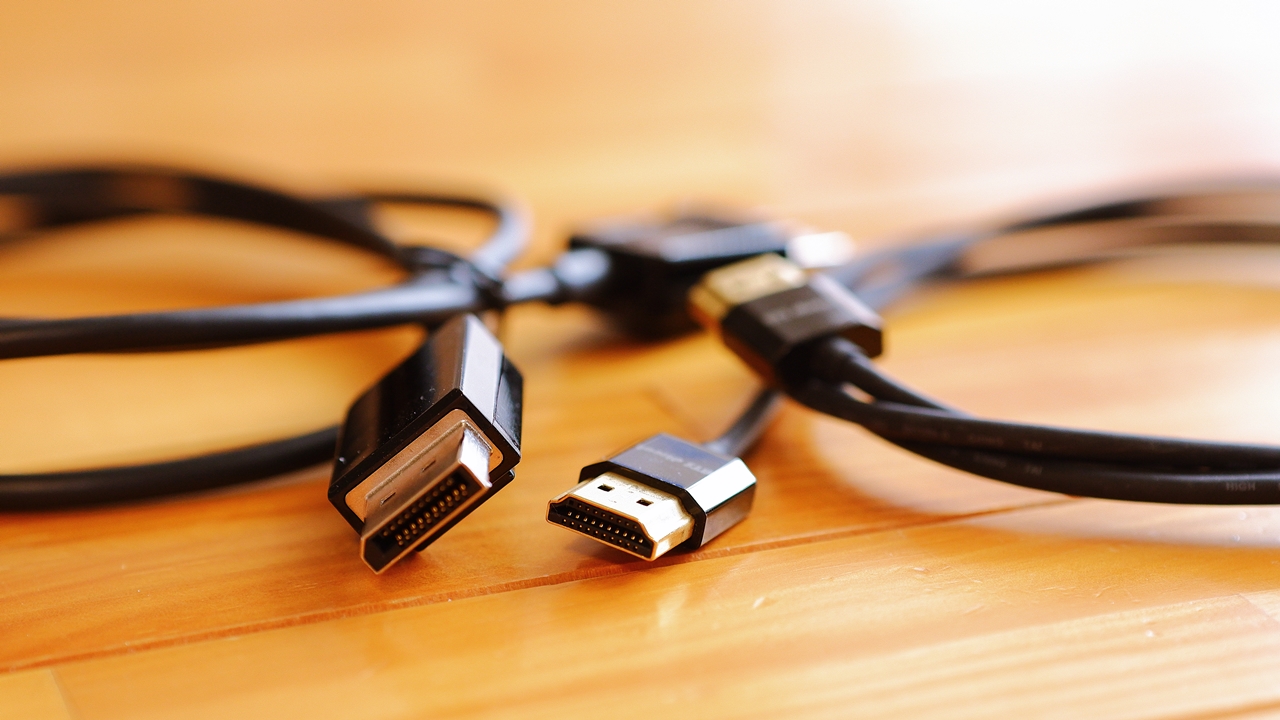
At the end of last year I swapped out all three monitors in my multi-display setup from EIZO L695/L685 to DELL P1914S, only to find that the DELL P1914S has not a single HDMI input — instead it has DisplayPort + DVI + VGA. On top of that, the sub-PC I added recently has both its digital video outputs as DisplayPort (plus analogue VGA), with no HDMI output at all. The upshot is that at least two connections are inevitably going to require DisplayPort cables…
The options for DisplayPort cables are extremely limited
The problem here is that, even in 2021, there is simply no such thing as a slim, smart, and attractive ultra-thin DisplayPort cable. DisplayPort cables have very demanding specifications to begin with — transfer rates, noise immunity, and so on — which presumably makes them difficult to manufacture, and the market offers very little choice. They also tend to be somewhat more expensive than display cables of other standards such as HDMI, DVI, VGA, or USB.
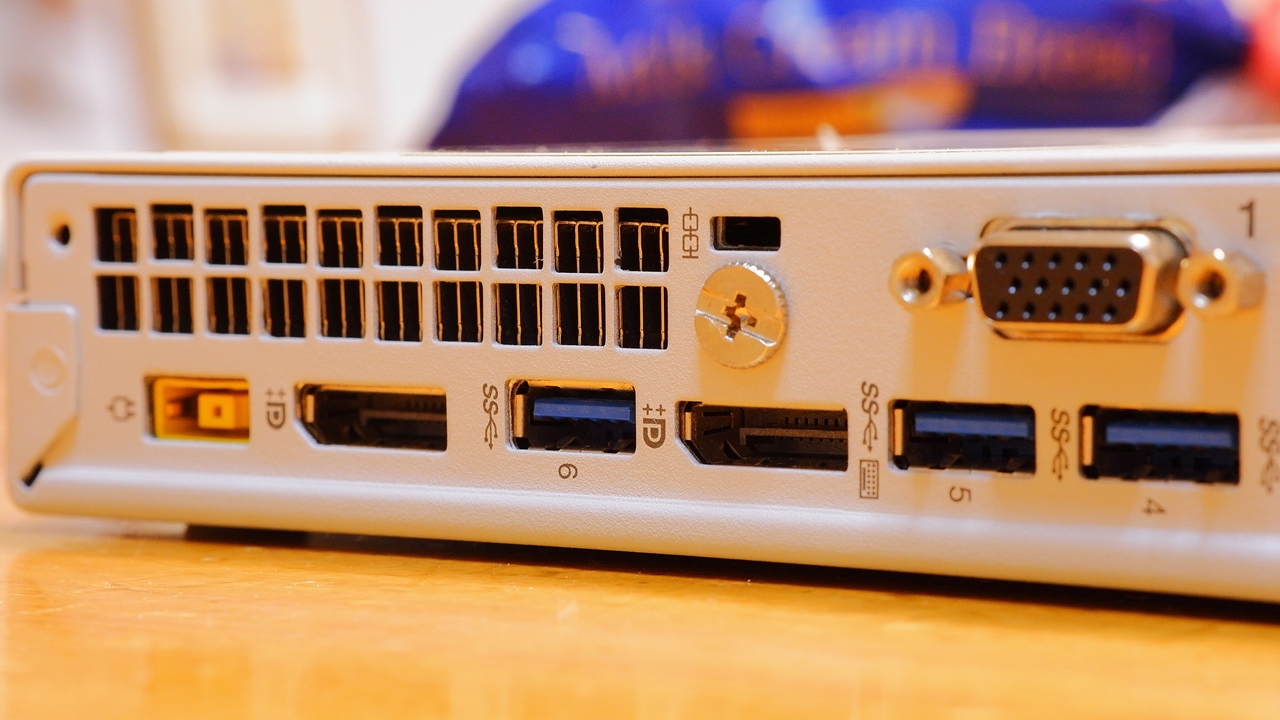
When it comes to currently available DP cable options, beyond bundled accessories and their equivalents, what you find is mostly Chinese-brand products that come, for some reason, only in red and silver, or the Amazon Basics DisplayPort cable. DisplayPort cables are essentially a triple affliction: thick in diameter, absurdly stiff and unbendable, and awkward to route. More than ten years after the standard appeared, the situation remains entirely unchanged, which leads me to feel that this is a standard with a fundamental problem.
The retention latch on DisplayPort connectors makes the standard even less practical
And to make matters worse, the fact that most products have a latch on the connector (a triangular hooked tab) to prevent accidental disconnection narrows the options still further.
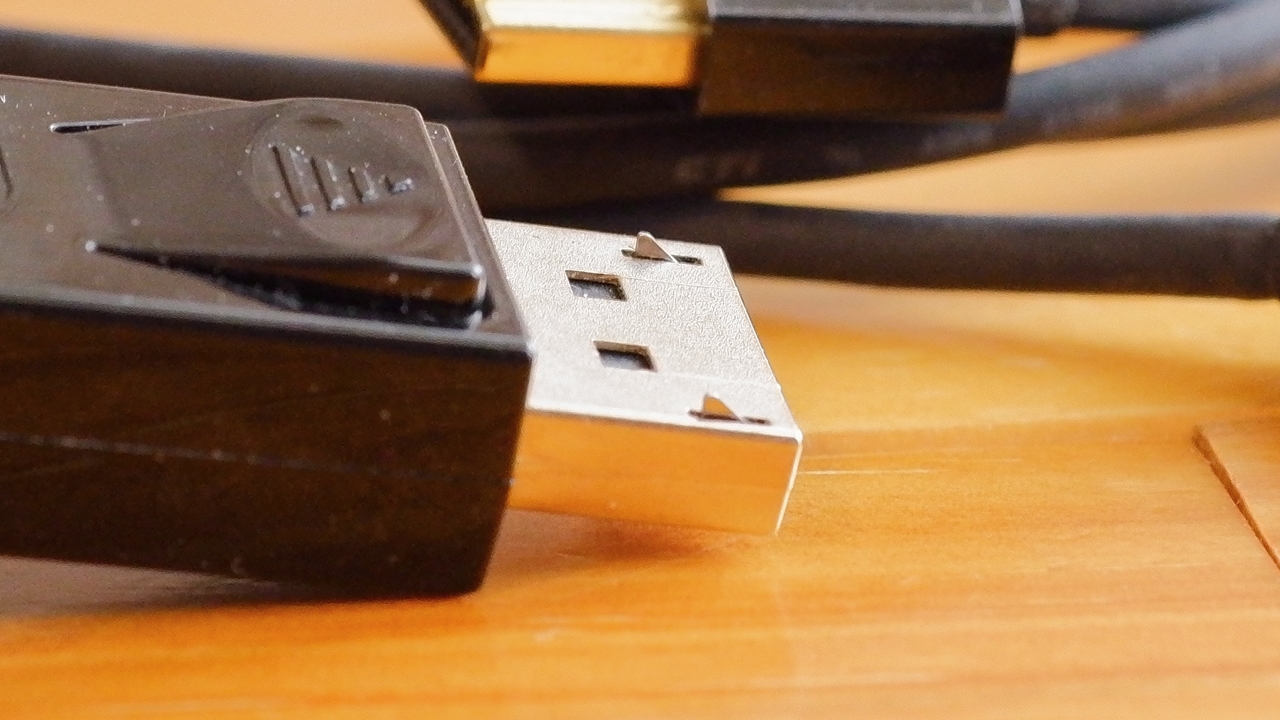
This locking tab — meant to prevent the cable from pulling out — is quite a nuisance, because once you push the connector in, it simply will not come back out. To remove it you have to press the shallow spring on the side of the connector while pulling — which is harder than it sounds… If there is limited clearance behind the equipment, or if the angle is awkward, it can be difficult to get enough force on your fingertips, and more often than not it just will not budge. Your only options are to remove every other cable first, compose yourself, steel your resolve, and then attempt extraction — or to move the PC or monitor to a position where the cable is more accessible. There is no shortage of sorry tales of people who wrestled with it too forcefully and ended up breaking the DisplayPort port on the device, or the connector on the cable itself…
One does wonder what this locking mechanism is even for. The thinking, as far as I can tell, is that heavy, stiff DisplayPort cables are prone to dropping out, and the latch is there to prevent operational problems in professional settings — medical equipment and the like. But honestly, for home or office desktop use, that is just an unwanted imposition. HDMI and USB manage perfectly well without any retention mechanism, and if anything, the latch seems more likely to cause a disaster — snagging the cable and bringing the monitor and PC crashing down together — than to prevent one.
What makes a good DisplayPort cable?
0 Officially VESA-certified (not merely compliant), with stable display output ※ Genuinely certified products are surprisingly rare
1 As thin, flexible, and light as possible ※ Allows routing in tight spaces and bending out of the sightline
2 No locking mechanism ※ A light cable will not fall out under its own weight in the first place
3 Small connector ※ Large connectors foul adjacent ports; a short connector body is also preferable
4 Good length variety, especially shorter options ※ Excessive slack means a tangled mess
5 Colour options and design ※ White and blue variants would be welcome
Those are roughly my criteria, but a DisplayPort cable that ticks all five boxes does not currently exist. As for “0: Official VESA certification” combined with “1: As thin, flexible, and light as possible”, the only product that just about qualifies is Sanwa Supply’s KC-DP◯K series — so if you want the most practical option available right now, the process of elimination leaves only the Sanwa Supply KC-DP◯K series standing. Points 2 through 5 have to be sacrificed, but in terms of all-round versatility across different conditions, it is quite simply the only choice.


 ポチップ
ポチップ
There are some Chinese-brand products that satisfy points 2 and 5 with no locking mechanism, but as cables they are thick, unusually stiff, and awkward to route. It becomes a question of looks versus reliability. Chinese products tend to have eye-catching, showy designs, but the colour options are, for some reason, almost always red or grey. And given the well-known compatibility issues and faults that arise from the DisplayPort standard itself, I think it is worth playing it safe and going with a Japanese manufacturer’s VESA-certified model to ensure reliability.
 ポチップ
ポチップ
A simple way to disable the DisplayPort cable retention latch
Now, this Sanwa Supply KC-DP◯K series, being a quality Japanese product and therefore faithfully following the standard, naturally comes with the retention locking mechanism. Since I repeatedly plug and unplug cables — when fiddling with equipment or cleaning the desk — I found after buying and using it that struggling to remove the cable was thoroughly exhausting. The latch spring is not particularly stiff as locking connectors go, but it is still enough to make your fingers hurt. I looked into various solutions, and since the connector cannot be disassembled without destroying it, about the only approach I could find was the rather drastic measure of grinding off the metal latch tab — the triangular hook — that protrudes from the tip of the connector with a rotary tool. So I thought about it a little…
The idea is simply to keep the tab permanently pressed in, right? — in which case, why not just wrap the whole thing with tape.
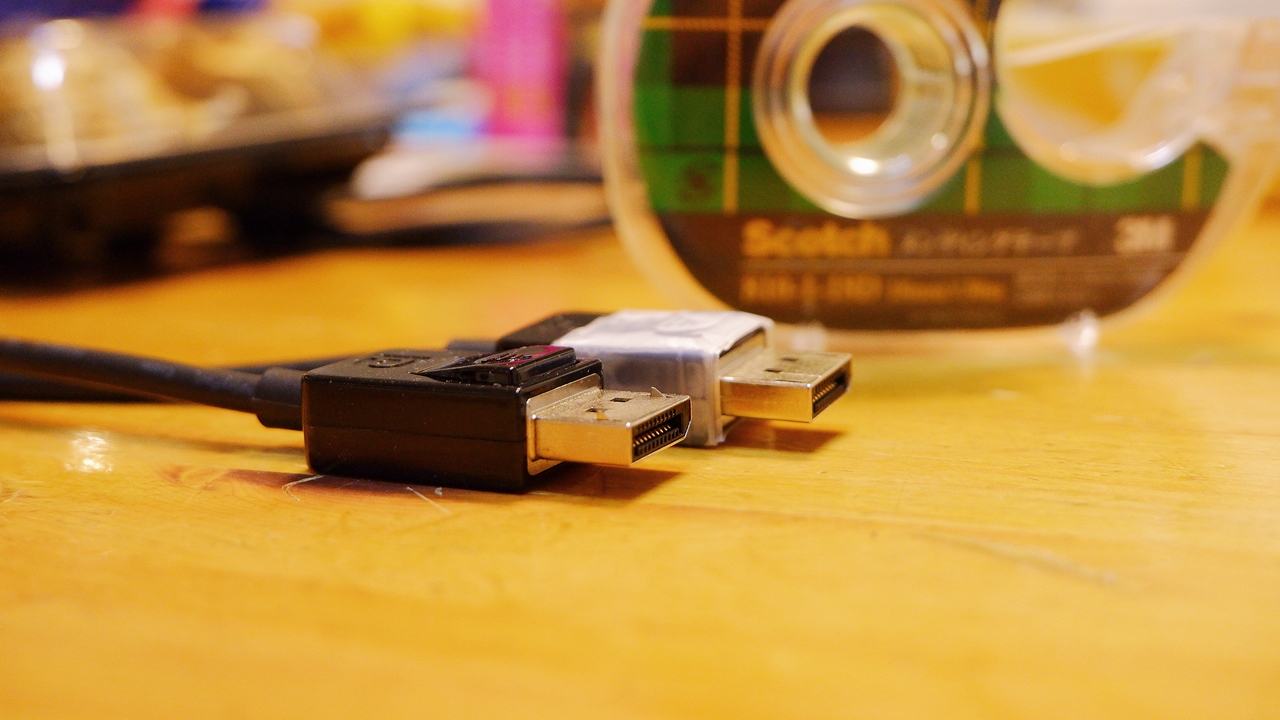
Something like this. The tape I used was Scotch Mending Tape — the least stretchy tape I had to hand near the desk. You press the latch down just right, then wind the tape around firmly, pulling it taut as you go, and with quite a bit of force. Cutting it into lengths of about 15–20 cm and wrapping in 3 or 4 passes makes it easier to apply neatly. The goal is to finish with the latch completely rigid and immovable to the touch. Regular clear tape might be a nuisance to remove later, and stretchy tapes like vinyl tape will expand over time and start to bulge, so mending tape is not strictly necessary — but the key point is to use something that will not stretch out afterwards.
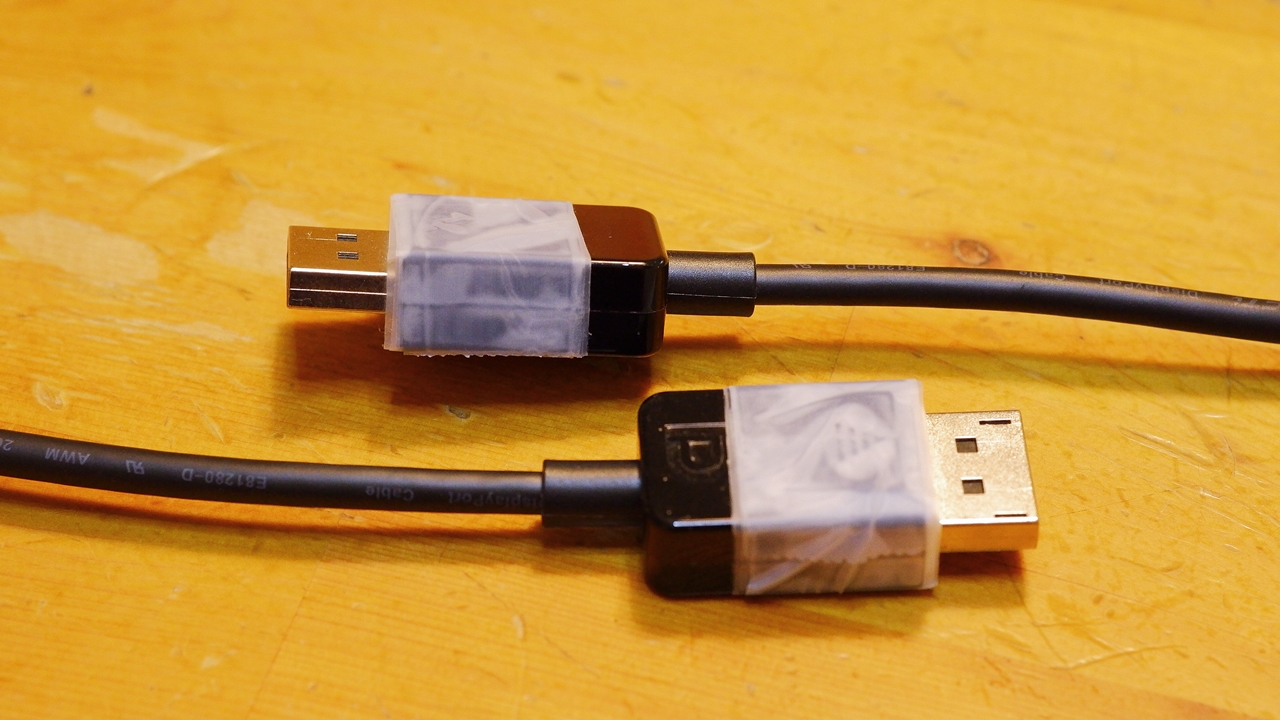
Honestly, it does look a bit rough, but then it is not somewhere you normally have to look at… It would be less conspicuous on a white connector, mind. How many years this will hold up is anyone’s guess, but in this state the tab stays permanently retracted, so the cable can be plugged and unplugged just as easily as an HDMI or USB cable — even in tight spots or without looking. Since nothing is being modified or damaged, it is gentle on both the equipment and the cable. The tape-wrapping approach might be trickier on connectors with a curved profile, so I am rather glad that the Sanwa Supply KC-DP◯K series has a rectangular connector for this very reason.
 ポチップ
ポチップ
One caveat. This tape-wrapping method works where the part you press sits proud of the connector face, but there are products where the mechanism requires you to push it below the connector surface, and in those cases wrapping tape around the outside will not keep the latch tab retracted. Unfortunately, it did not work on the MacLab. DisplayPort-to-HDMI adapter I introduced in this article.
Comparing an ultra-slim HDMI cable with Sanwa Supply’s DisplayPort cable
The Sanwa Supply KC-DP◯K series is currently the only slim DisplayPort cable available, but even so, “slim” here means Φ4.5 mm — it does not quite qualify as ultra-thin. The connector is a plain rectangular design in glossy black, and the cable itself is just an unremarkable black lead of middling diameter. Frankly it is so understated that it gives no aesthetic satisfaction whatsoever. It may well be a difficult choice: go for a showy, elaborate-looking Chinese cable, or accept the drab appearance of the Sanwa Supply in the name of performance and routing practicality.
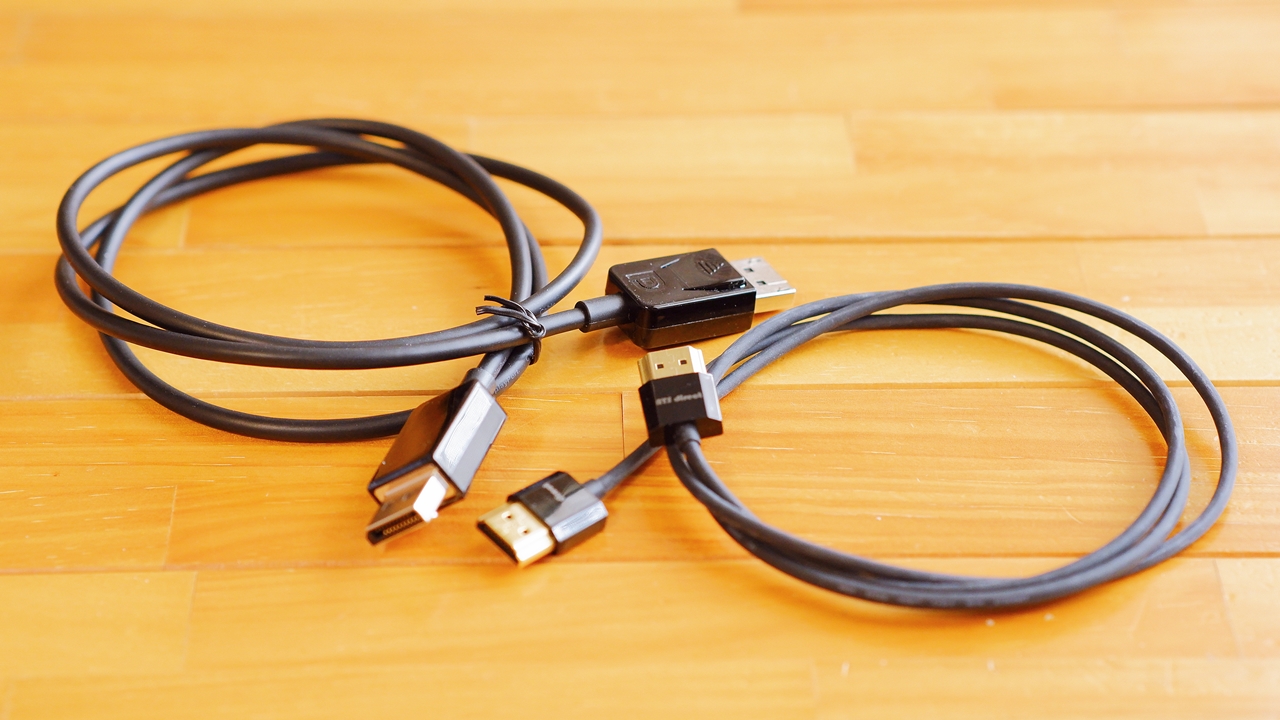
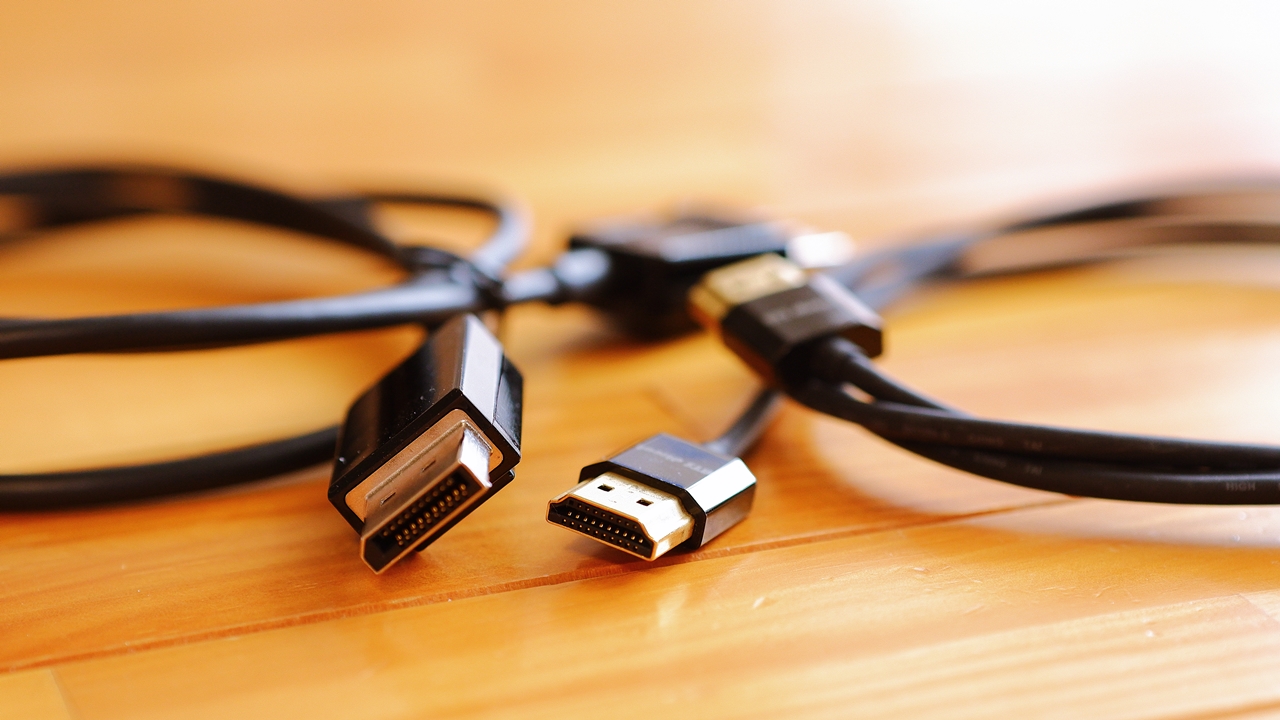
Placed next to a Φ3.2 mm ultra-slim super-slim HDMI cable, the difference in diameter and connector size means you feel a greater difference in weight than the photos alone might suggest.
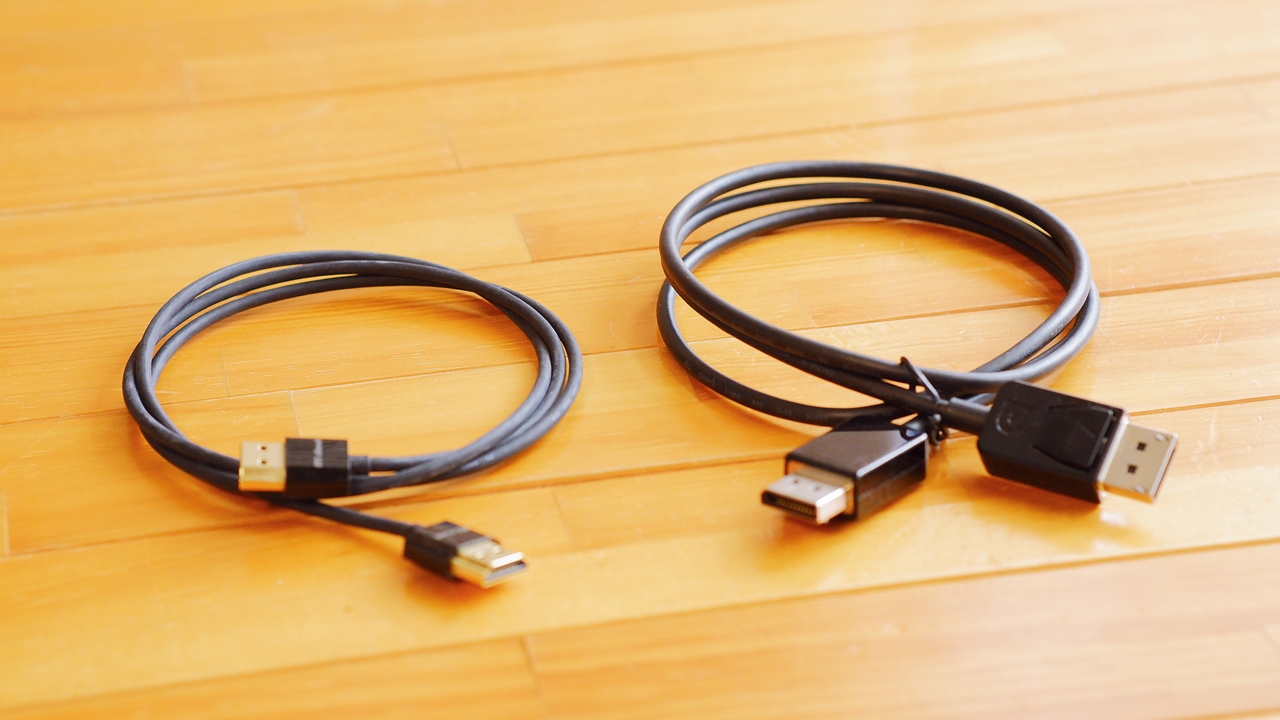
DisplayPort connections have a tendency to cause all sorts of minor annoyances — slightly sluggish wake-up from a monitor’s power-saving mode, erratic behaviour in multi-display setups, screen flickering, and so on — so personally I am not very fond of the interface. In my own setup, I actually convert the sole DisplayPort output on my main machine to HDMI, and then convert again to DVI-D before connecting to the monitor — two conversion steps in series. Adding adapters at both ends might seem to increase the risk, but in my environment it is far more stable than connecting via a DisplayPort cable directly.
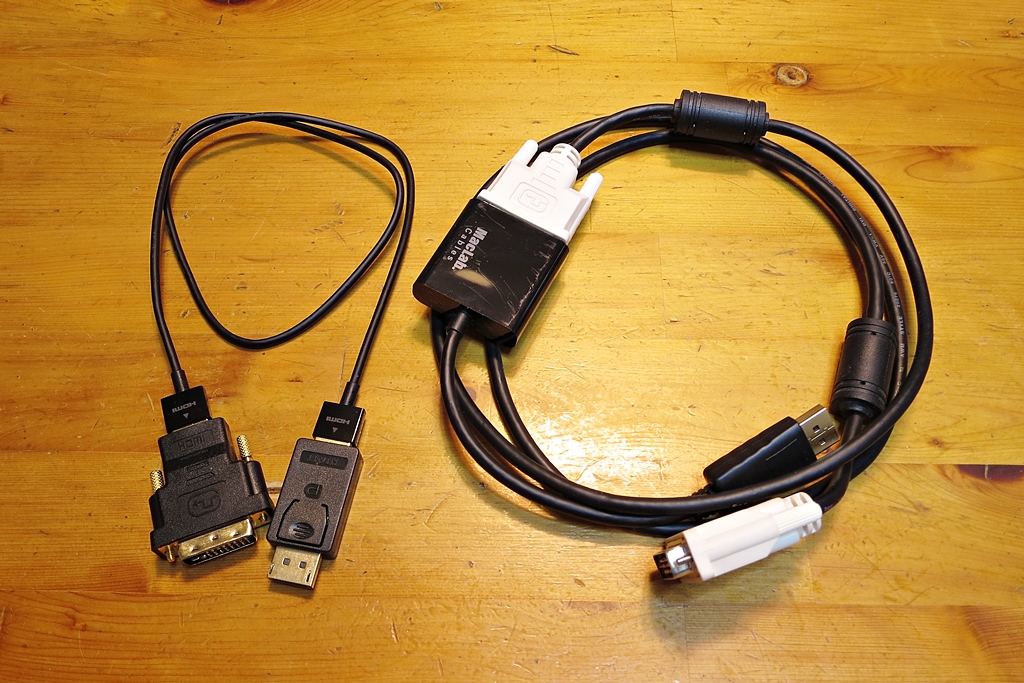
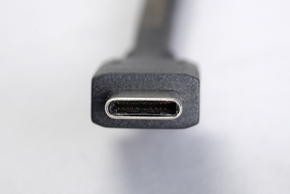
Following on from DVI and HDMI, DisplayPort has long been talked about as the mainstream standard for the 4K–8K era, yet more than ten years have passed with adoption remaining patchy on actual hardware. The way things are heading, it seems the existing DisplayPort standard — with its large connector and unstable behaviour — is already set to fade away, eventually absorbed into USB Type-C as “DisplayPort over USB Type-C.”

Sanwa Supply also offers a white version with the same 4.5 mm conductor as the KC-DP◯K series — the KC-DPM1W/KC-DPM2W — but for some reason these only come in Mini DisplayPort on one end. It would be nice if they made a white version with a standard DisplayPort connector on both ends.
 ポチップ
ポチップ
Which should you choose — 4K DisplayPort 1.2 (Ver. 1.2 certified) or 8K DisplayPort 1.4 (Ver. 1.4 certified)?
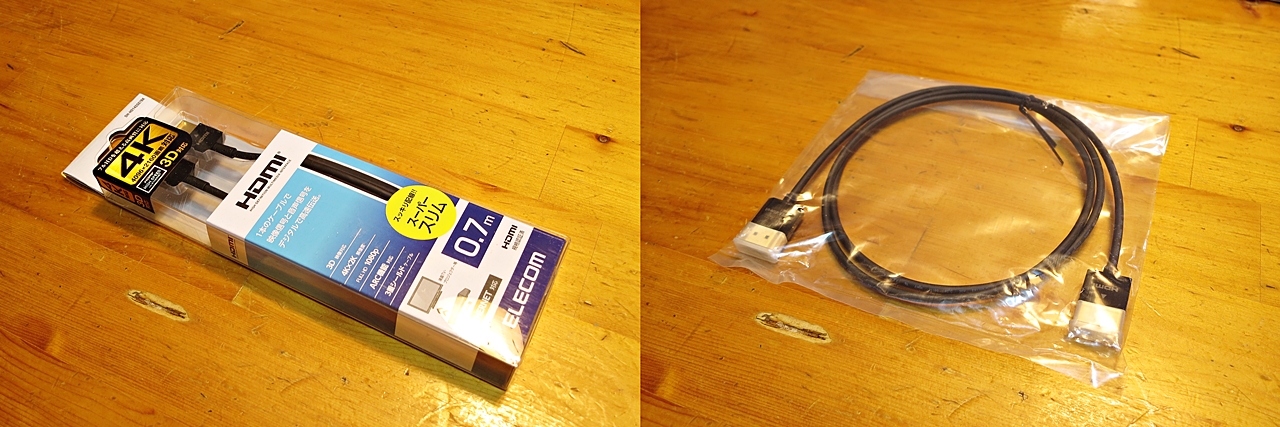
The Sanwa Supply KC-DP◯K series introduced here supports 4K DisplayPort 1.2. For 8K/60p resolution and frame rate, there is the KC-DP14◯◯ series. The connector shape differs slightly, but the conductor is the same 4.5 mm diameter. Which to choose depends on the user’s environment, but since relatively few people are currently using the expensive 8K monitors that would require it, DisplayPort 1.2 (Ver. 1.2 certified) is perfectly sufficient for displays up to 4K. My own multi-display setup is, after all, three SXGA monitors, so DisplayPort 1.2 is already complete overkill.
 ポチップ
ポチップ
If you are planning to upgrade to an 8K monitor in the near future, buying a DisplayPort 1.4 (Ver. 1.4 certified) cable ahead of time is a reasonable idea — though at the moment it comes at a slight premium over DisplayPort 1.2 products, so that is worth weighing up. And as I mentioned earlier, given that in a few years everything may well have converged onto USB Type-C, it may honestly not prove to be the most forward-looking investment. That said, current DisplayPort ver. 1.2 products include many with questionable compatibility and reliability, and a VESA-certified DisplayPort ver. 1.4 product, being a higher-grade specification, will have improved high-frequency noise immunity and should reduce the likelihood of the kinds of problems that DisplayPort cables are prone to causing. In particular, for longer cable runs, it may well be worth considering a DisplayPort ver. 1.4 certified product as insurance — even for a 4K display — and I think that is a perfectly valid option to have on the table.
 ポチップ
ポチップ
For slim cables supporting DisplayPort 1.4 (Ver. 1.4 certified) at 8K/60p, in addition to Sanwa Supply’s KC-DP14◯◯ series, ELECOM offers the CAC-DP14BK series, which also uses a Φ4.5 mm conductor in the 1 m and 2 m models (the 3 m version goes up to 7.5 mm). ※ Unfortunately, ELECOM’s current Ver. 1.2 compatible products appear to use a 6 mm diameter. For some reason, though, the ELECOM CAC-DP14 is priced slightly higher than the Sanwa Supply KC-DP14 — whether that price difference is worth it is for each user to decide.
~ Summary ~
So that is my little tip for making a stubborn DisplayPort cable easy to plug and unplug. It costs nothing extra, and should work with other DisplayPort cables too, so if you have been struggling with yours, give it a try. I would recommend the Sanwa Supply KC-DP◯K series to anyone who values genuine performance and reliability over flashy looks. For displays up to 4K, the Ver. 1.2 compatible KC-DP◯K series; for 8K, the Ver. 1.4 compatible KC-DP14◯◯ series — and I think either choice should free you from at least some of the instability that so often comes with DisplayPort.
 Category: PC Monitors — Embracing Multi-DisplayCategory: Useful PC Peripheral Reviews
【PC Slim & Smart Cable Management Know-How】
USB Hub|Monitor Switching|Monitor Cabling|Input Devices|DisplayPort

Auto Translated by CS4.6