【A purely subjective comparison of SSDs from various manufacturers】
[Comparison 2017] | [850 EVO] | [Comparison 2019]
[860 EVO (Part 2)] | [860 EVO (Part 3)] | [870 QVO] | [WD SN770]
The supplier of components such as memory, SSDs, and HDDs installed in manufacturer-built PCs often varies depending on the production lot. The ready-to-ship model of the ThinkCentre M75q Tiny Gen2 that arrived in early October 2022 was manufactured in July 2022 and made in China. Opening it up, the factory-installed 256GB NVMe M.2 SSD turned out to be the “Lenovo SSD_ASM 256G,M.2,2280,PCIe4x4,KIX,OP“. It is made by KIOXIA (formerly Toshiba Memory), but somewhat surprisingly, it was not manufactured in Japan (KIOXIA’s Yokkaichi plant) — it was Made in Thailand. The motherboard’s AMD Ryzen 5 PRO 5650GE only supports PCIe 3×4 (Gen3) and does not support Gen4, yet the factory-installed SSD is PCIe 4×4 (Gen4-capable), which felt like a small bonus.
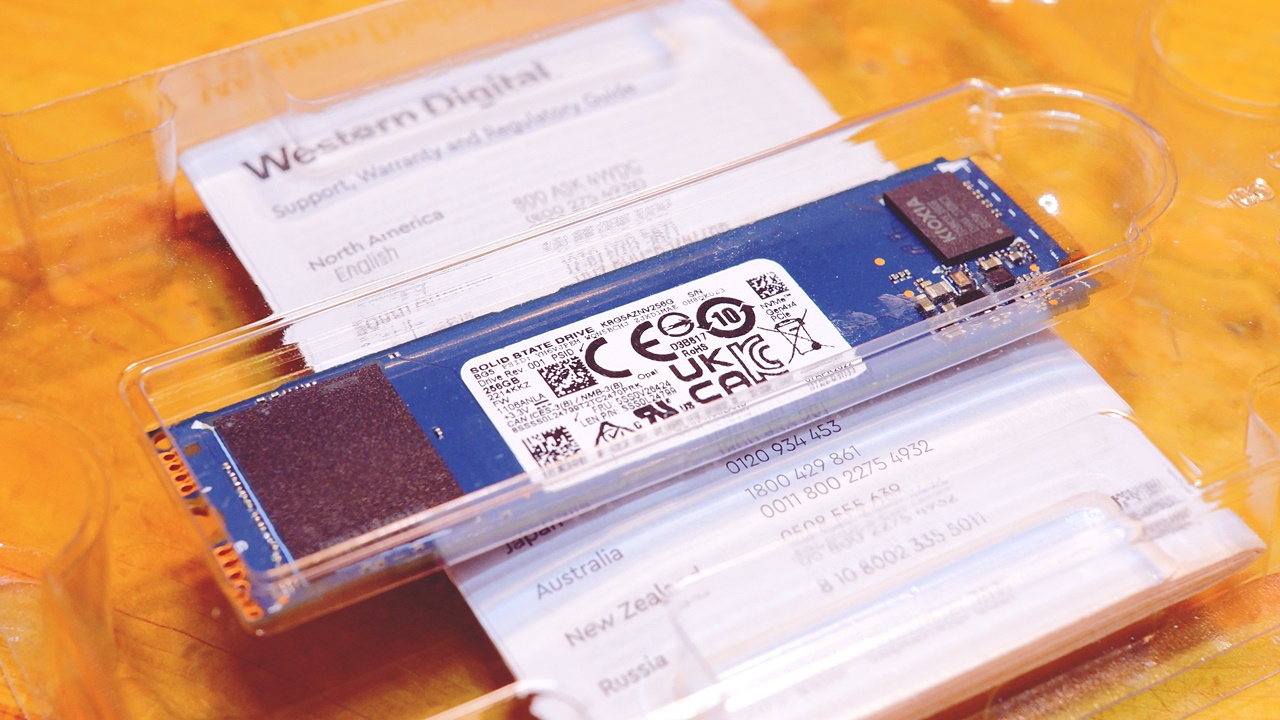
The factory-installed NVMe M.2 SSD (256GB) was swapped out immediately → replaced with a WD_BLACK SN770
This is not specific to the Lenovo ThinkCentre M75q Tiny Gen2, but in my case, I always swap out the factory-installed HDD or SSD with the OS on it straight away, keeping the original as a spare in case of failure or a situation where the machine won’t boot. This time around, the factory SSD is a KIOXIA unit that looks rather decent, so I’ll admit it does feel a bit wasteful.


 ポチップ
ポチップ
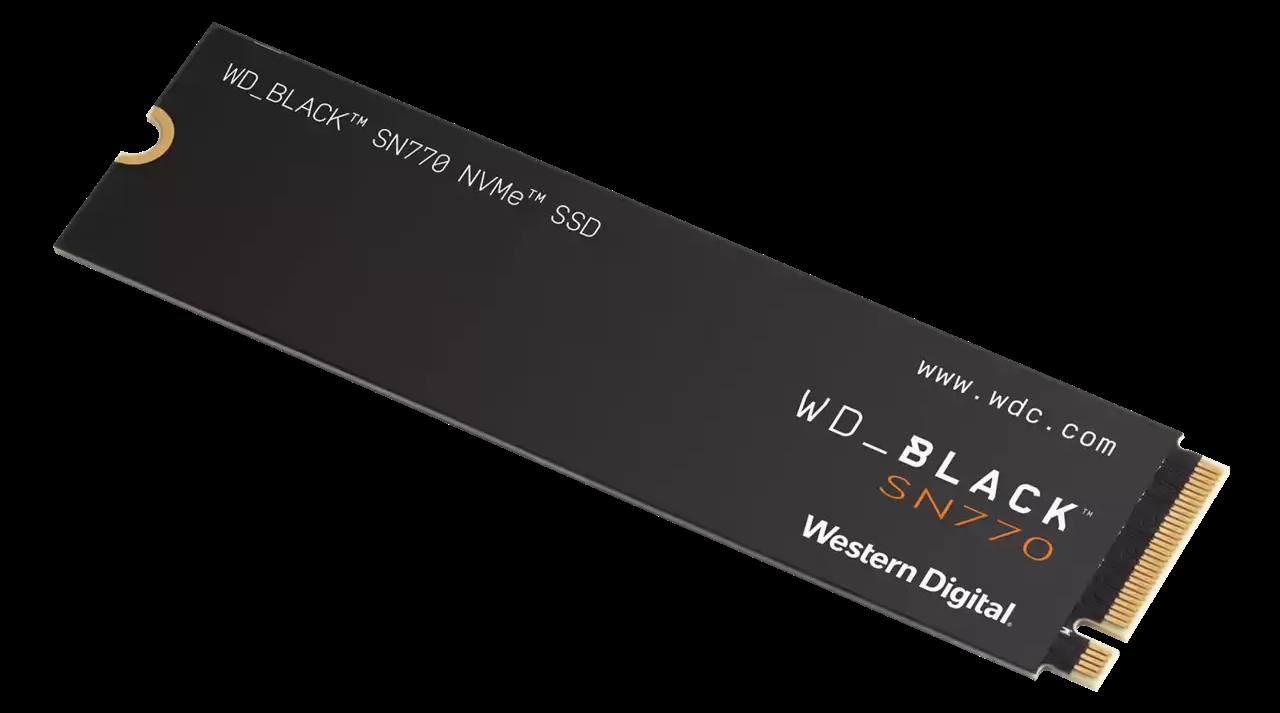
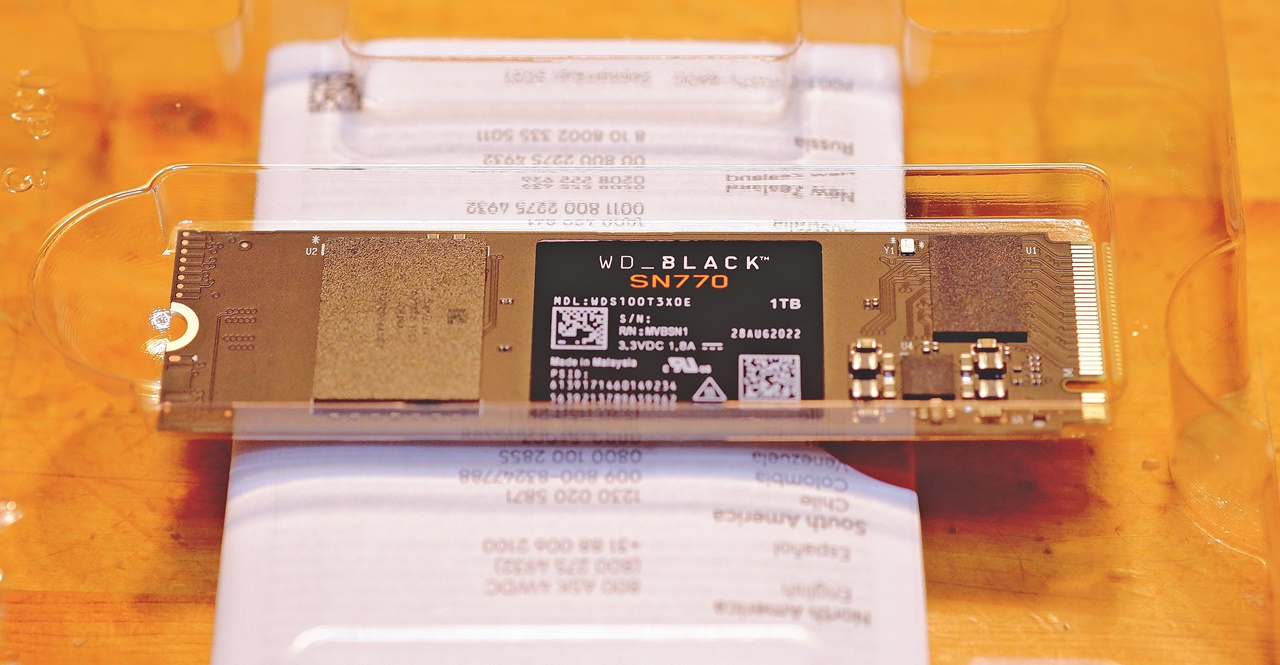
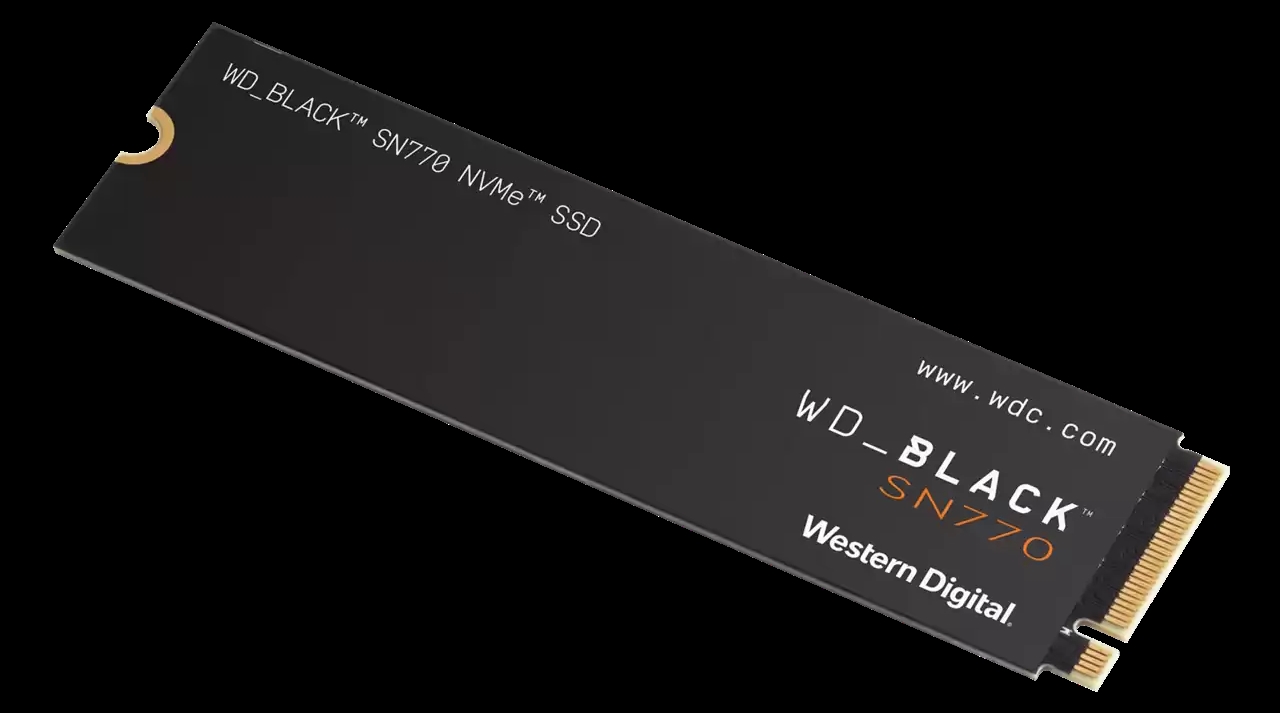
This time, rather than the usual Samsung SSD, I chose the WD_BLACK SN770 NVMe SSD 1TB from Western Digital. The WD_BLACK SN770’s flash memory is the latest 112-layer 3D TLC NAND (BiCS5), believed to be manufactured at KIOXIA’s Yokkaichi plant, with a controller of WD’s own design. On the same day I placed the PC order through Lenovo’s direct sales site, I separately ordered an NVMe M.2 SSD and an additional 16GB of memory from Tsukumo PC Yahoo! Store — and those too arrived two days later, on the very same day the PC itself turned up. Incidentally, the final assembly is done not in Japan but in Malaysia (Made in Malaysia).
 ポチップ
ポチップ
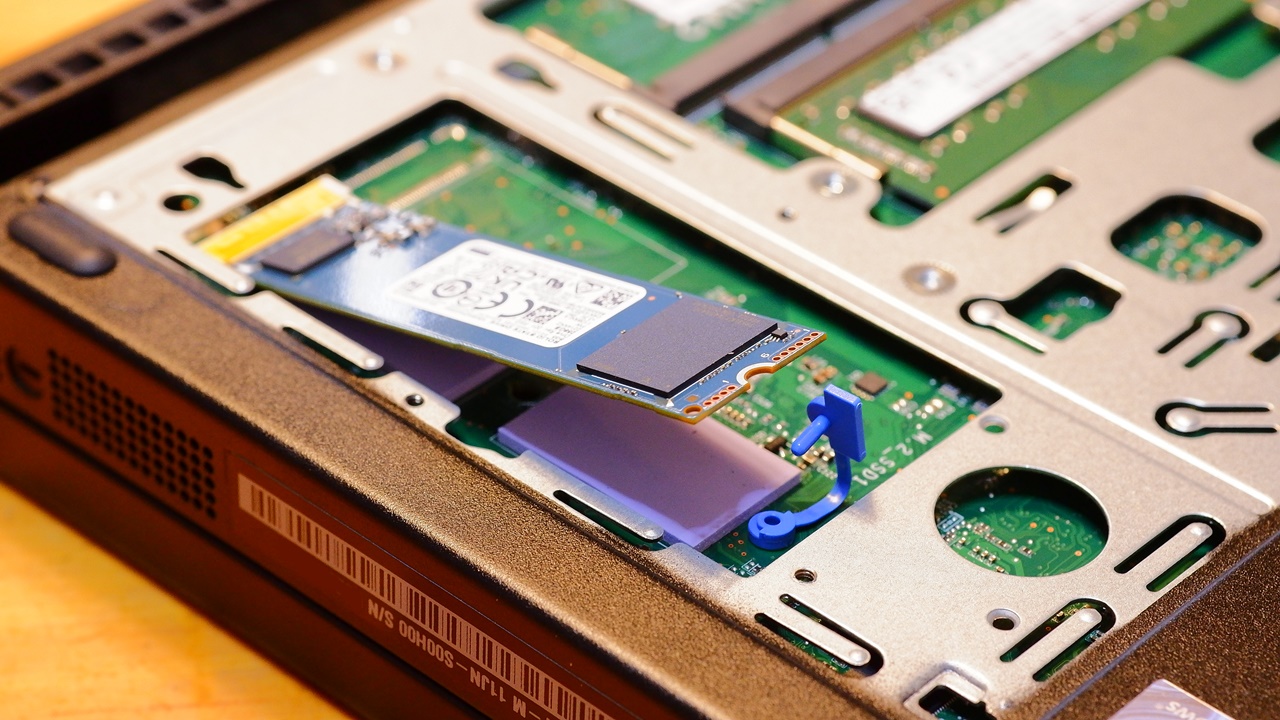
NVMe M.2 SSDs are normally secured with a screw. There was a blue plastic piece at the fixing point, and at first I wasn’t sure how to remove it — but as it turned out, it was simply clipped into place with a snap.
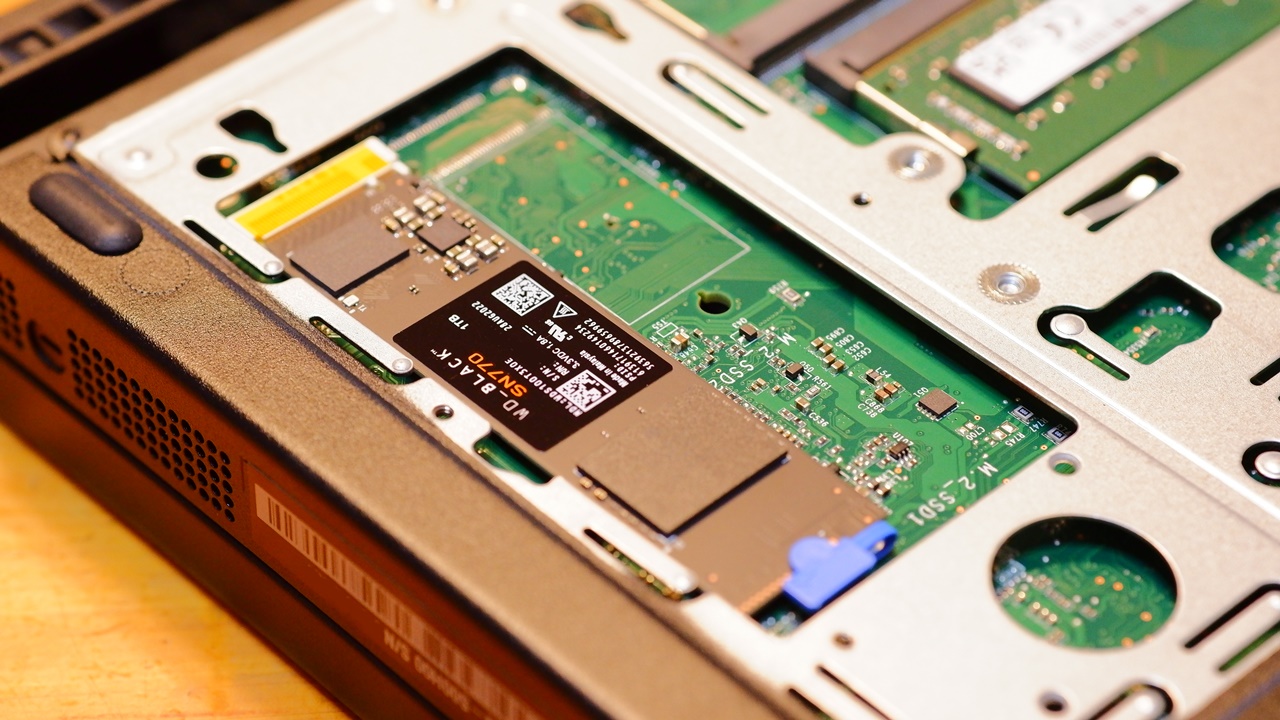
Up until now, I had always cloned the entire contents of the PC’s bundled SSD — Windows 11 OS and all — onto a blank new SSD, but this time I didn’t make a clone. Instead, I did a completely fresh clean install of Windows 10. I’ll go into the full story of how that went in the next instalment.
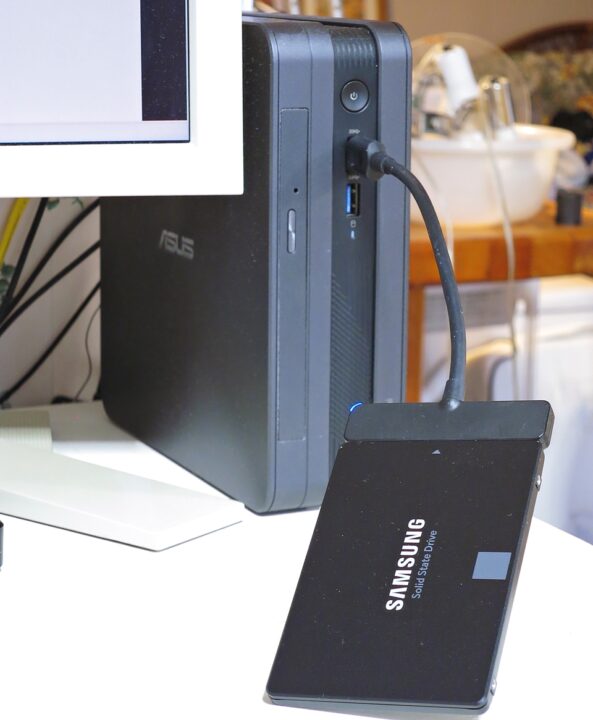
They differ in colour — black versus blue-green — but perhaps because KIOXIA makes them (KIOXIA also manufactures WD/SanDisk SSDs), the WD_BLACK SN770 looks fairly similar in appearance. This isn’t specific to this product, but NVMe M.2 SSDs are bare PCBs in real life, so the actual appearance differs from the product imagery.
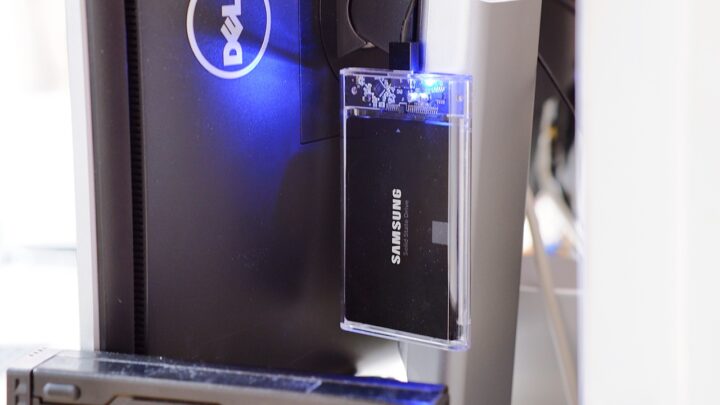
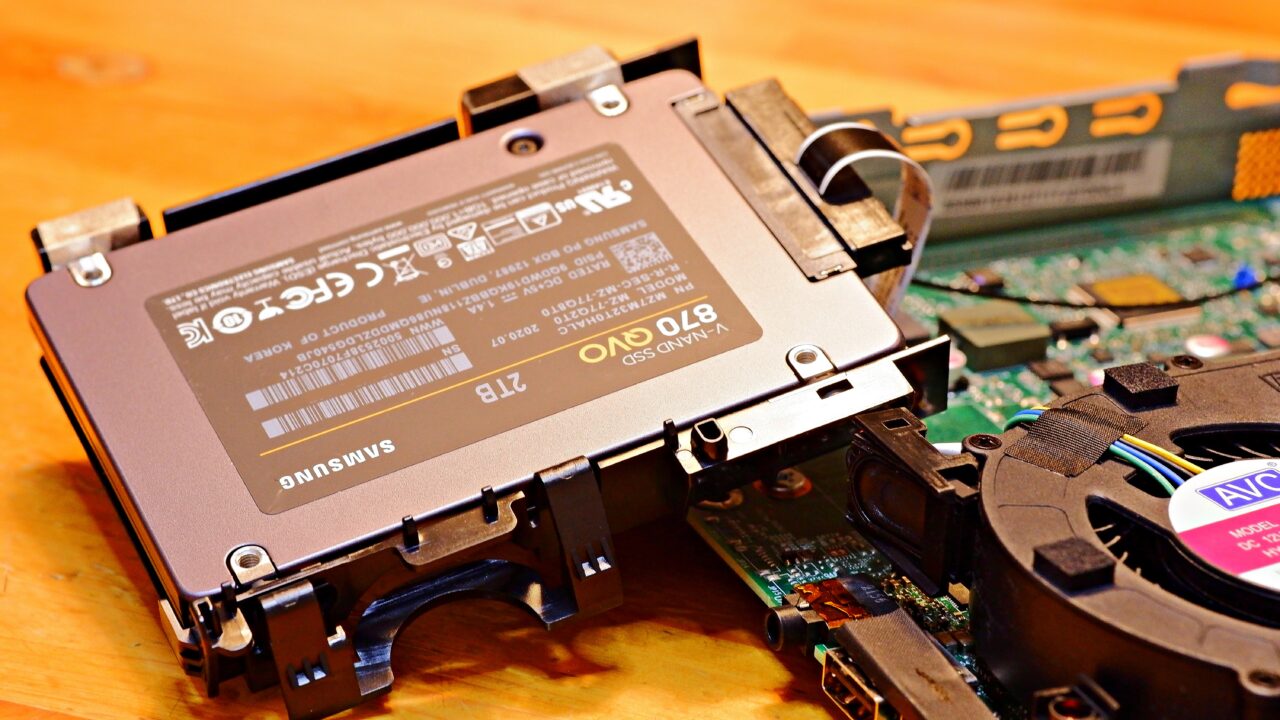
Adding a SAMSUNG 870 QVO 2TB to the empty SATA 2.5-inch drive bay
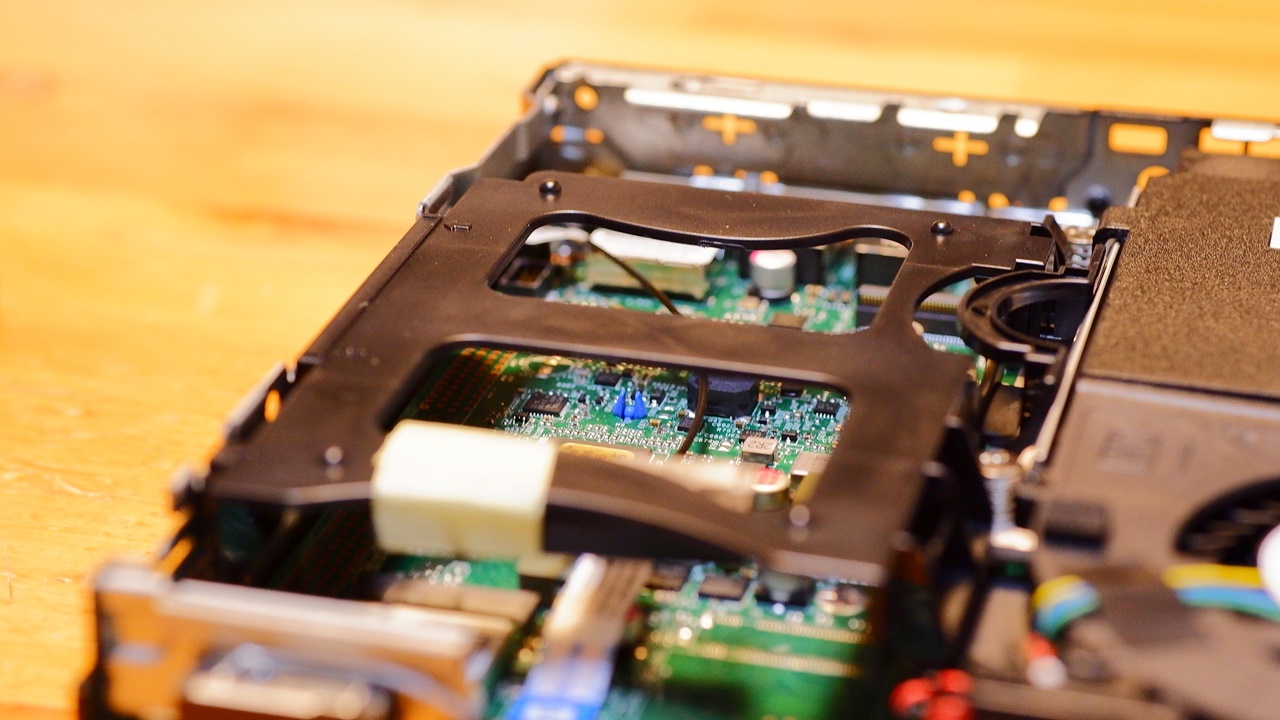
The second SATA 2.5-inch drive bay is empty, so I’m transplanting the Samsung 870 QVO 2TB SSD — which had been the secondary drive in my now-defunct ASUS VivoMini VC65 — straight across as-is. This 2.5-inch drive bay would normally be secured with four screws from the side, but as with elsewhere in the Lenovo ThinkCentre, there are no screws here either.
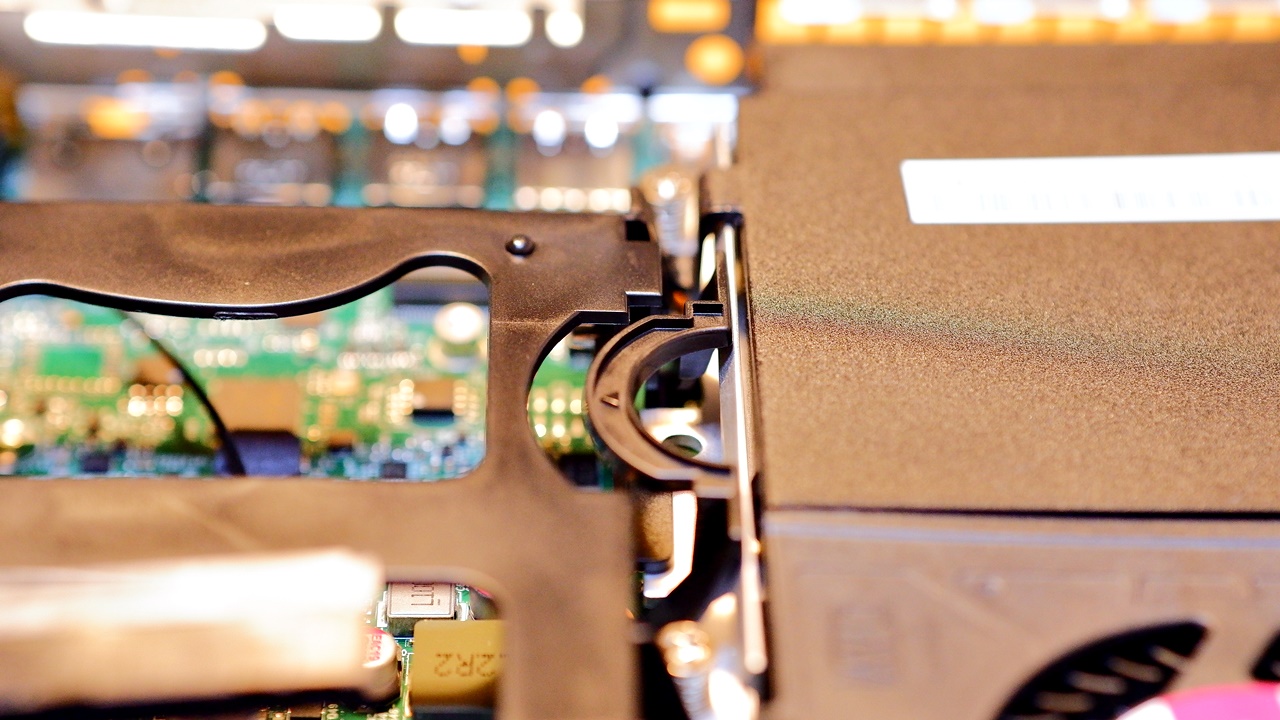
Push the arch-shaped section visible in the image above sideways (←) to release the soft plastic bracket, then flex the bracket slightly to snap in the 2.5-inch SSD (or HDD). There are four metal clips at the screw positions on the inside of the bracket, and anyone who cares about such things may find that the area around the screw holes on the sides of the 2.5-inch SSD casing picks up a few light scratches when attaching and detaching those clips.
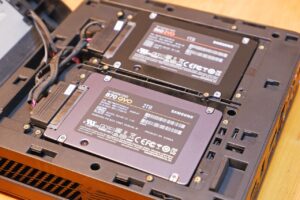
The main storage for the OS is an NVMe M.2 SSD on PCIe Gen4, whereas this side is a SATA-connected 2.5-inch drive bay, so it cannot normally achieve the kind of speeds you would get from an NVMe M.2 SSD. However, with a SAMSUNG SSD, you can configure a speed boost via Rapid Mode through SAMSUNG Magician, which borrows from main memory to bring the apparent speed of the SATA 2.5-inch side up to — or beyond — that of an NVMe M.2 SSD on PCIe Gen4.
Even with the SSD 90% full — hardly ideal conditions — this is the kind of speed you get from the SAMSUNG 870QVO 2TB in Rapid Mode. (The reduced capacity shown on the right-hand SSD is because 55 GB of Over Provisioning has been set.)
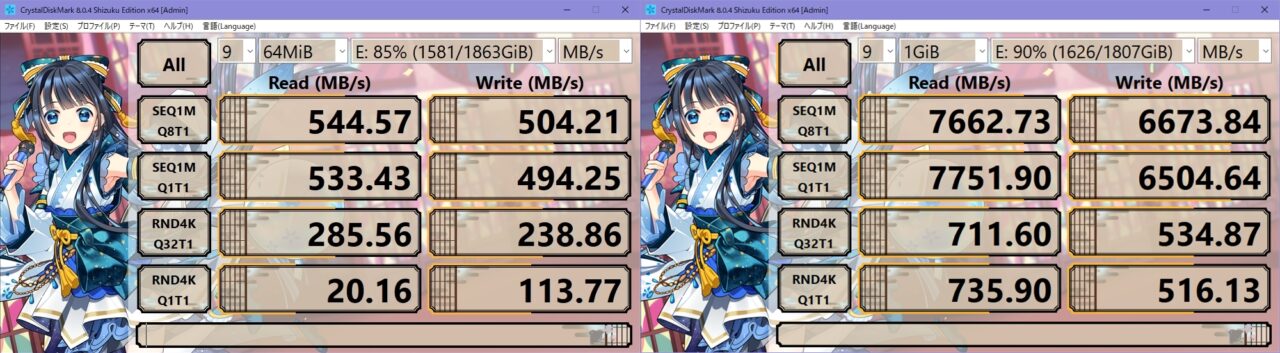
Samsung’s Rapid Mode supports only one SSD per PC, so under normal circumstances you would use it on the OS drive. However, since the ThinkCentre M75q Tiny can use a fast NVMe M.2 SSD for the OS drive in the first place, Rapid Mode can instead be applied to the SATA 2.5-inch sub-drive — with the result that both drives can be given a significant speed boost.
In my case, I have split the main NVMe M.2 SSD (described later) into a C drive for the OS and a D drive for data, with the SATA 2.5-inch SSD serving as a third E drive — used for a full mirror of the D drive and for storing various data files. The data files on the E drive are then mirrored (backed up) to two external SSDs (F drive and G drive). For the D→E and E→F backups, I have long used the free backup software BunBackup.
Why I chose the WD_BLACK SN770 NVMe SSD 1TB
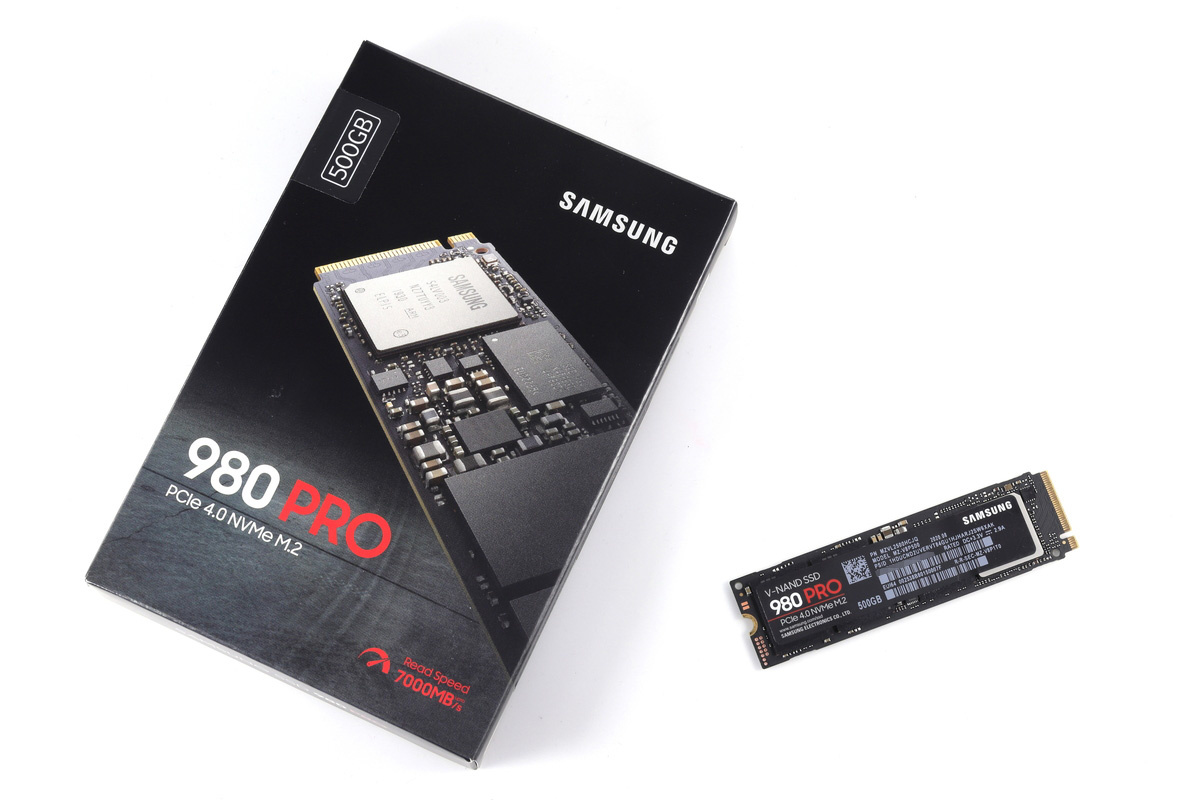
My desktop had always been a SATA 2.5-inch SSD-only setup, but this time I finally managed — somewhat belatedly — to move the main SSD over to an NVMe M.2 environment. When it came to replacing the factory-fitted SSD, I initially thought along the lines of sticking with Samsung as before, perhaps the 980 PRO or the 970 EVO Plus — but then I decided to research which NVMe M.2 SSD currently available offered the best performance. And that is when I came face to face with a rather significant fact: in the world of NVMe M.2 SSDs, Samsung had, at some point after 2022, been quietly overtaken in performance by WD WESTERN DIGITAL’s newer products.

When it comes to PC-related matters, I am a pragmatist. I choose on performance regardless of brand or country of origin, so at this point I switched my preference from Samsung to Western Digital. That then left me with a dilemma: should I go for the current top model, the SN850, or the recently released and slightly pricier successor, the SN850X — or the mid-range SN770? I could not very well pick a budget model for the OS SSD, which would be doing the heaviest work, and compared to a few years ago the price gap between the top model and everything below it is not all that large. So I had decided to go with the SN850 — but it comes with a heatsink. There is a version without one, but at the time the heatsink model was somehow selling for less, which I found oddly unsatisfying. And besides, as I will describe later, a thicker SSD with a heatsink simply does not fit inside the Lenovo ThinkCentre M75q Tiny Gen2 in the first place.
 ポチップ
ポチップ
Incidentally, here is a rough sense of the performance difference between the Western Digital SN850 and other manufacturers’ high-end models on one hand, and the mid-range SN770 on the other.
| Sequential Read | Sequential Write | Total Write Endurance | |
| WD SN770 1TB | 5,150MB/s | 4,900MB/s | 600TBW |
| WD SN850 1TB | 7,000 MB/s | 5,300 MB/s | 600TBW |
| WD SN850X 1TB | 7,300MB/s | 6,300MB/s | 600TBW |
| EXCERIA PRO SSD-CK1.0N4P | 7,300MB/s | 6,400MB/s | 400TBW |
| Samsung 980 PRO 1TB | 7,000MB/s | 5,000MB/s | 600TBW |
| Samsung 990 PRO 1TB | 7,450MB/s | 6,900 MB/s | 600TBW |
| Crucial P5 Plus Gaming 1TB | 6,600MB/s | 5,000MB/s | 600TBW |
The catalogue specs for the WD_BLACK SN770 — sequential read/write of 5,150MB/s and 4,900MB/s — place it squarely in the middle of the PCIe 4.0 (Gen4) NVMe M.2 SSD pack, at least on paper. So one might expect a clear difference in class, but in fact, in real-world performance benchmarks, the later and ostensibly lower-tier SN770 matches or even surpasses the SN850. Compared to the latest SN850X — which, like the SN770, uses BiCS5 flash — there is admittedly a gap, though even then the SN770 comes surprisingly close. And in the majority of parameters, both outperform the Samsung 980 PRO. Thanks to BiCS5, the SN770 shows a comparatively large performance leap over its predecessor the SN750, and if value for money is your priority, the WD_BLACK SN770 NVMe SSD really does seem like the obvious choice.
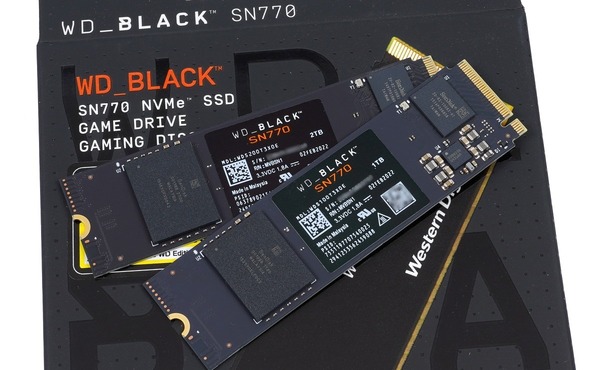
The weakness of the WD_BLACK SN770 is that, unlike the higher-end models, it has no DRAM cache. And being TLC NAND, there is the concern that speed may drop once the SLC cache is exhausted during large file transfers (the SN850 and SN850X share this limitation). That said, the WD/SanDisk controller handles SLC caching rather well. Not only can up to one-third of free capacity be used as SLC cache, but the SLC cache is also released in real time at a good pace, and the drive is cleverly designed so that speed drops are unlikely to occur unless conditions are particularly unfavourable. In short, it is a different calibre from the Phison controller era. Keeping a reasonable amount of free space available for SLC cache is a prerequisite, but as things stand, the WD_BLACK SN770 NVMe SSD appears to be the drive that manages both top-tier real-world performance and strong value for money.
The lack of a DRAM cache is addressed by HMB (Host Memory Buffer) support, which borrows a portion of the system’s main memory to serve as the SSD’s buffer — in a sense, perhaps not so different from Samsung’s Rapid Mode technology. A variable slice of the system RAM is effectively consumed in the bargain, though as long as there is enough memory headroom in the PC, this should not be a particular issue. That said, in environments involving frequent large-volume data transfers, choosing the higher-end SN850X would naturally be the more sensible option.
 ポチップ
ポチップ
Does it make sense to use a PCIe Express 4.0 (Gen4) SSD in a PCIe Express 3.0 (Gen3) PC?
The issue here is the SSD speed ceiling of the Lenovo ThinkCentre M75q Tiny Gen2 — a current-model machine, but one built around the AMD Ryzen 5 PRO 5650GE or AMD Ryzen 7 PRO 5750GE, both of which support only PCIe Express 3.0 (Gen3). Meanwhile, the latest NVMe M.2 SSDs on the market increasingly support PCIe Express 4.0 (Gen4), which is capable of twice the throughput of PCIe Express 3.0 (Gen3) by specification.
PCIe 4.0 (Gen4) SSDs are backwards compatible and will operate in a PCIe 3.0 (Gen3) slot, but fitting a PCIe Express 4.0 (Gen4) SSD — capable of twice the speed of Gen3 — into a PCIe 3.0 (Gen3) PC will still only yield PCIe Express 3.0 (Gen3) speeds. That said, many PCIe Express 3.0 (Gen3) SSDs do not actually reach the theoretical ceiling of the Gen3 spec in the first place. By fitting a PCIe Express 4.0 (Gen4) SSD instead, the drive’s hardware-level speed ceiling is no longer the limiting factor, which means it becomes possible to extract genuinely better real-world performance even from a PCIe 3.0 (Gen3) PC.
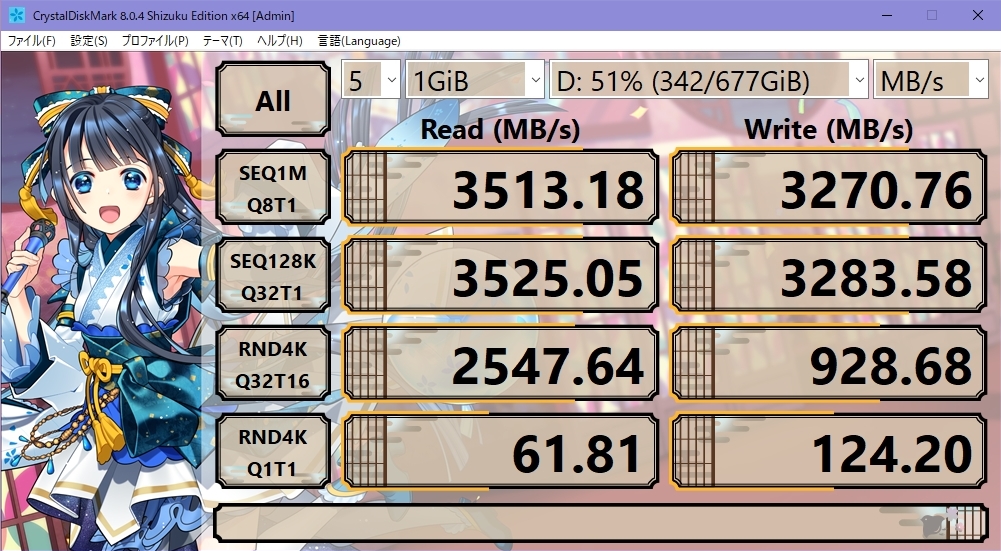
SN770 benchmark results in CrystalDiskMark — PCIe 3.0 (Gen3)
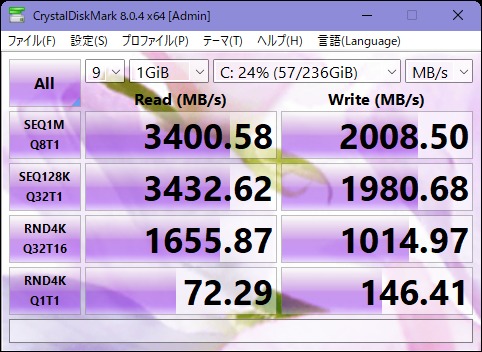
For reference, here are the benchmark results for the “Lenovo SSD_ASM 256G,M.2,2280,PCIe4x4,KIX,OP” that came bundled with the ThinkCentre M75q Tiny Gen2 — that is, the Toshiba SSDKBG5AZNV256G LA KIOXIA 256.0GB (PCIe 4.0 Gen4 compatible) ↓. Sequential write comes in at 2000MB/s, but sequential read reaches the 3400MB/s range, and the random 4K figures are actually better than the WD_BLACK SN770 NVMe SSD — so this could fairly be called a drive with superior real-world speed. If you try to increase storage capacity by swapping in a cheap third-party SSD without much thought, there is a high probability you will end up with a performance downgrade, so do be careful.
Because PCIe 3.0 (Gen3) imposes a hardware speed ceiling that PCIe 4.0 (Gen4) drives cannot exceed, any PCIe 4.0 (Gen4) SSD with a rated speed above 4000MB/s will in principle reach the same upper speed limit regardless of which model you choose. ※ This is speaking in terms of catalogue specifications; in practice, measured figures for things like fine-grained random access performance will vary from product to product. What deserves more attention than raw speed, then, is the difference in heat output and power consumption.
WD_BLACK SN770 NVMe SSD: Low Power Consumption ≒ Low Heat
NVMe M.2 SSDs generally consume more power and run hotter as performance increases, but when using an M.2 SSD in a PC with limited cooling capacity — such as a mini PC, Micro PC, or NUC — the issue that actually matters most is probably not speed but heat management. The Lenovo ThinkCentre M75q Tiny series uses an NVMe M.2 SSD as its primary drive, but there is simply no physical space above the slot, making it impossible to fit a proper heatsink for the NVMe M.2 SSD.

It is technically possible to force-fit a thin metal heatsink onto it, but since the heatsink would then be in direct contact with the steel chassis, the risk of external static electricity or stray currents flowing straight into the NVMe M.2 SSD’s circuit board is not zero — and personally, I find that far too frightening to consider.

The few measures available on the user’s side, then, are: not enabling settings in the SSD configuration that raise temperatures — such as game mode — and, more fundamentally, choosing a low-power SSD that does not generate much heat in the first place.
Comparing the benchmarks compiled by “Jisaku Hibi” (Self-Build, Gaming and Hobbies), the WD_Blue SN550 NVMe SSD comes out as overwhelmingly superior in terms of low power consumption and low heat generation — however, the WD_Blue SN550 is, to begin with, a budget model running on PCIe Express 3.0 (Gen3), and is several laps behind in outright performance. The WD_BLACK SN770 NVMe SSD, by contrast, comes remarkably close to the top tier in performance, while ranking just behind the WD_Blue SN550 when it comes to power consumption and heat output — an impressive result. The WD_BLACK SN850 trades considerably higher power consumption and heat generation for its performance, and while the newer SN850X reins that in somewhat, the SN770 still holds a significant advantage on this front.
 ポチップ
ポチップ
Speaking in rough relative terms: if the SN850’s power consumption is taken as 1, the SN770 comes in at around two-thirds, and the SN550 at around half. Setting aside the PCIe 3.0 (Gen3) SN550, when running the Gen4-capable SN850, SN850X, and SN770 within Gen3 constraints, meaningful differences in speed are unlikely to appear. Even so, the differences in power consumption and heat generation are clearly real — and so, looking not only at speed and price but also at thermal management, I deliberately chose the SN770 as what appeared to be the lowest-power, lowest-heat option.
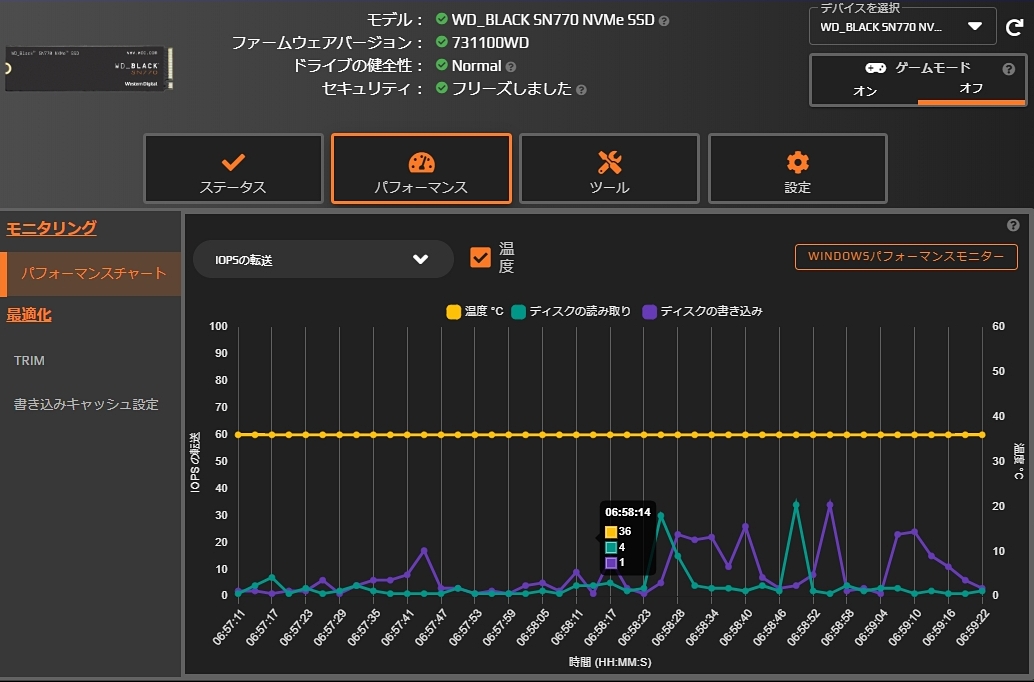
Running it in the Lenovo ThinkCentre M75q Tiny Gen2 in practice, I find that within the range of my normal desk work, the temperature sits at a virtually constant 36–37°C whenever I check it. Unlike the CPU, the SSD barely changes temperature under a moderate workload. From all of the above, I think it is fair to say that in a Gen3 environment, the WD_BLACK SN770 NVMe SSD requires no heatsink, and is an SSD whose design makes it a worthy first choice for mini PCs, Micro PCs, and NUCs where cooling capacity has its limits.
【A purely subjective comparison of SSDs from various manufacturers】
[Comparison 2017] | [850 EVO] | [Comparison 2019]
[860 EVO (Part 2)] | [860 EVO (Part 3)] | [870 QVO] | [WD SN770]
Auto Translated by CS4.6