SD Card Comparison |SSD Comparison|USB Drive Comparison
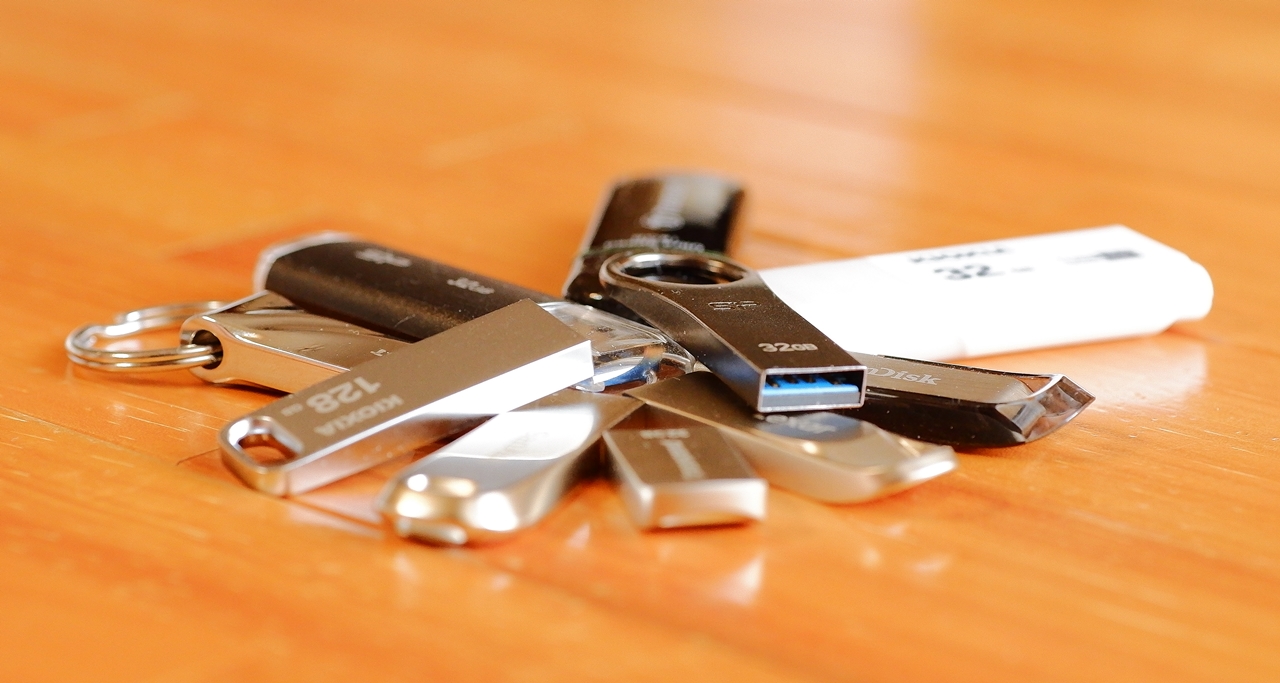
I’ve been publishing speed measurement notes for my SD cards every time I buy one, but then I realised — for some reason I’ve never once published any results for USB drives, so I thought, well, why not, and decided to round them all up here. Come to think of it, I’ve ended up with quite a few USB drives on hand, but if you have multiple drives with the same design, they tend to get mixed up and you can’t tell what’s on which one. So every time I bought another one, I deliberately went for a different product — and this is what came of that.
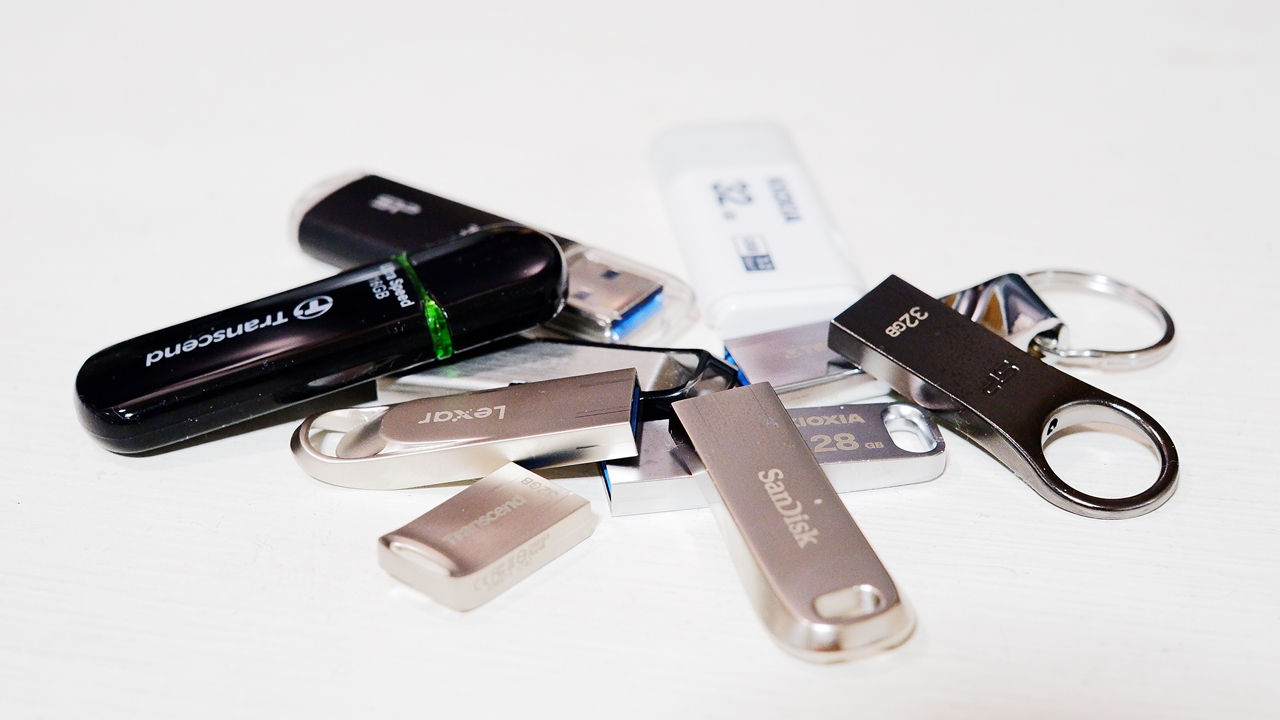
To be honest, when it comes to USB drives, I choose by design before anything else. Metal drives — aluminium, zinc alloy, and the like — are personally my preference. Partly because there tend to be many compact, refined designs among them, but also because some USB drives generate considerable heat during sustained read/write operations, and metal should at least be somewhat better than plastic from a heat dissipation standpoint. You might well wonder: if you’re choosing by looks, what about actual performance? But by keeping a few key points in mind, the chances of ending up with a dud are reasonably low — so in this article I’ll be going into that know-how in some detail as well.
A List of USB Drive Brands
Among major manufacturer brands, US-based SanDisk and Japan’s KIOXIA (formerly Toshiba Memory) lead the field. When I first came across KIOXIA I thought, what on earth is this? — but it is unmistakably the new name for Toshiba Memory. Next come the major and mid-tier Taiwanese brands, which are a major production hub for NAND flash memory, and then the emerging Chinese brands, which range from legitimate manufacturers to rather dubious trading companies — a thoroughly mixed bag. South Korean Samsung and SK Hynix (ESSENCORE KLEVV) products aren’t widely available in Japan, but as manufacturers of high-quality flash memory they seem likely to be reliable.
【Japan】
ADTEC|BUFFALO|ELECOM|Green House|HAGIWARA Solutions|HiDISC Magnetic Research Lab|I-O DATA|KIOXIA(formerly Toshiba Memory)|LAZOS|Logitec|OHM||Princeton Technology| SANWA SUPPLY|SONY |SUNEAST (Made in China)|GISH JAPAN (ARCANITE / ARKAINE / SEKC / Espeon)|WINTEN (Made in China/Taiwan)
【USA】
Corsair|Lexar (sales)|Kingston |SanDisk|Super Talent|Vansuny
【Taiwan】
Acer Storage (China BIWIN OEM)|ADAM elements|ADATA|Apacer|AXE Memory Group / TRIDENITE|Gigastone|KINGMAX|MOMENT – Linkmore|PNY|PQI | SP Silicon Power |Team Group|Transcend|Verbatim
【Korea】
Imation|SAMSUNG |SK Hynix – ESSENCORE KLEVV (Hong Kong)
【Germany】
Intenso
【China】
CONMUDA |KOOTION|Longsys (acquired Lexar)|UnionSine|TECLAST|TOPSEL|VASTDIGI
【Origin unknown】※Confirmed information welcome
BHMUHIEK|Bosexy|DEZOBYTE|EASTBULL|EATOP |ENUODA|Exmapor|FEBNISCTE|GOVNDVN|JDTDC|J-boxing|KEXIN|Looffy|LUHEUPM|PHICOOL|PUANV|PULABO|RAOYI |ROKHY |SCICNCE |SCOYN|STTARLUK |WANSISEN |WOFICLO |ZMPWLQ
Bold indicates a major brand or distributor. Highlighted indicates the author’s recommendations. Listed in alphabetical order.
Among the emerging Chinese brands, there are some manufacturers/brands that have gradually built up their capabilities as subcontract manufacturers and are now able to supply products of reasonable quality — one example being Longsys, the manufacturer behind the well-regarded Lexar brand. On the other hand — and this includes some of the names listed above — there are also a great many brands with names that look like random strings of characters, brands whose manufacturer and distributor information leads nowhere, brands that make you wonder, what on earth is this? — and the whole space is in a state of considerable chaos. These USB drives of unknown origin warrant the utmost caution, and it would be wise for anyone without solid PC knowledge to avoid them entirely.
 Rakuten Ichiba USB Drive & Flash Drive Ranking【PR】
Choose USB 3.0 (USB 3.1 / USB 3.2), Not USB 2.0
The maximum transfer speed of the old USB 2.0 standard is 480 Mbps. The newer USB 3.0 (3.1/3.2 Gen 1) is 5 Gbps — more than ten times faster in theoretical terms. In real-world USB drives, the measured speed difference between USB 2.0 and USB 3.0 is easily two times or more, so there is simply no longer any reason to buy an old USB 2.0 product. And yet, even well into the 2020s, USB 2.0 products are still being sold in considerable numbers. Particularly among bargain and low-priced USB drives, the proportion of USB 2.0 products in circulation remains high, and if you’re not paying attention when you buy, you can easily end up stuck with a USB 2.0 product in this day and age.
| Standard | Bits per second | Transfer speed (theoretical maximum) |
| USB 1.1 | 12 Mbps | 1.5 MB/s |
| USB 2.0 | 480 Mbps | 60 MB/s |
| USB 3.0 = USB 3.1 Gen 1 = USB 3.2 Gen 1 | 5 Gbps | 625 MB/s |
| USB 3.2 Gen 2 = USB 3.1 Gen 2 | 10 Gbps | 1,250 MB/s |
Now that we’re in 2023, USB 3.0 prices have come down and the price gap with USB 2.0 has become negligible — so to put it plainly, there is absolutely no reason to buy a USB 2.0 product. Many of the USB 2.0 drives still on sale today are old stock that was manufactured years ago and has been sitting unsold ever since. PC environments will eventually move entirely to USB 3.0 and USB 3.2 Gen 2, and the larger the capacity, the more frustrating it becomes to deal with slow read/write speeds. So if you’re buying a new USB drive, ignore USB 2.0 products entirely and go straight for USB 3.0 or above without hesitation.
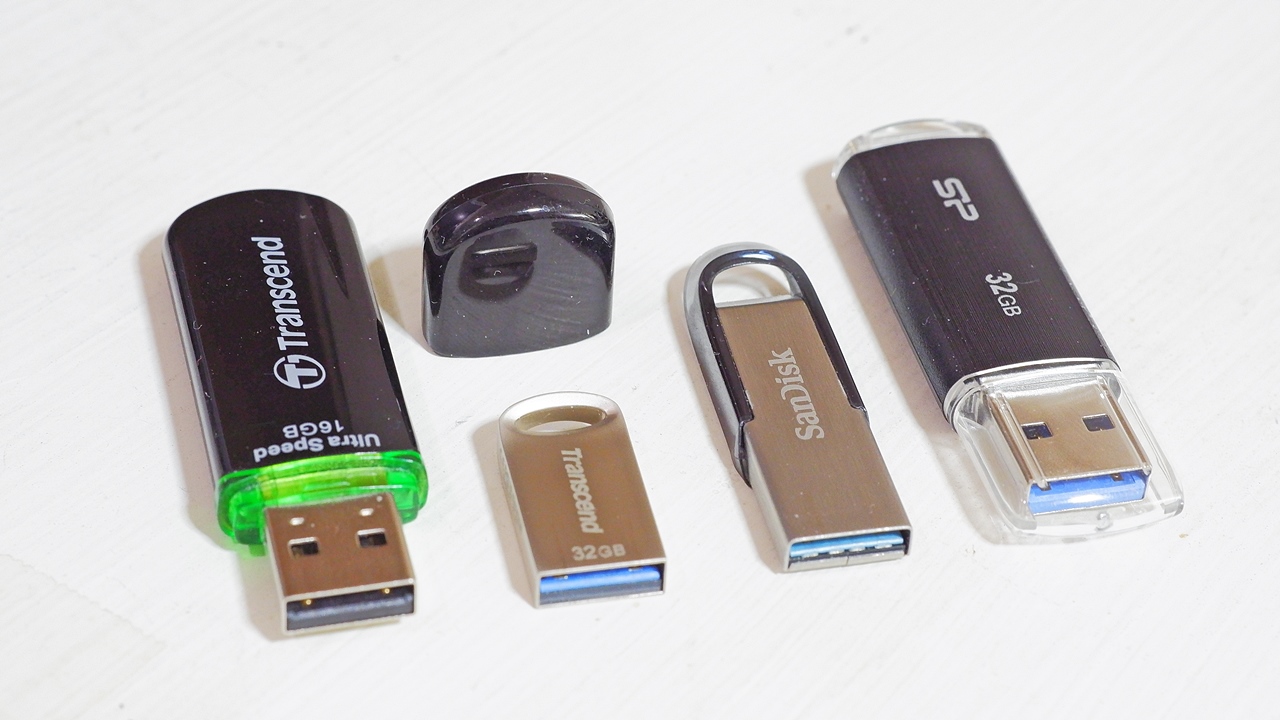
A simple way to tell USB 2.0 from USB 3.0 is by the colour of the connector: on both the drive and the PC port, USB 1.1 and USB 2.0 connectors are black, while USB 3.0 connectors are blue. ※Looking further ahead, USB 3.2 Gen 2 (10 Gbps) USB drives will gradually become more widely available, but at this point there are still only a handful of products on the market.


 ポチップ
ポチップ
How to Choose a USB Drive Safely
Sadly, the market contains no small number of USB drives that misrepresent their capacity or their speed. These kinds of drives tend to have high defect rates due to inconsistent manufacturing quality, and beyond their initial performance, their durability is also suspect — data you’ve written may become unreadable almost immediately. You must avoid them entirely. Here are the points to watch out for in order to steer clear of such defective products.
Avoiding USB Drives from Suspicious Manufacturers
When choosing a USB drive, it goes without saying that anything with no manufacturer name is immediately out of the question, and the basic rule is to avoid products from manufacturers you don’t recognise. In the USB drive world, even the author — a self-confessed PC gadget enthusiast — occasionally comes across brand names that are completely unfamiliar. So if a product from one of these first-encounter brands catches your eye, look up the brand name and try to find the manufacturer’s website: find out which country it’s from and what kind of company it is. If a search reveals a proper manufacturer or distributor based in Japan, the US, or Taiwan, that’s reassuring — but there are also plenty of cases where the website looks at first glance like a Western, English-language company, yet checking the company information (via the About Us page, corporate registration, and so on) reveals a general merchandise trading company with little apparent credibility, or a base in Hong Kong or Shenzhen. Brands that at least disclose their location are the better ones — dig deeper and you’ll often find cases where nothing at all can be determined about the actual entity behind them. Having an official-looking English website is no reason on its own to trust a brand.

For unfamiliar manufacturers, it’s important to read through the low-star reviews (not the high ones) carefully. As one useful gauge, try searching for the brand name on Sakura Checker — “brand name + USB” — and various things will start to become apparent. If a brand has multiple products flagged as high-risk for fake reviews, you should really avoid that brand across the board. Personally, I also tend to avoid products from shop brands that you’d never see in a proper PC specialist shop — even ones that claim things like Apple MFi certification — because the OEM manufacturer is often impossible to identify. Of course, if you’re going in with full awareness of the risks, that’s another matter entirely.
Are USB Drives from Well-Known Brands Safe?
It depends how much you know about PC component manufacturers, and I imagine quite a few people aren’t sure how to tell a trustworthy brand from the rest. As a starting point, even people without much PC knowledge should be able to feel reasonably confident about established Japanese vendors and major distributors such as BUFFALO, ELECOM, I-O DATA, and Green House. These are the brand names you see most often in consumer electronics shops, and because their customer base includes a broad general audience with little PC knowledge, they tend to offer good warranty and after-sales service within Japan. Below is BUFFALO’s popular RUF3-KSW series, which is USB 3.0 — quite a stylish design, isn’t it.
 ポチップ
ポチップ
That said, these are ultimately mid-tier PC supplies distributor brands rather than USB drive manufacturers themselves, and because product planning, distributor margins, retail margins, and so on are all factored into the price, they tend to feel somewhat more expensive compared to products from the actual manufacturers. It’s also not uncommon for products, once launched, to linger on shop shelves for years without selling through — and in fact it’s quite common to find old USB 2.0 drives, the kind that make you think, what year is this from?, still being sold at their original prices without any change. It’s worth being aware that slow-moving stock at large retailers can take years to disappear, steadily being bought up by people who don’t know any better.

Unnaturally Low or High Prices
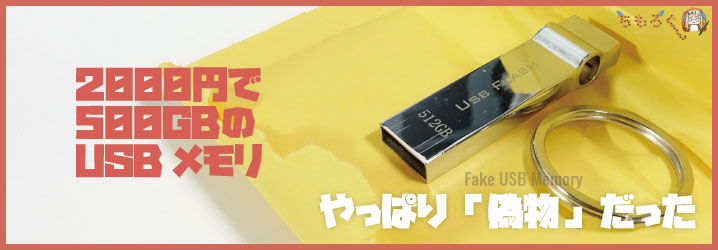
A common scenario is USB drives claiming 1 TB or 2 TB (2,000 GB) capacity being sold for two or three thousand yen — prices wildly removed from current semiconductor market rates — often from unknown or mysterious brands. ※As a rough sense of market pricing in the first half of 2023, even the cheapest 1 TB USB drives (including stick-type SSDs) still start at around ten-odd thousand yen and go up into the twenty-thousands. Some of these low-priced drives use fake positive reviews to disguise themselves, but if you take the time to read through the low-star reviews carefully, you’ll find complaints — in Japanese and other languages alike — about misrepresented capacity, or speeds so abnormally slow as to be completely unusable. In any case, don’t be lured in by a sense of bargain and fall for fraudulent products whose prices or capacities exceed the bounds of common sense. I’ll admit that even I find it hard to resist clicking “buy” when a drive looks good on the outside.
As for the opposite problem — prices that are too high rather than too low — caution is warranted there too. There are actually quite a few products where you find yourself wondering, how on earth are they selling it at that price? Whether it’s to trick people who conflate high price with high quality, or to catch those with no sense of normal market rates, there’s no shortage of cases — often grey-market imports from unclear sellers — where products are listed at several times the reasonable price for what they are in terms of capacity and brand. It’s not necessarily fraud as such, but everything has its appropriate market price, and I wouldn’t recommend spending more than necessary without thinking it through.

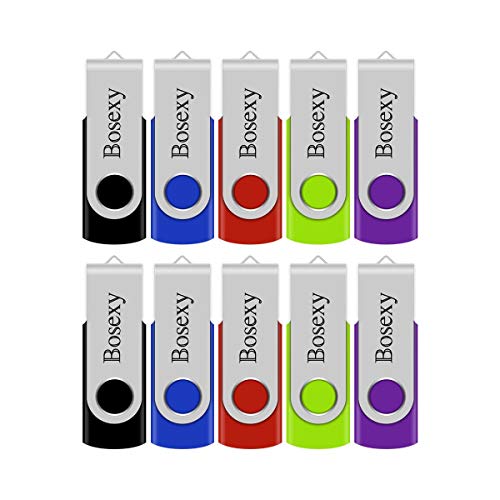
USB drives sold cheaply in multi-packs
The vast majority of USB drives sold in bargain multi-packs — five sticks in different colours, that sort of thing — are mystery-brand products of apparent Chinese manufacture with no clear product details. Conversely, you almost never see reputable major or mid-tier suppliers selling their products this way. Nor will you find these kinds of brands or products on the shelves of mainstream consumer electronics shops or large PC parts retailers.
 ポチップ
ポチップ
If you read the reviews for these USB drives carefully, you will find no shortage of reports about high rates of initial defects and failures — and indeed, genuine uncertainty about how long they can actually retain data, or whether they have any meaningful write endurance. I would not recommend buying one for anything you cannot afford to lose. They may appear to sell well and earn decent ratings, but searching on Sakura Checker will reveal their true nature. You might get lucky and land a good one — but these are hit-or-miss products of inconsistent quality, and you need to go in prepared to treat them as disposable toys.
Where you buy matters
Major online retailers and auction sites give you access to products from all over the world, which is convenient and often cheaper — but the trade-off is that you need the knowledge and skill to identify substandard USB drives and dubious sellers yourself. Readers who have sought out this article will include plenty of people with exactly that ability, but for those who are not so confident — or simply not very familiar with PC components — I would recommend not being swayed by product descriptions or prices, and instead buying from a reputable shop that everyone knows: a well-known Japanese consumer electronics or PC retailer with an online store. Examples include Nojima Online, Yamada Denki, Bic Camera, and TSUKUMO — shops that, by their very nature, only carry trusted brands.
A well-known major retailer will source its products from reliable suppliers as a matter of course, which means USB drives from obscure brands or mystery manufacturers simply will not be on the shelves. The only thing to watch out for is old USB 2.0 clearance stock — but as long as you keep chanting USB 3.x to yourself, you will be fine. And if you do happen to receive a defective unit, you should be able to get it exchanged without difficulty.
Are overseas-packaged / foreign retail products safe to buy? What about counterfeits and fakes?
You often see listings on online shops described as “overseas package” or “foreign retail.” These are not products wholesaled through domestic agents or official manufacturer channels — they refer to goods that the retailer has sourced through overseas distribution networks in Europe, America, Asia, or elsewhere, and imported directly or in parallel. In my own case, I have long made a habit of buying parallel-imported USB drives, SD cards, and similar items when the same product is available a little cheaper that way than through official domestic channels.
The issues that arise with overseas-packaged and foreign retail products are the question of where the warranty sits, and the risk of being sold a knockoff — a counterfeit.
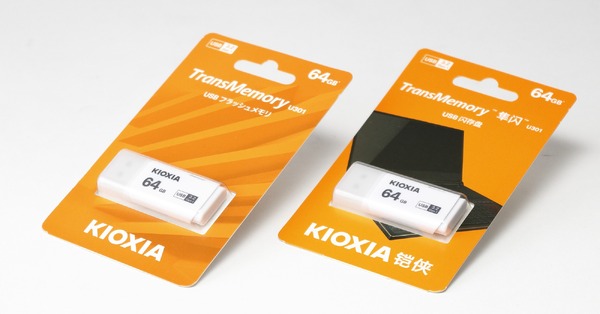
Overseas-packaged and foreign retail products will naturally have packaging in English, Chinese, or another language rather than Japanese, but provided they are genuine, the contents should in principle be no different from those sold through official domestic channels. That said, minor revisions and improvements do happen between production runs, and it is quite plausible that a newer lot — whether domestic or overseas — might feature updated NAND, a revised controller, or updated firmware, resulting in improvements to speed, endurance, or heat generation. With USB drives in particular, it is common for the same model name and packaging to remain on sale for several years, but when you consider how much NAND flash memory technology advances over that period, it seems unlikely that the internals stay exactly the same throughout.
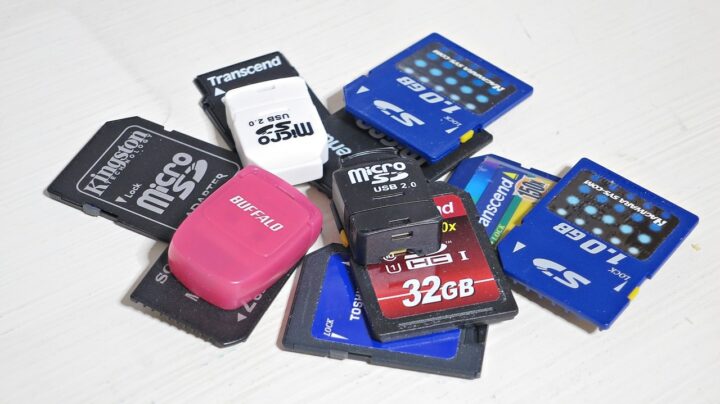
As for counterfeits and fakes — it is a story you hear often with SDXC cards, which seem especially easy to copy, and the possibility that USB drives might be similarly counterfeited cannot be ruled out. That said, even before you get to counterfeits, there are plenty of outright defective products from dubious brands circulating openly in the market, so the main precaution is simply to be careful where you buy. Avoiding sellers on auction sites and marketplace platforms whose trustworthiness cannot be verified, and sticking to established retailers that have long dealt in parallel imports under the “overseas package / foreign retail” banner — shops that already carry their own reputation and warranty — should be fine in most cases.
I have long used shops such as “Kazamidori,” “Akiba Direct,” “Shanghai Shokai,” and “Akibaoo” — though more than a decade ago, in the old days, I did occasionally end up with rather poor-quality cheap SD cards and the like (not fakes, just genuinely bad products), which was a little galling. Over the years, however, these import retailers have steadily built up a track record, earned the trust of enthusiasts, and in some cases been brought under the umbrella of major PC retailers, to the point where I think they can now fairly be called established shops with a genuine history in parallel importing.
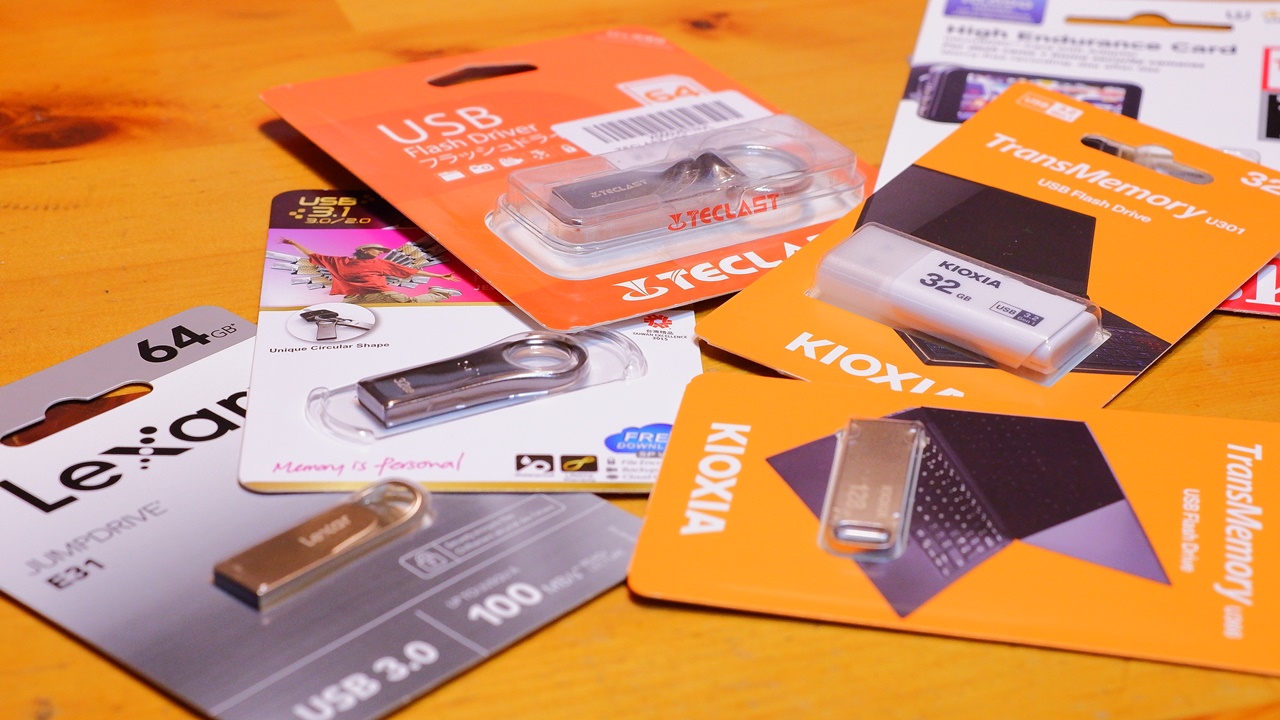
On the question of warranty: official domestic products come with domestic warranties ranging from one year to lifetime coverage, but parallel-imported overseas-packaged or foreign retail items are normally not covered by these. However, if you buy through the well-known retailers mentioned above, you will typically have importer warranty plus the shop’s own extended warranty, giving you one to two years of coverage. And if your English is up to it, you can actually apply directly through the contact page on the manufacturer’s official website for the region shown on the product packaging, and claim the warranty that was originally bundled with the product. ※For this reason — whether the product is a domestic official release or a parallel import — do not throw away the back of the product packaging, which doubles as a warranty card, even after keeping your receipt separately.
On USB drive capacity… bigger is better
You will want at least one USB drive per Windows PC for use as a recovery drive, with the recommended minimum capacity being 16 GB for Windows 10 and 32 GB for Windows 11. Memory prices fluctuate considerably over time so nothing is certain, but as of the first half of 2023, street prices for 64 GB USB drives and SDXC cards from major manufacturer brands have already fallen to around ¥1,000, and 128 GB USB drives have come down across the board to somewhere between ¥1,000 and ¥2,000. As a general rule, smaller-capacity USB drives tend to cost more per gigabyte, so when you factor in future reuse of any spare drives and the possibility of using them for general data storage, it makes sense to think in terms of at least 64 GB to 128 GB rather than 16 GB or 32 GB — and 256 GB is not unreasonable to consider either.
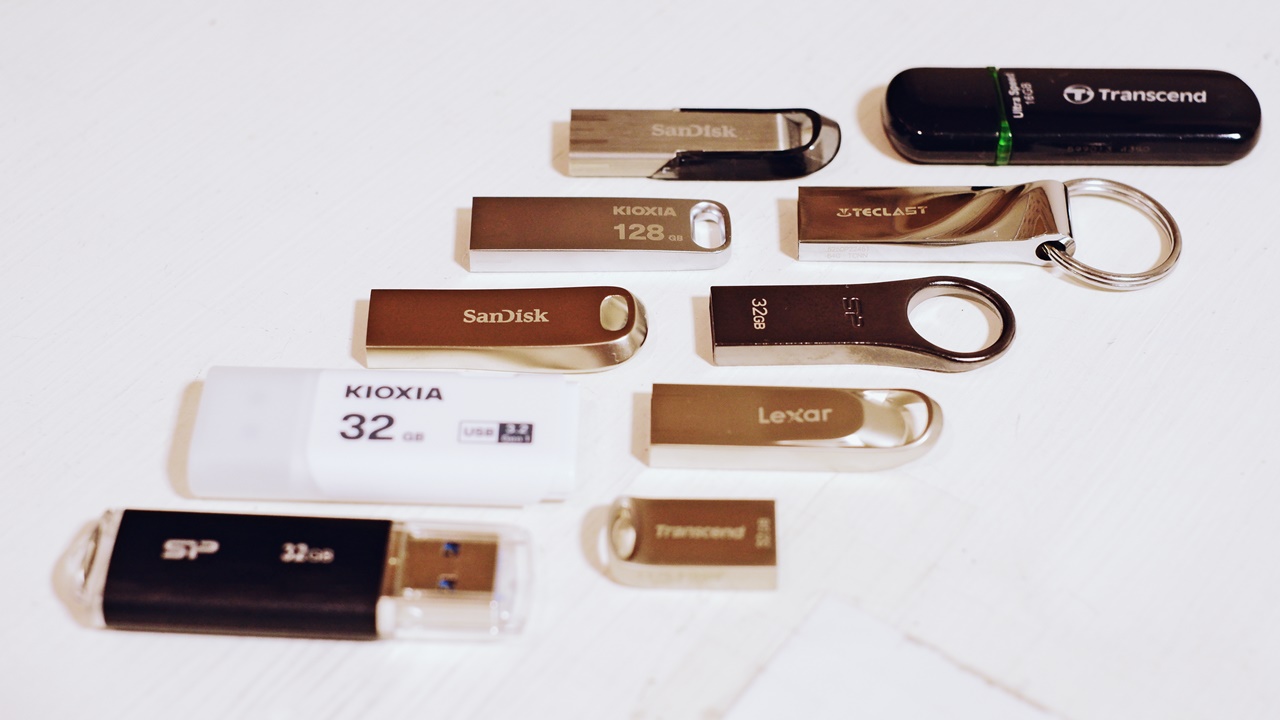
If you compare the rated speeds listed on manufacturers’ product pages and packaging, you will notice something worth knowing: within the same model line and design, higher-capacity variants are often — in many cases — the faster ones. It is also a characteristic of NAND flash memory that higher-capacity products inherently offer greater write endurance and longer lifespan. For this reason too, I would recommend buying as large a capacity USB drive as your budget allows.
My HDD data archive has moved to SSDs, USB drives, and SD cards
Partly because USB drives and SSDs have grown so much larger and cheaper, I finally sorted through the old PC hard drives and external HDDs that had been quietly piling up since the Windows 98 era — extracted whatever data I still needed, formatted the rest, and sent the whole lot off for disposal. With that done, the many hard drives that had been sitting in drawers taking up space all around the place were gone, and everything now fits into a small card case holding my USB drives and SD cards.
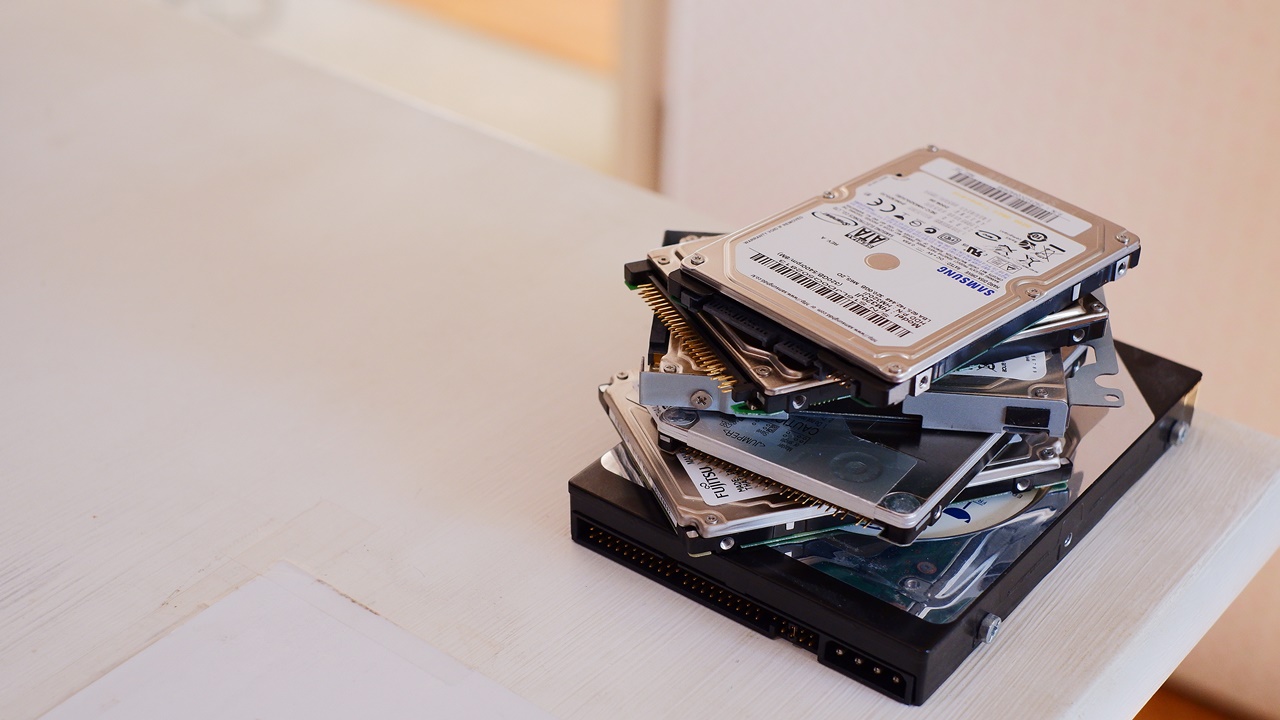
For older archived material that will not fit on the SSD in my main PC, keeping dual backups on large-capacity USB drives and SDXC cards means entire albums and file collections can be stored in the smallest possible space. ※When using USB drives, SSDs, or SD cards for long-term data storage, it is worth powering them up once a year as routine maintenance — this helps preserve the charge held in the NAND flash cells.
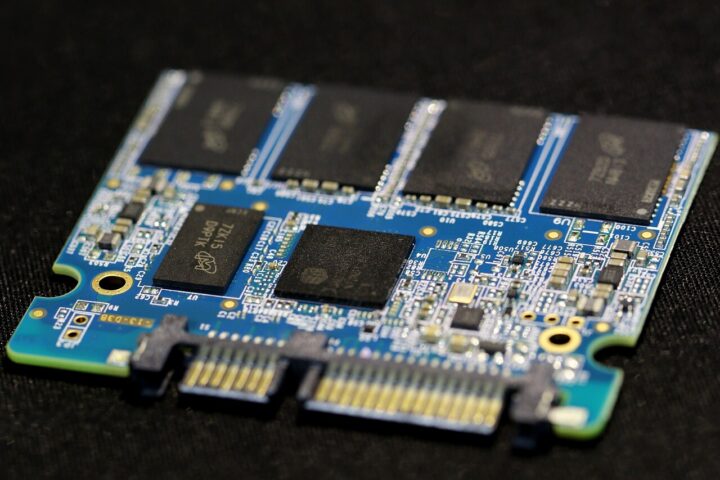
If it came formatted as FAT32, reformat it as exFAT
Even among 32 GB to 128 GB USB drives purchased over the past three years, I still occasionally came across products that shipped formatted as FAT32 rather than exFAT. If a drive comes pre-formatted as FAT32, it cannot accept individual files larger than 4 GB, so go ahead and do a quick format as exFAT straight away.
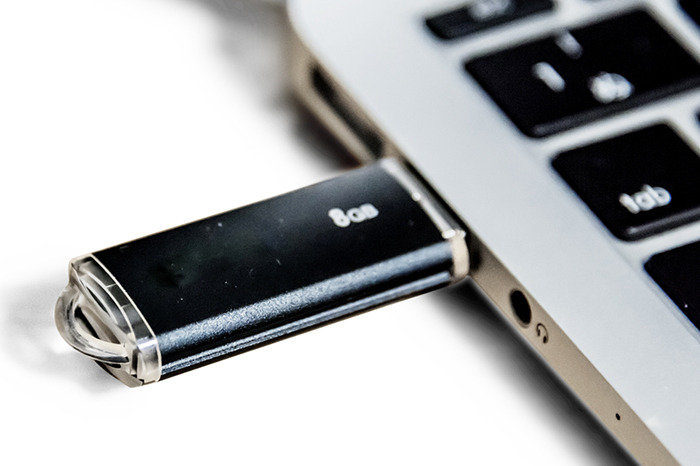
Occasionally you may find yourself with a USB drive that the PC simply refuses to recognise when plugged in — possibly a factory defect. In that case, do not use it to store anything important just yet. On a Windows PC, right-click the drive, go to Properties, and try formatting it first; then go to Tools → Check the drive for errors, run Scan → Repair, and finally do a test by writing a few arbitrary files to it.
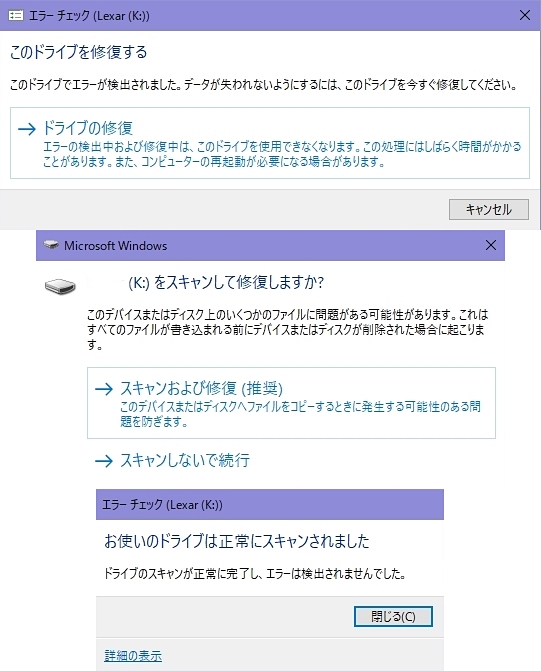
If it refuses to format no matter what you try, it is faulty. If the drive scan returns errors, it is faulty. If the drive quietly disappears mid-write or mid-CrystalDiskMark benchmark — or if it comes back temporarily after a scan-and-repair or reformat but keeps dropping out again — that too is likely a sign of failure. Do not use it for anything important; take it back to the retailer or authorised agent as soon as possible and get it replaced with a good unit.
Speed testing setup @2023
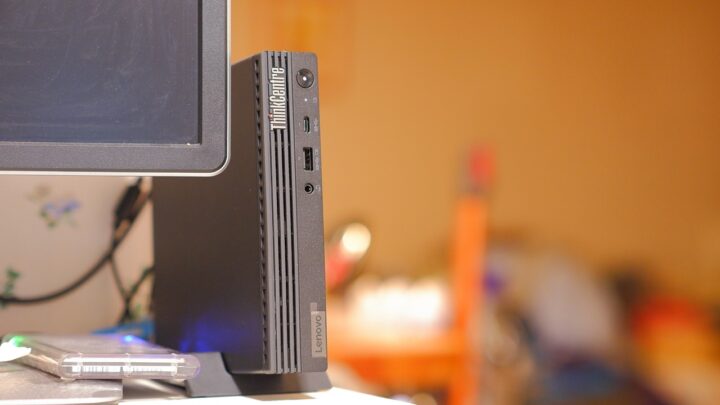
All measurements were taken using the front-panel port — USB 3.2 (= USB 3.1 Gen 2), up to 10 Gbps / 1,250 MB/s — on the Lenovo ThinkCentre M75q Tiny Gen2, the mini PC I use daily in my study for blog work. Results shown are the upper values from 18 to 36 runs in CrystalDiskMark 8 at 64 MiB, though some variation is to be expected between test sessions depending on the PC’s internal state at the time. This is not a rigorous measurement that eliminates all PC-side variables. Please bear in mind that these figures represent a relative comparison only, taken in a conservative environment that tends not to yield theoretical peak benchmark results.
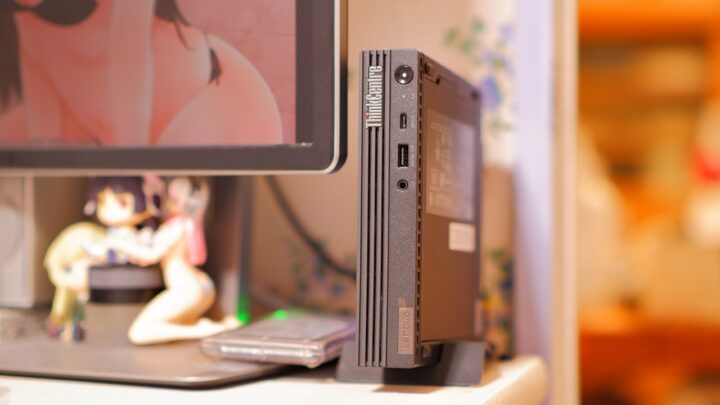
Most results are from a single first-time measurement taken straight out of the box, though for older purchases, some were remeasured after migrating to the above PC. Also, since CrystalDiskMark 8 does not measure endurance, please treat reliability and durability as dependent on the manufacturer and the accompanying warranty.
Kioxia KIOXIA TransMemory U301 32 GB
 ポチップ
ポチップ
KIOXIA’s — formerly Toshiba Memory’s — entry-level model, and one of the best-selling USB drives in Japan. The manufacturer’s page is here. Made in Japan at KIOXIA’s Yokkaichi plant in Mie Prefecture. This is an English-language package intended for the EU and UK markets, with the detailed model number LU301W032GG4. Purchased December 2022. The domestic warranty for the official Japanese version is a mere one year. The importer warranty on the overseas retail version is also one year, though the product itself carries a five-year warranty. That said, since the price difference between the official domestic version and the overseas retail version is negligible, there is probably not much point in seeking out the parallel import.
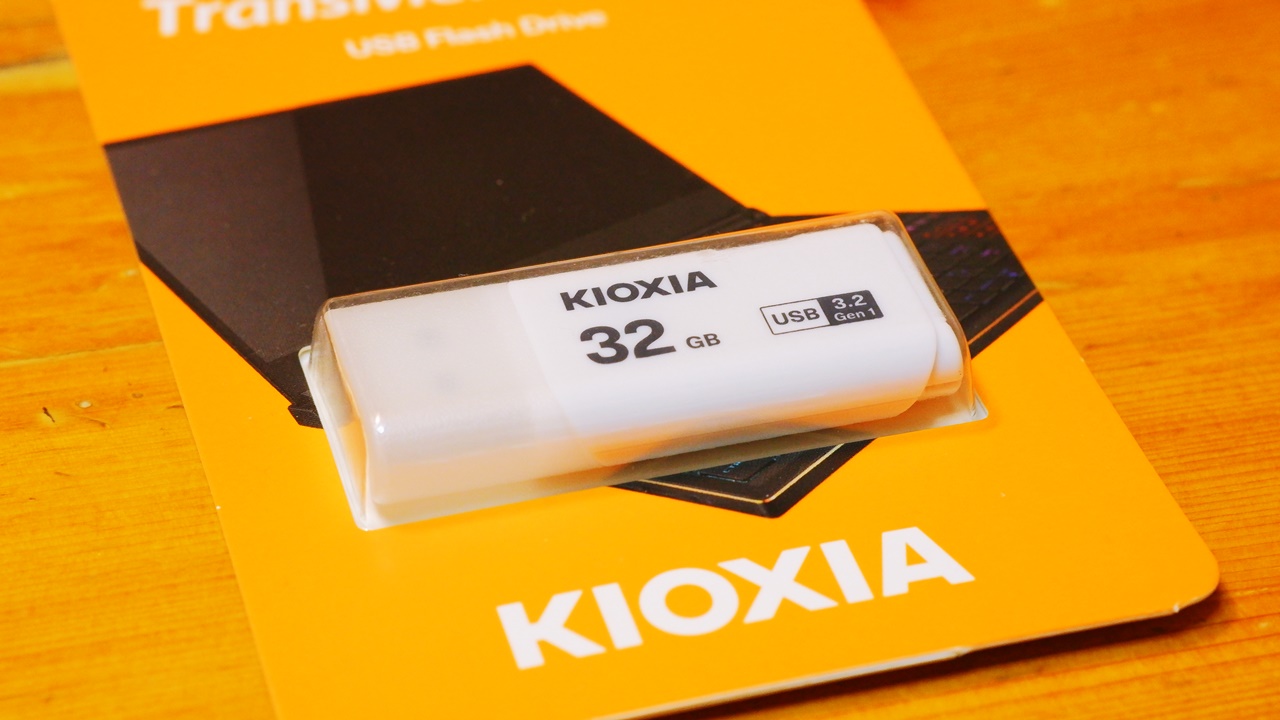
I had wanted the blue-green variant, but it happened to be out of stock at the time of purchase, so I ended up with the white model. It looks cheap at first glance — all plastic — but the physical unit itself feels solid and rigid. No access indicator light. Note that there is a completely identical-looking TransMemory U202 that only supports USB 2.0, so be careful not to confuse the two.
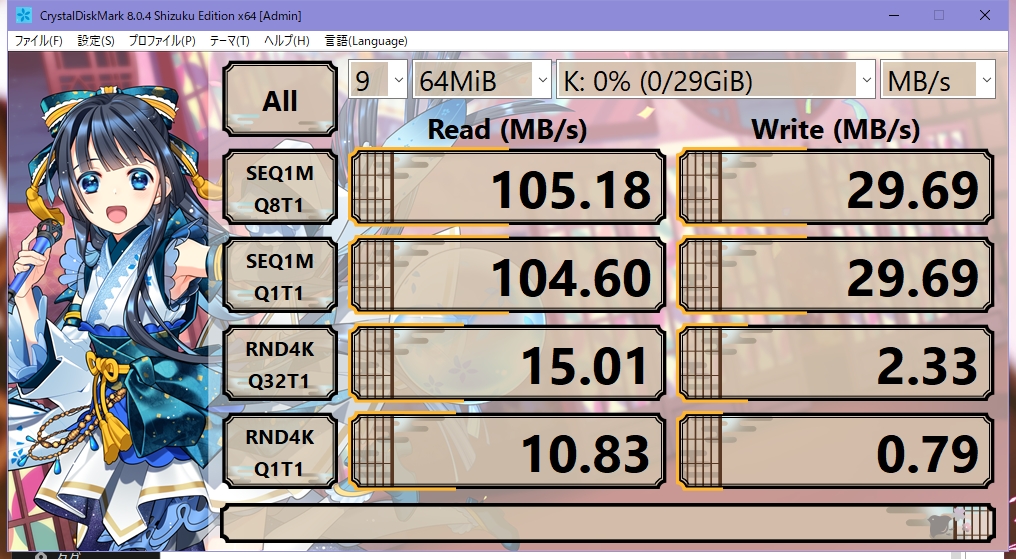
| Read (MB/s) | Write (MB/s) | |
| Sequential 1MiB Q8T1 | 105.20 | 29.69 |
| Sequential 1MiB Q1T1 | 104.61 | 29.70 |
| Random 4KiB Q32T1 | 15.01 | 2.43 |
| Random 4KiB Q1T1 | 10.85 | 0.81 |
Given that this is KIOXIA, I had hoped for more, but the results are decidedly ordinary. There are reports of other people’s units achieving sequential reads of 130 MB/s or even over 200 MB/s, but the overseas-packaged unit I received manages only a little over 100 MB/s. Sequential write and random read are unremarkable. The 4K random write is on the slow side, and from what I can see elsewhere, other people’s results are apparently even more dire — so this unit may actually be one of the better samples. KIOXIA’s own product page makes no mention of speed whatsoever, so perhaps this is simply what you get. I tried again on a different day and got much the same result, which does make me wonder if I drew a poor lot. Reliability aside, the 4K random performance is poor enough that anyone choosing this drive on the strength of its speed is likely to be disappointed. As a budget USB drive though, well — it is about what you would expect.
Not that it matters much, but the hard resin housing produces a rather pleasing sound when you tap it. This was not designed as an audio USB drive, but repurposing it might be an interesting experiment.
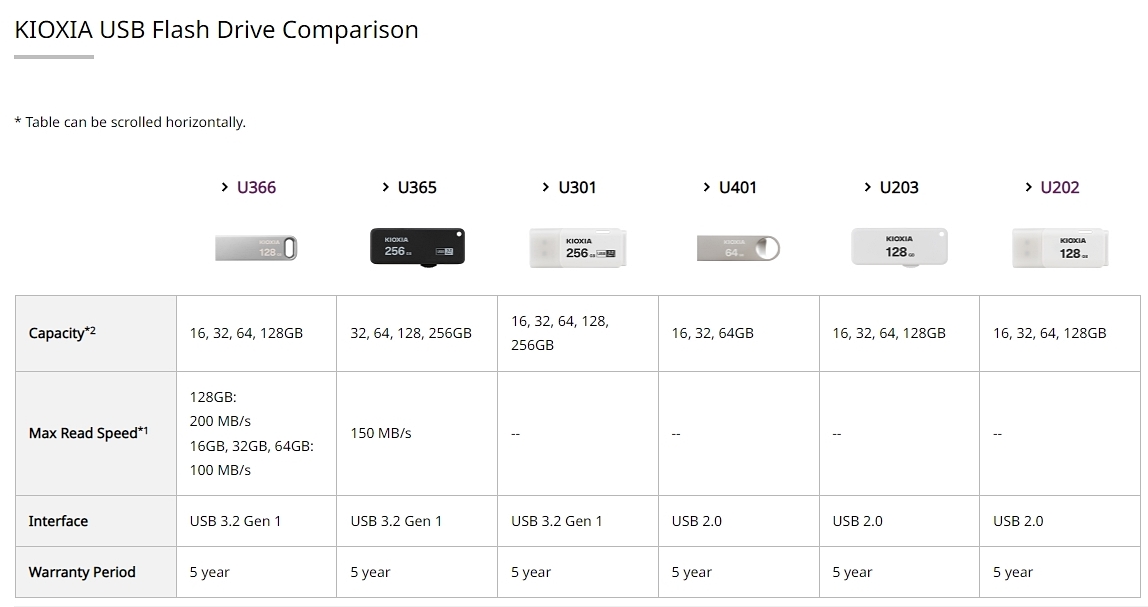
Kioxia KIOXIA TransMemory U366 128 GB
 ポチップ
ポチップ
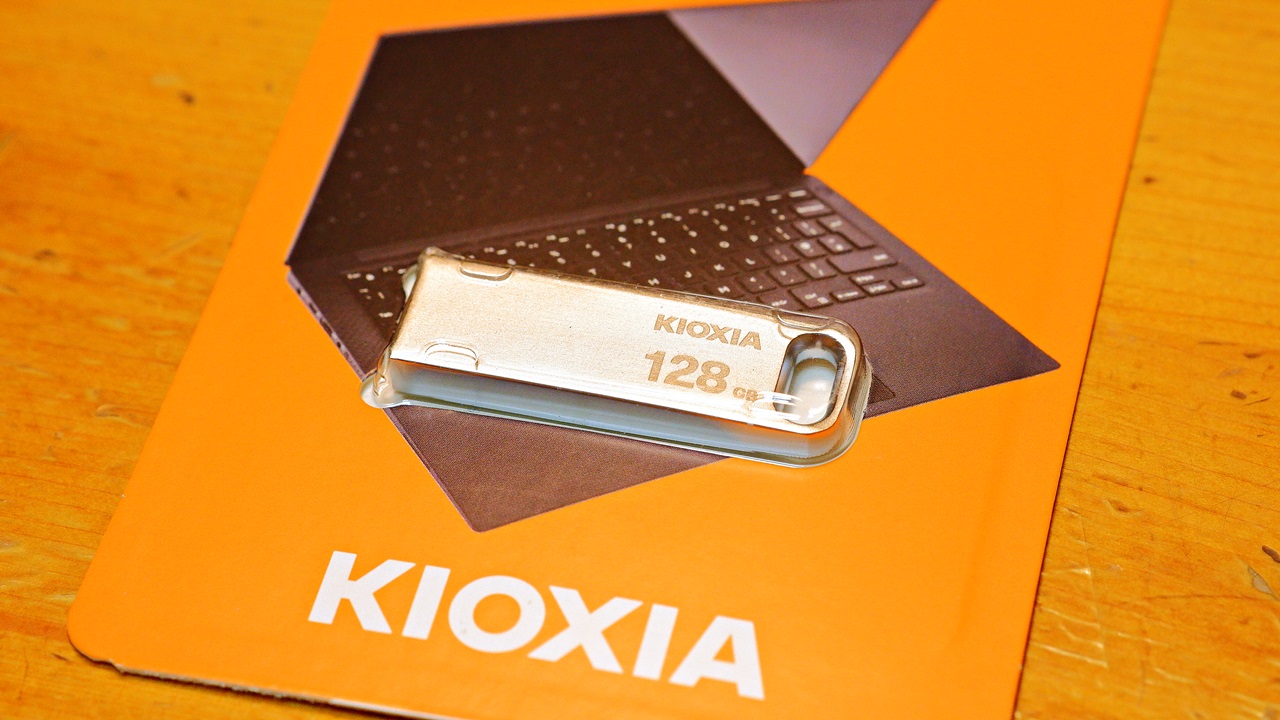
This is actually my personal favourite of the KIOXIA lineup — and yes, I chose it for the aluminium body design. This too is an overseas retail product in an EU/UK English-language package, but for some reason the U366 is not sold officially in Japan. The English-language official page is here. Unlike the U301, this one is Made in Taiwan rather than Japan. Being an overseas retail product, the domestic importer warranty is one year, though the product itself carries a five-year warranty.
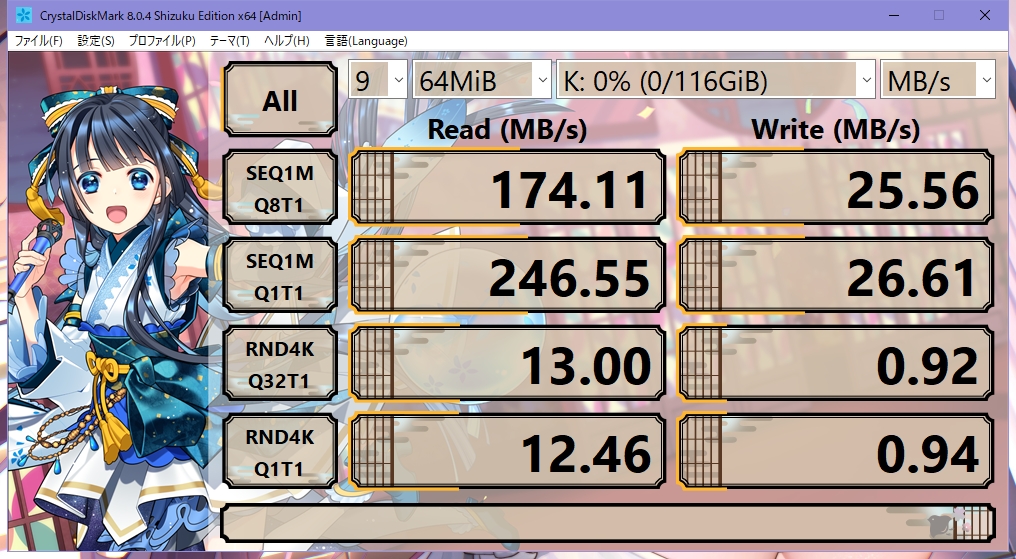
| Read (MB/s) | Write (MB/s) | |
| Sequential 1MiB Q8T1 | 247.20 ※512MiB | 28.52 |
| Sequential 1MiB Q1T1 | 246.55 | 43.37 ※512MiB |
| Random 4KiB Q32T1 | 13.00 | 0.92 |
| Random 4KiB Q1T1 | 12.47 | 1.02 |
With the TransMemory U366, the rated speed is 100 MB/s for capacities up to 64 GB, but the 128 GB model alone is rated at 200 MB/s. In CrystalDiskMark 8, the Q1T1 result comfortably exceeds 200 MB/s, hitting 250 MB/s in line with the spec. At the 64 MiB test size, Q8T1 is limited to around 180 MB/s, but increase the file size a little and 250 MB/s comes through without difficulty. In terms of sequential read alone, this is the only USB drive I own that breaks 200 MB/s. The weakness is sequential write speed, and once you get to random read and random write, it drops to the same level as the U301 — or rather, for a USB 3.0 drive it is actually dreadful. This is very much a one-trick pony, all sequential read and nothing else.
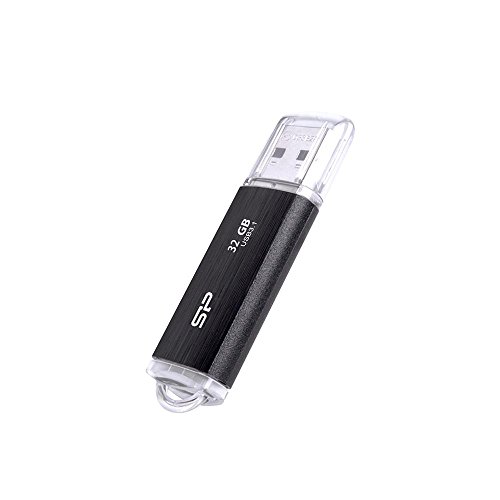
Silicon Power SiliconPower Blaze B02 USB 3.2 Gen1 32 GB
 ポチップ
ポチップ
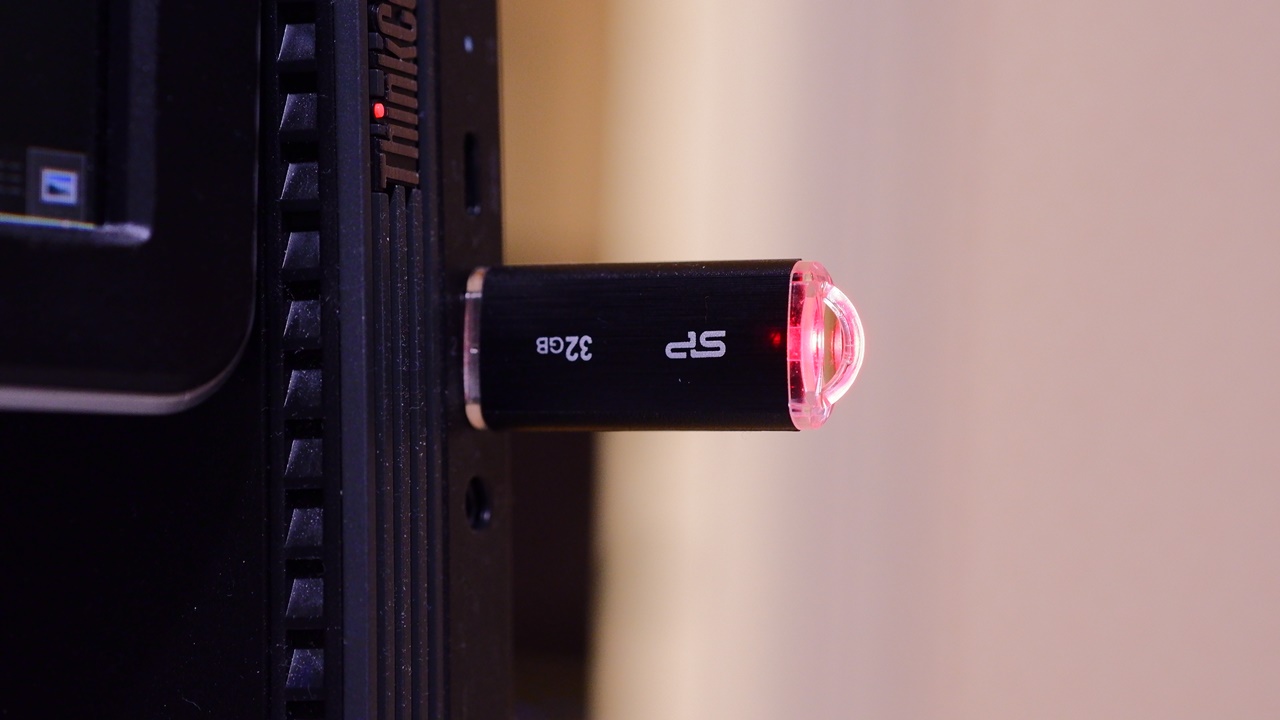
Purchased October 2022. The Silicon Power Blaze B02 from Taiwan. Model number SP032GBUF3B02V1K. The manufacturer’s product page is here. Comes with a lifetime warranty. I picked this up partly because it was one of the top-selling USB drives in a certain shop, and partly because the price was so low. Originally purchased to use as a boot drive for a new PC, but it ended up surplus to requirements and was never used, so this measurement is taken from a brand-new, unopened unit. The body has a hairline finish but is plastic rather than metal. A red LED at the rear flashes during use. The transparent plastic cap is quite stiff at first, but loosens up nicely after a few removals and reattachments.
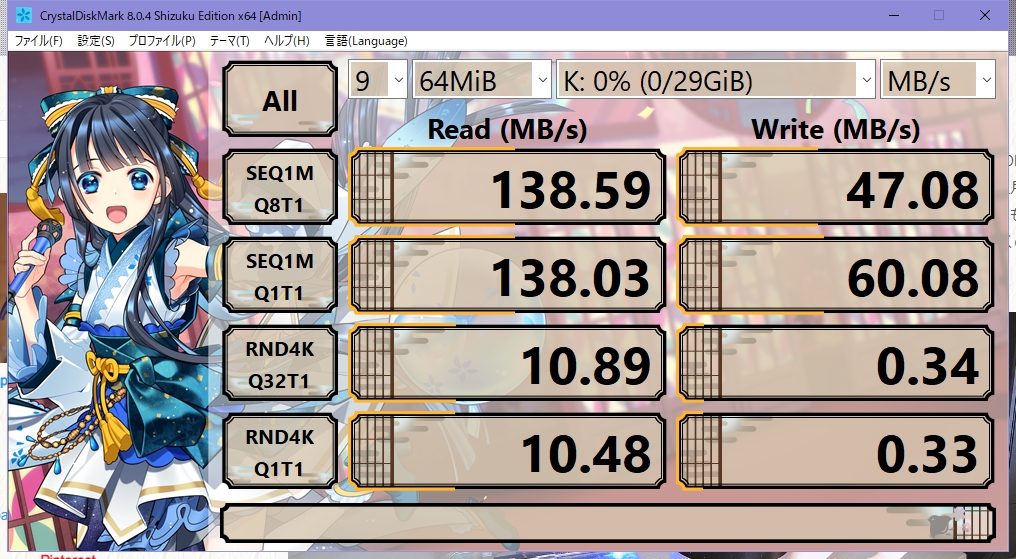
| Read (MB/s) | Write (MB/s) | |
| Sequential 1MiB Q8T1 | 138.76 | 47.08 |
| Sequential 1MiB Q1T1 | 138.03 | 61.17 |
| Random 4KiB Q32T1 | 10.90 | 0.35 |
| Random 4KiB Q1T1 | 10.48 | 0.33 |
Sequential read exceeds 130 MB/s, and sequential write hits 60 MB/s — both are impressively fast. For what is essentially a bargain-priced USB drive, the performance is quite decent, and it looks well suited to sustained reading and writing of large files. This makes it a good candidate for creating a recovery drive or general data storage use. I find myself wanting to pick up additional units in silver, white, and ice blue as well. The one clear weakness is 4K random write, which is very slow — making it less suited to everyday use involving lots of small, scattered files. There is also the minor annoyance that the “SP 32GB” text printed on the body is upside down and slightly skewed, giving it an oddly counterfeit feel despite being unmistakably genuine. Silicon Power is a major Taiwanese vendor — one would hope for better quality control than that.
 ポチップ
ポチップ

Silicon Power Jewel J80 32GB USB3.1 / USB3.0
 ポチップ
ポチップ
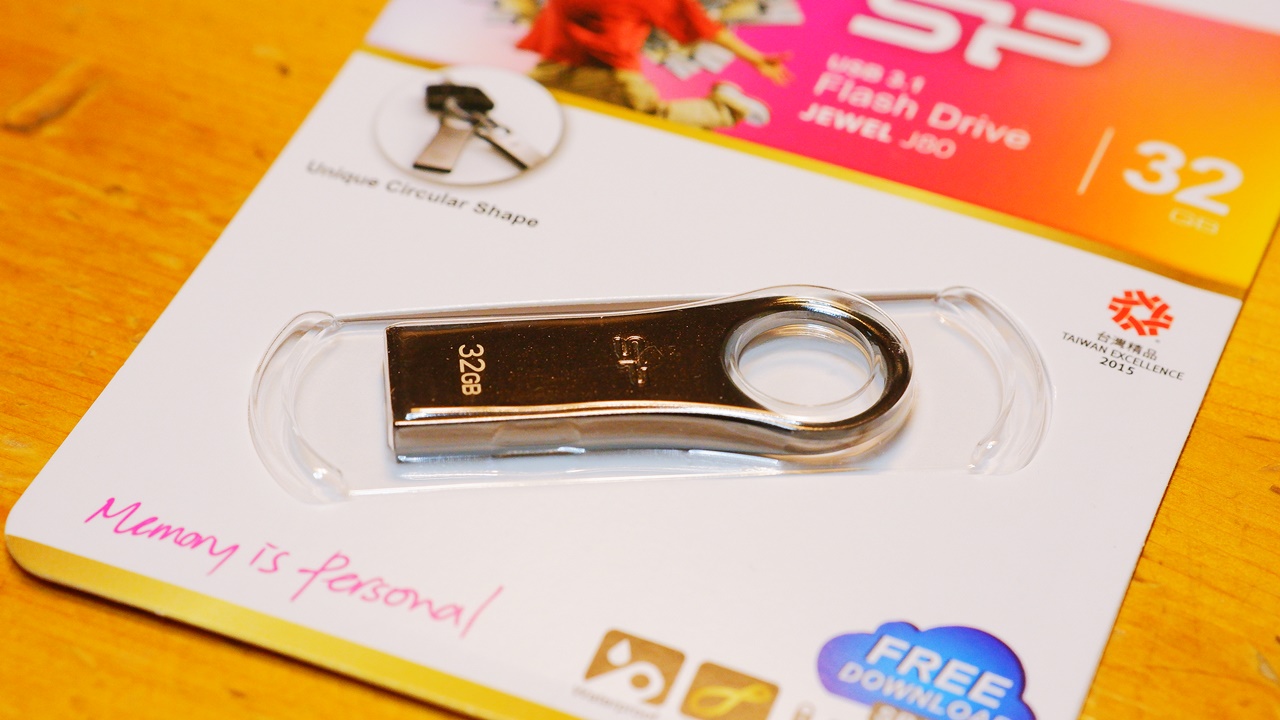
The Jewel J80 from Taiwan’s Silicon Power, model number SP032GBUF3J80V1TJA. The manufacturer’s product page is here. Lifetime warranty. With its zinc alloy body and waterproof, dustproof, and shock-resistant specification, it occupies a different class from the mass-market Blaze B02PS4. PS4 compatibility confirmed. This is a USB flash drive with a distinctively modern design — the product itself has been around for quite some time, but the unit inside is the latest USB 3.0 specification, purchased in December 2022. The zinc alloy gives a deeper silver colour than aluminium-bodied USB drives, with a distinctive weightiness and premium feel.
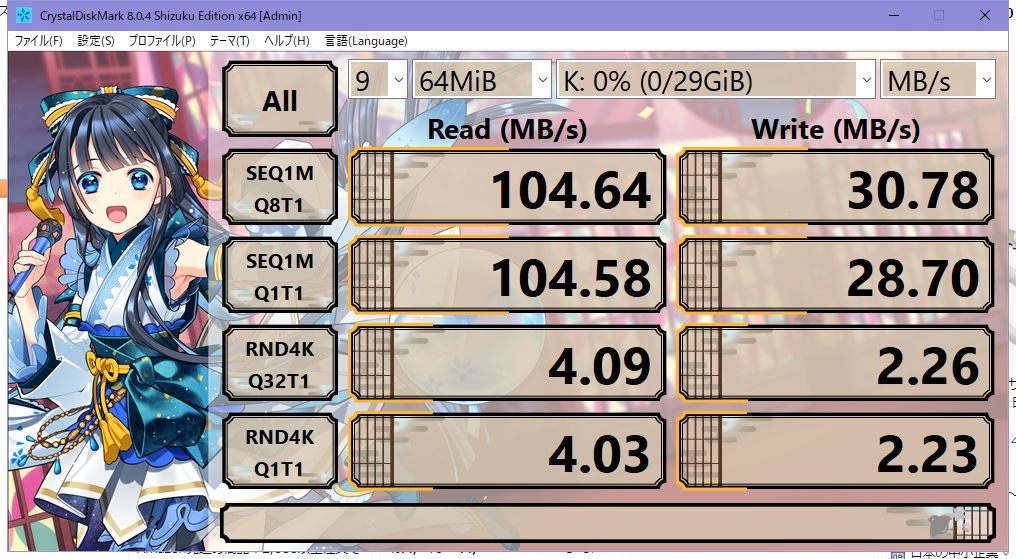
| Read (MB/s) | Write (MB/s) | |
| Sequential 1MiB Q8T1 | 104.89 | 30.78 |
| Sequential 1MiB Q1T1 | 104.74 | 29.76 |
| Random 4KiB Q32T1 | 4.09 | 2.26 |
| Random 4KiB Q1T1 | 4.03 | 2.23 |
The design is undeniably stylish and the build quality looks premium, but the benchmark results are, unfortunately, rather ordinary. Compared to Silicon Power’s mass-market Blaze B02PS4, sequential write, sequential read, and 4K random read all come in lower — though 4K random write does edge ahead. Perhaps the internals are still based on an older design… There are no glaring weaknesses as such, but it is a disappointing outcome when the price premium is not reflected in speed performance.
SanDisk Ultra Luxe USB 3.1 Gen 1 Flash Drive SDCZ74 128GB
 ポチップ
ポチップ
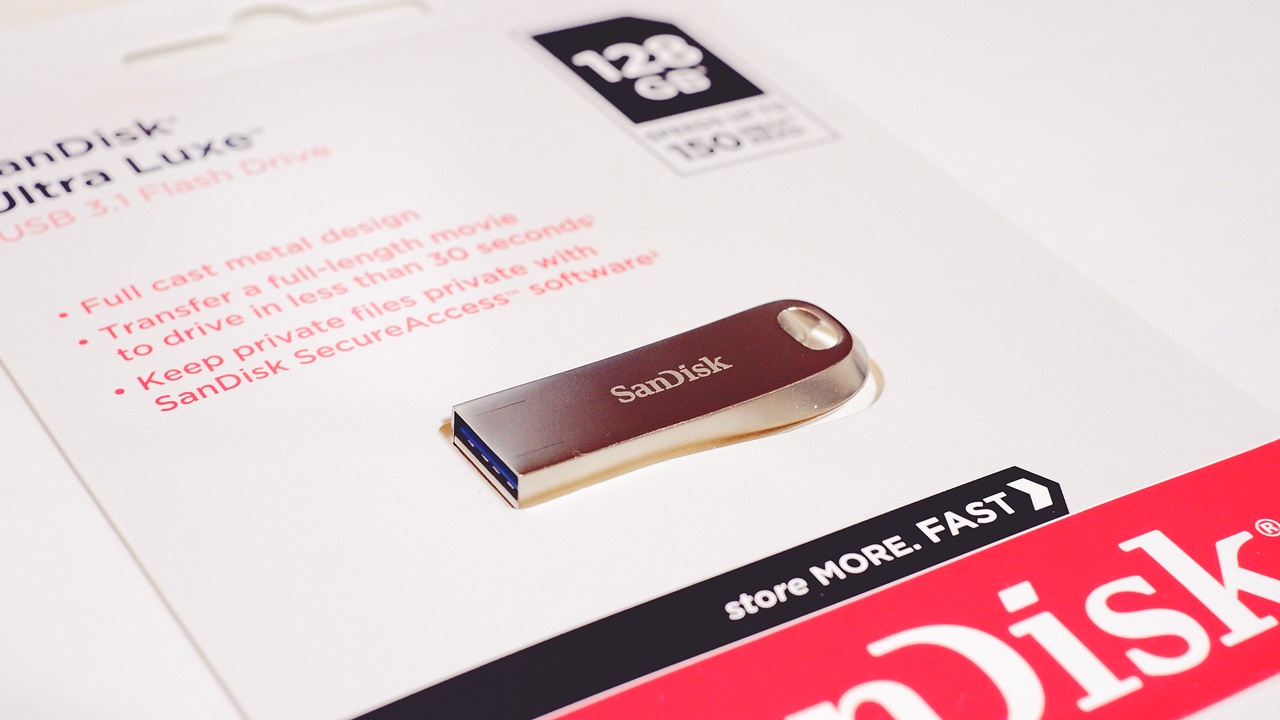
The Ultra Luxe from US-based SanDisk (Western Digital), model number SDCZ74-128G-G46. The official data sheet is here. Five-year manufacturer’s warranty. Purchased January 2023. As with the others, this was not available through official SanDisk distribution channels in Japan at the time of purchase, so I bought an international retail unit. Again, I chose it for the design.
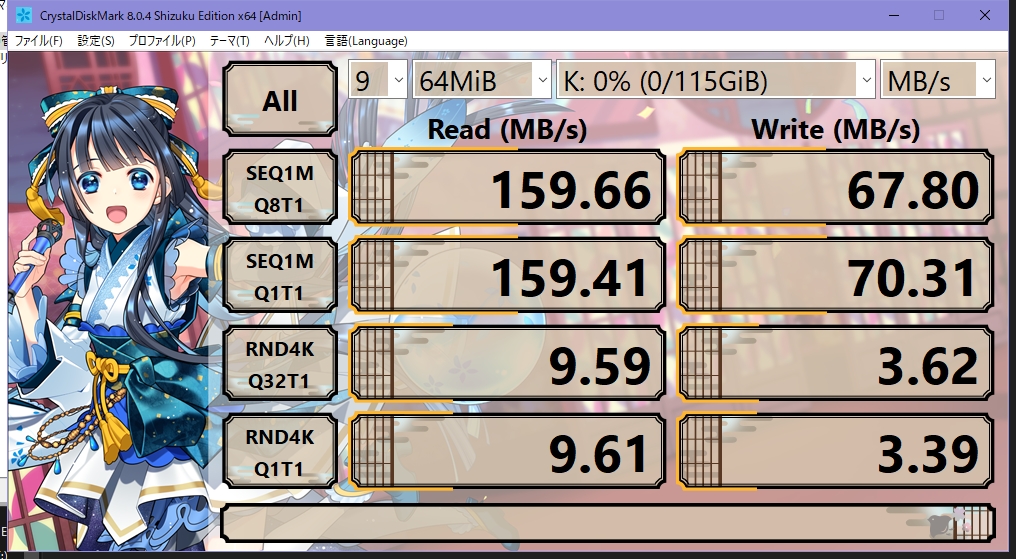
| Read (MB/s) | Write (MB/s) | |
| Sequential 1MiB Q8T1 | 159.66 | 68.07 |
| Sequential 1MiB Q1T1 | 159.41 | 71.20 |
| Random 4KiB Q32T1 | 9.59 | 3.267 |
| Random 4KiB Q1T1 | 9.61 | 3.56 |
The rated sequential read speed of 150 MB/s is met. Sequential write comes in at around 70 MB/s, which puts it among the faster drives in my collection. The 4K random write and random read figures are rather average and leave something to be desired in relative terms, but perhaps partly because it is a more recent purchase, there are no weak points overall — performance is solid across the board. Quite recommended.
SanDisk Ultra Flair USB 3.0 Flash Drive SDCZ73 16GB
 ポチップ
ポチップ
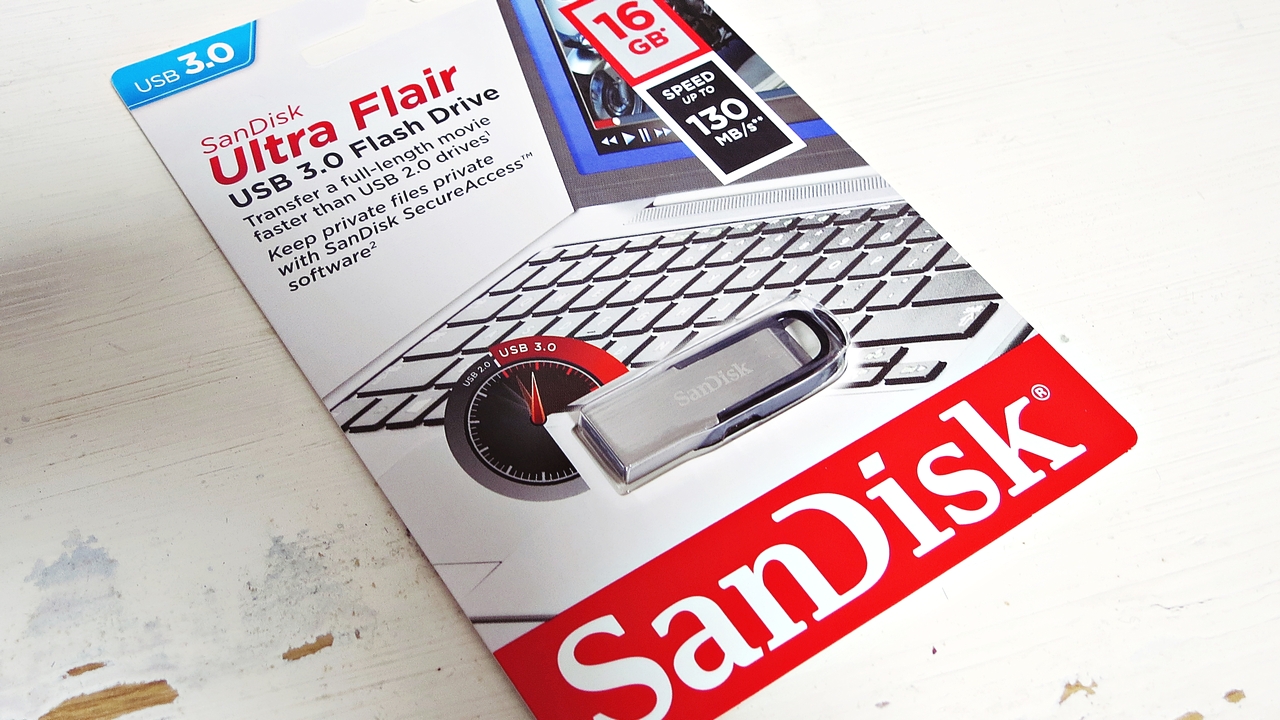
The Ultra Flair USB 3.0 from US-based SanDisk (Western Digital), model number SDCZ73-016G-G46. The official data sheet is here. Five-year manufacturer’s warranty. Purchased in August 2016 as an international retail package. As of 2023, it is no longer sold through official domestic channels in Japan, though international retail units can still be obtained — and it is a fairly well-known long-running product with a solid reputation for speed.
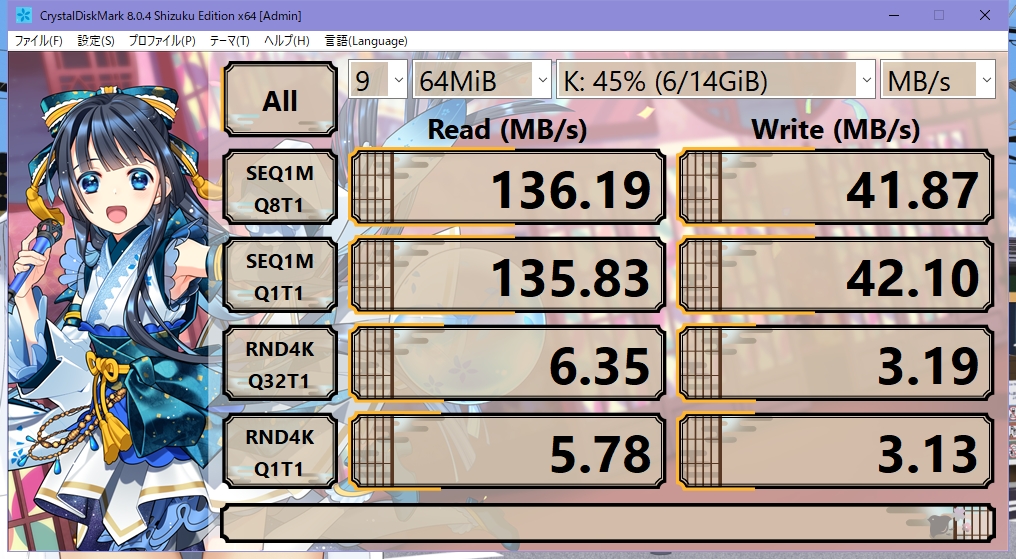
| Read (MB/s) | Write (MB/s) | |
| Sequential 1MiB Q8T1 | 136.19 | 42.99 |
| Sequential 1MiB Q1T1 | 135.83 | 43.10 |
| Random 4KiB Q32T1 | 6.68 | 3.21 |
| Random 4KiB Q1T1 | 5.82 | 3.14 |
Sequential read clears the rated 130 MB/s. Current models are listed at 150 MB/s, so they should be faster still. Being a production batch from seven years ago, it cannot be called the fastest in class by today’s standards — but the larger-capacity 128 GB and 256 GB models, which will presumably be faster, remain available at reasonable prices, and I think this can still be considered a perfectly good choice even now.
Transcend JetFlash 710 USB 3.2 Gen 1 / 3.1 Gen 1 32GB
 ポチップ
ポチップ
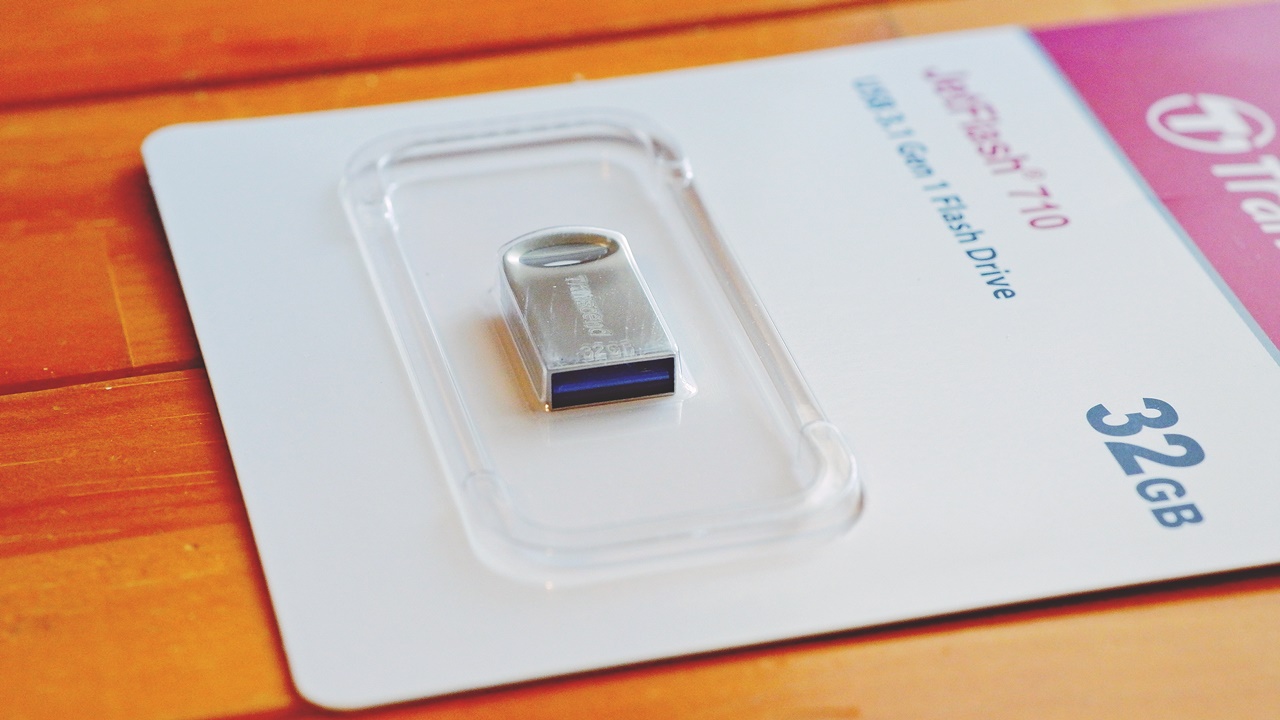
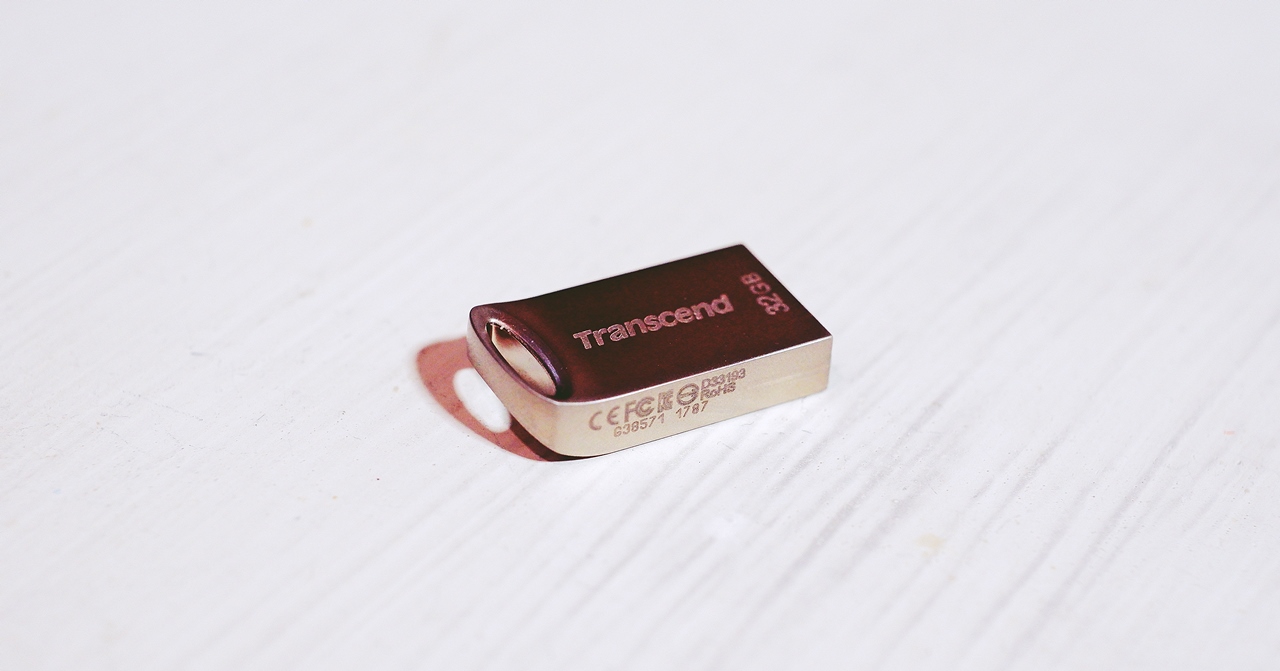
The JetFlash 710 from Taiwan’s Transcend, model number TS32GJF710S. Purchased April 2021. The manufacturer’s official page is here. Five-year warranty. Capless, compact form factor, metal, silver, shock-resistant, splash-proof, dustproof [Transcend Elite data recovery software included free of charge]. It is truly pea-sized — when inserted into a USB port, half the drive disappears inside. I had not expected the actual thing to be this small; the shape is so compact one might suspect a MicroSD card is hidden inside. Running the speed benchmarks, however, it turned out to deliver speeds worthy of a genuinely high-quality USB 3.0 (USB 3.2 Gen 1) drive.
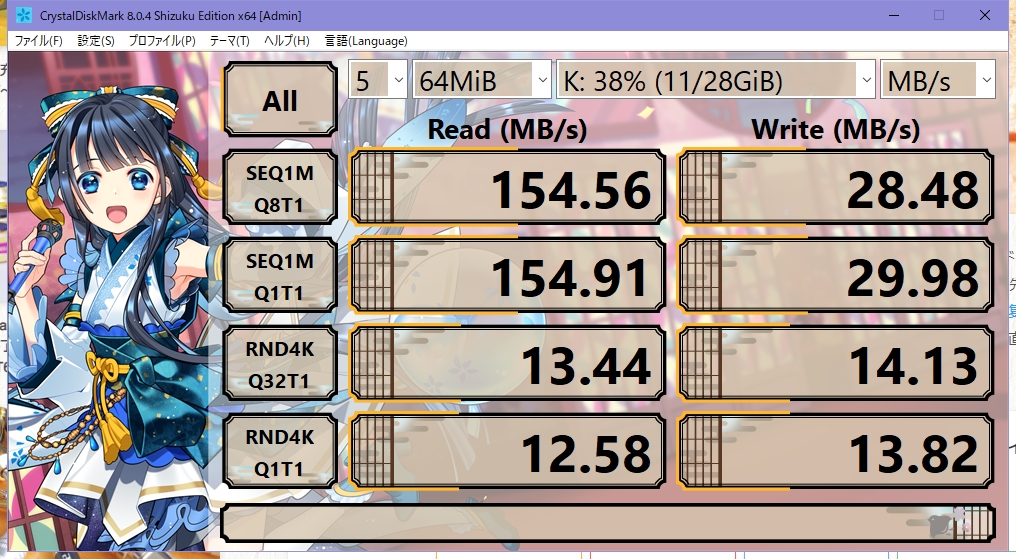
| Read (MB/s) | Write (MB/s) | |
| Sequential 1MiB Q8T1 | 154.56 | 28.52 |
| Sequential 1MiB Q1T1 | 154.91 | 29.99 |
| Random 4KiB Q32T1 | 13.49 | 14.13 |
| Random 4KiB Q1T1 | 12.63 | 13.82 |
Sequential read exceeds 150 MB/s — reasonably fast. The rated specs printed on the blister packaging for the 32 GB model are 90 MB/s read and 20 MB/s write, both of which are comfortably exceeded. More impressive still is the outstandingly fast 4K random write, which comes in at 14 MB/s — on a par with or even ahead of the random read figure. This makes it one of the rare USB drives that is also well suited to handling lots of small files. The aluminium body gives it a premium feel, and the sheer compactness alone makes it appealing as a gadget — though it does get moderately warm during sustained writes, and being so tiny, do take care not to lose it. You might even want to keep it on a lanyard. Small but mighty — this is a product I can wholeheartedly recommend.
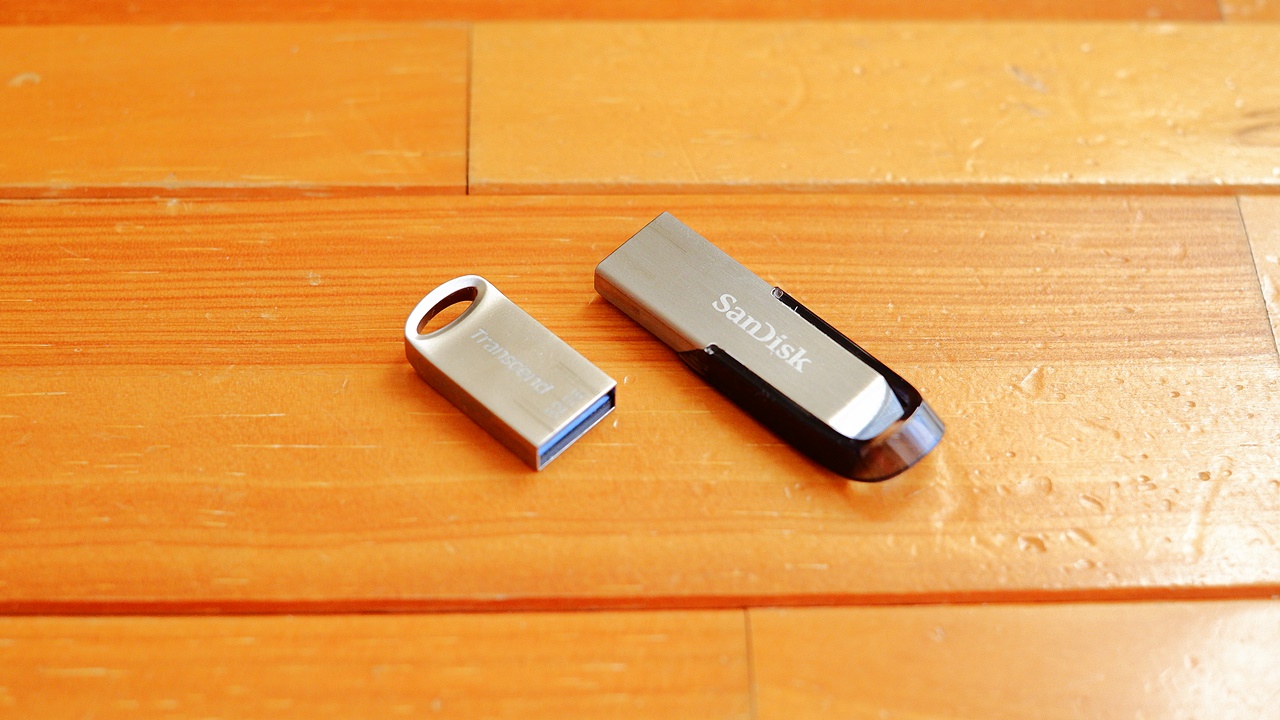
The Transcend JetFlash 710 also has a sibling in the same form factor — the JetFlash 720, which uses MLC NAND and has a higher rated specification (Read 130 MB/s) — but that line currently tops out at 32 GB. The Transcend JetFlash 710 uses TLC NAND but is available up to 128 GB.
 ポチップ
ポチップ
Transcend JetFlash 600 Ultra Speed USB2.0 16GB

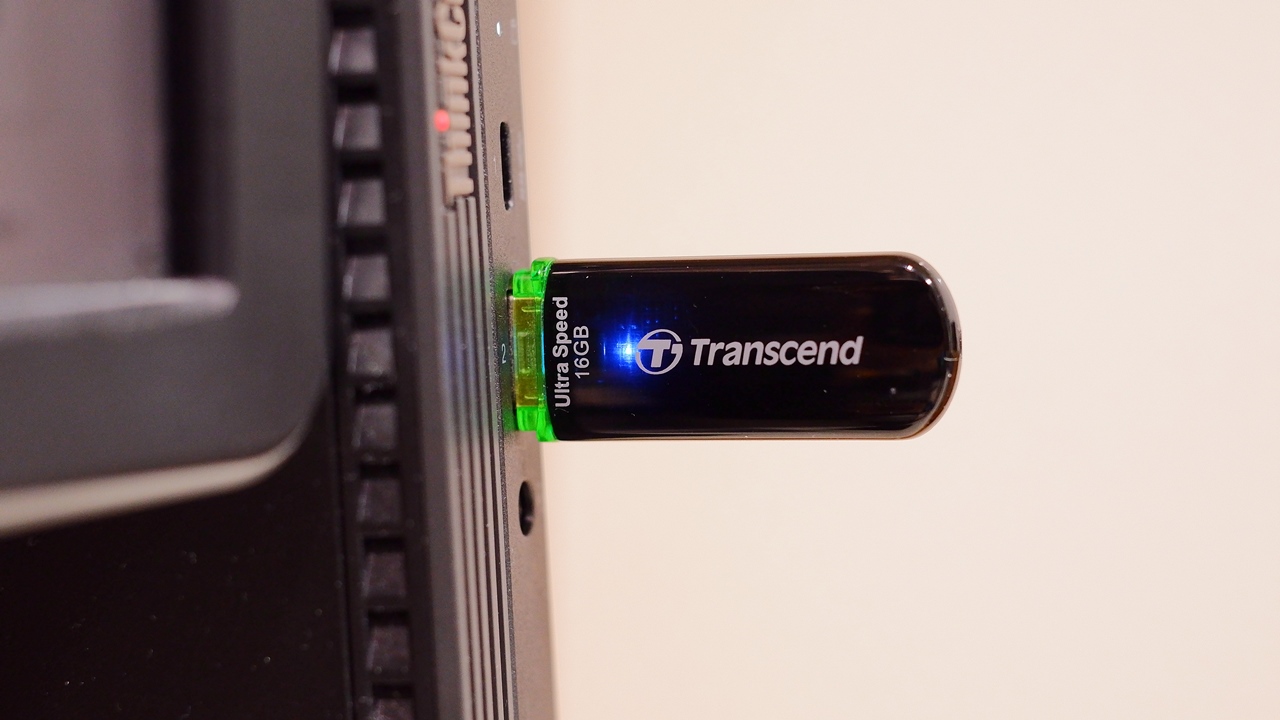
Transcend JetFlash 600 Ultra Speed USB2.0, model number TS16GJF600, purchased October 2011. The manufacturer’s product page is here. Five-year warranty. This is a USB 2.0 model purchased over ten years ago, and the only one of that era still in my possession — re-measured here for comparison purposes. The blue access LED is on constantly and blinks during data transfer. The casing is a glossy plastic finish, and even after more than ten years it shows no particular signs of deterioration. It normally lives in storage as the Windows 10 recovery drive for an old laptop, the ASUS UL20FT-2X034BK.
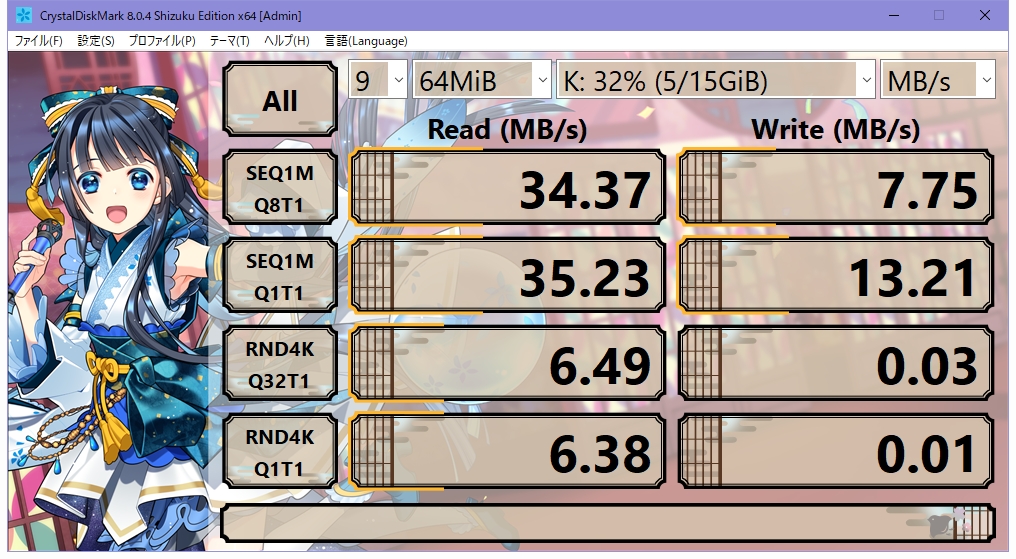
| Read (MB/s) | Write (MB/s) | |
| Sequential 1MiB Q8T1 | 34.37 | 8.17 |
| Sequential 1MiB Q1T1 | 35.23 | 13.21 |
| Random 4KiB Q32T1 | 6.49 | 0.04 |
| Random 4KiB Q1T1 | 6.39 | 0.02 |
As you can see, being a USB 2.0-era drive, speeds are far lower than USB 3.x-compatible models. The theoretical ceiling for USB 2.0 is 60 MB/s, and this unit measures around 35 MB/s in actual use. The 4K random read holds up reasonably well, but 4K random write is roughly one-hundredth to one-thousandth the speed of USB 3.0 products — a difference of an entirely different order of magnitude. It was not a bad performer for a USB 2.0 drive of its day, but needless to say, there is little point in seeking out a USB 2.0 product at this stage.
Lexar JumpDrive E31 USB 3.0 UDP Flash Drive 128GB
 ポチップ
ポチップ
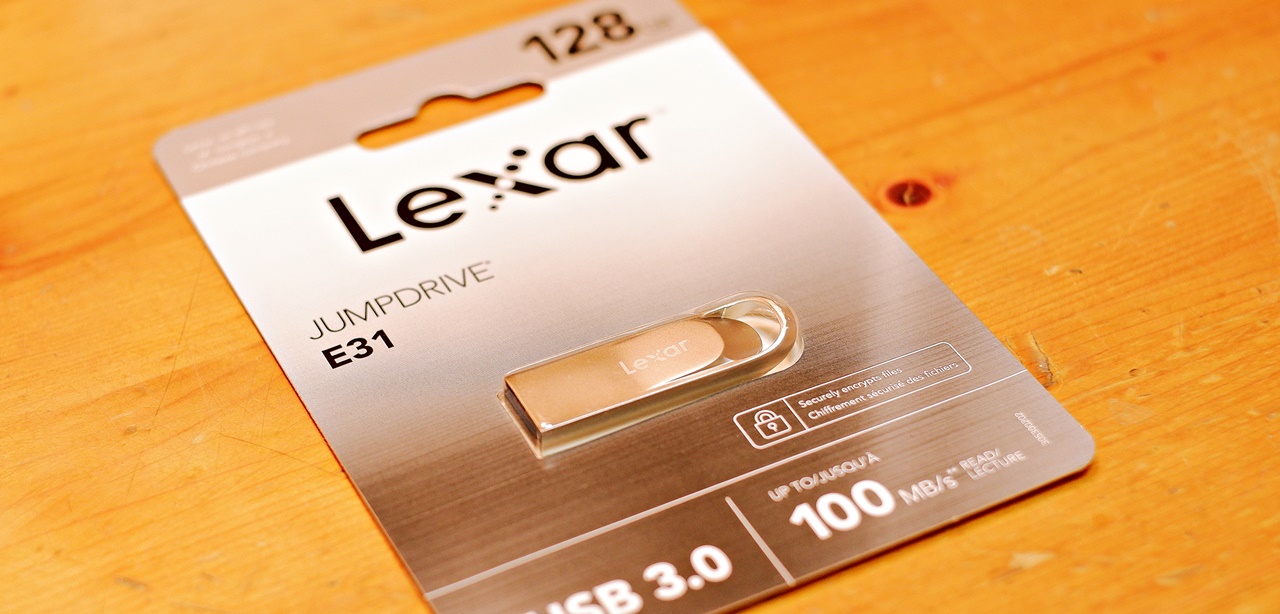
The JumpDrive E31 from Lexar, a brand well known for high-quality SD cards (SDXC cards) and memory products. Two-year warranty on genuine units. The manufacturer’s product page is here. Purchased January 2023. Lexar tends to have a slightly premium image price-wise, and my impression is that it enjoys particular support and use in photography circles. Lexar was originally a brand under the umbrella of US semiconductor manufacturer Micron, but in 2017 the Lexar brand was acquired by Chinese semiconductor manufacturer Longsys. The US Lexar sales network remains unchanged, but in practical terms, today’s Lexar is Longsys rather than Micron on the inside. And this is where the question of quality arises — how does it actually hold up?
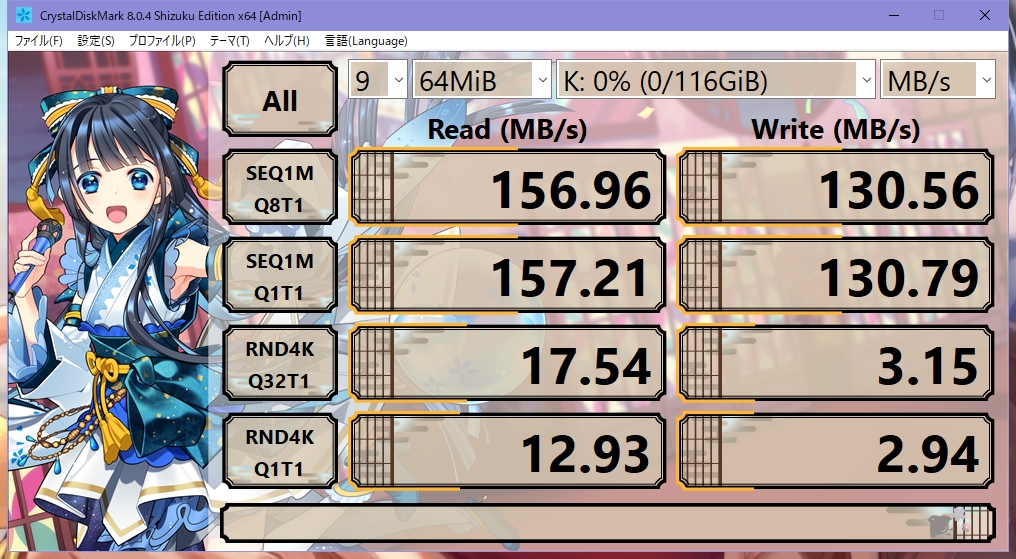
| Read (MB/s) | Write (MB/s) | |
| Sequential 1MiB Q8T1 | 156.99 | 131.99 |
| Sequential 1MiB Q1T1 | 157.21 | 130.79 |
| Random 4KiB Q32T1 | 17.55 | 3.16 |
| Random 4KiB Q1T1 | 12.93 | 2.94 |
To cut straight to the conclusion: the results are very impressive. Particularly striking is the sequential write, which surpasses even 100 MB/s and reaches 130 MB/s — approaching the sequential read figure. This puts it in a different league from the other USB drives in my collection. The manufacturer’s published catalogue specification states Read speed 100 MB/s / Write speed 30 MB/s — so what on earth are those rated figures supposed to mean? On the other hand, 4K random read and write speeds are rather ordinary, so this is best described as a USB drive oriented towards reading and writing large files. Compared to the KIOXIA TransMemory U366, which was essentially a one-trick pony for sequential read speed alone, this one can also handle high-speed writing of large files — making it an excellent USB drive I can confidently recommend.
Lexar JumpDrive E31 USB 3.0 UDP Flash Drive 64GB
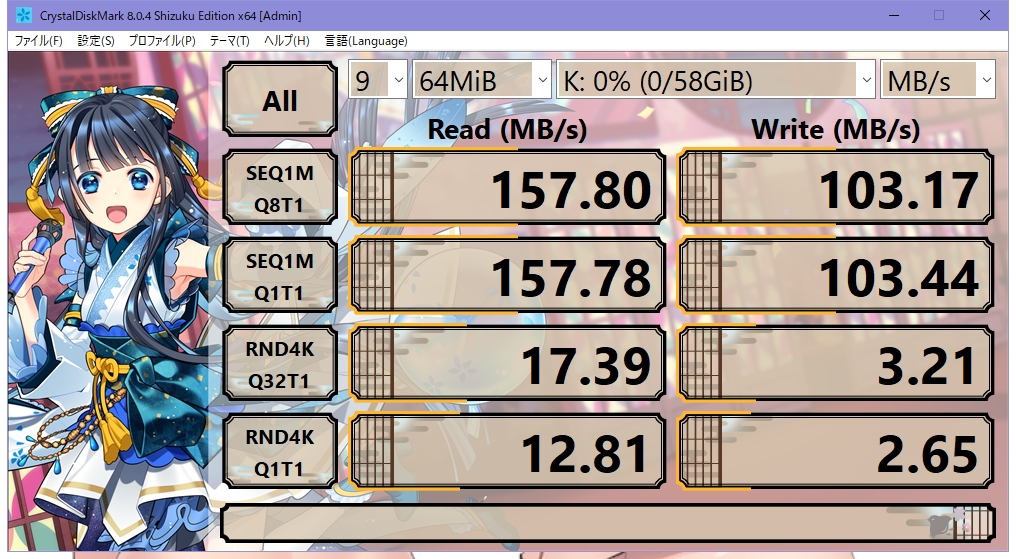
I also purchased the same Lexar E31 in 64 GB, and perhaps due to the smaller capacity, the sequential write speed comes in roughly 20% lower than the 128 GB model. Even so, it still exceeds 100 MB/s, which puts it firmly in the very fast category for a USB 3.0 drive.
ポチップ
TECLAST NEX-S3 USB3.0 USB3.2 (Gen1) USB3.1 64GB
 ポチップ
ポチップ
A mystery drive of Chinese manufacture. Fairly cheap, no model number to speak of, and rated at 90% danger on the Sakura Checker — it has all the hallmarks of a potential dud. Looking into it, however, TECLAST itself was founded in 1999 and appears to be a fairly large-scale general PC-related manufacturer, even making tablets and laptops. Their Japanese name is Guangzhou Shangke Information Technology Co., Ltd. Chinese-branded questionable products often reveal nothing when you dig into their origins, but this one unusually turned out to have a reasonably solid background — so I decided to take the plunge and use it as a comparison unit. Purchased late 2022.
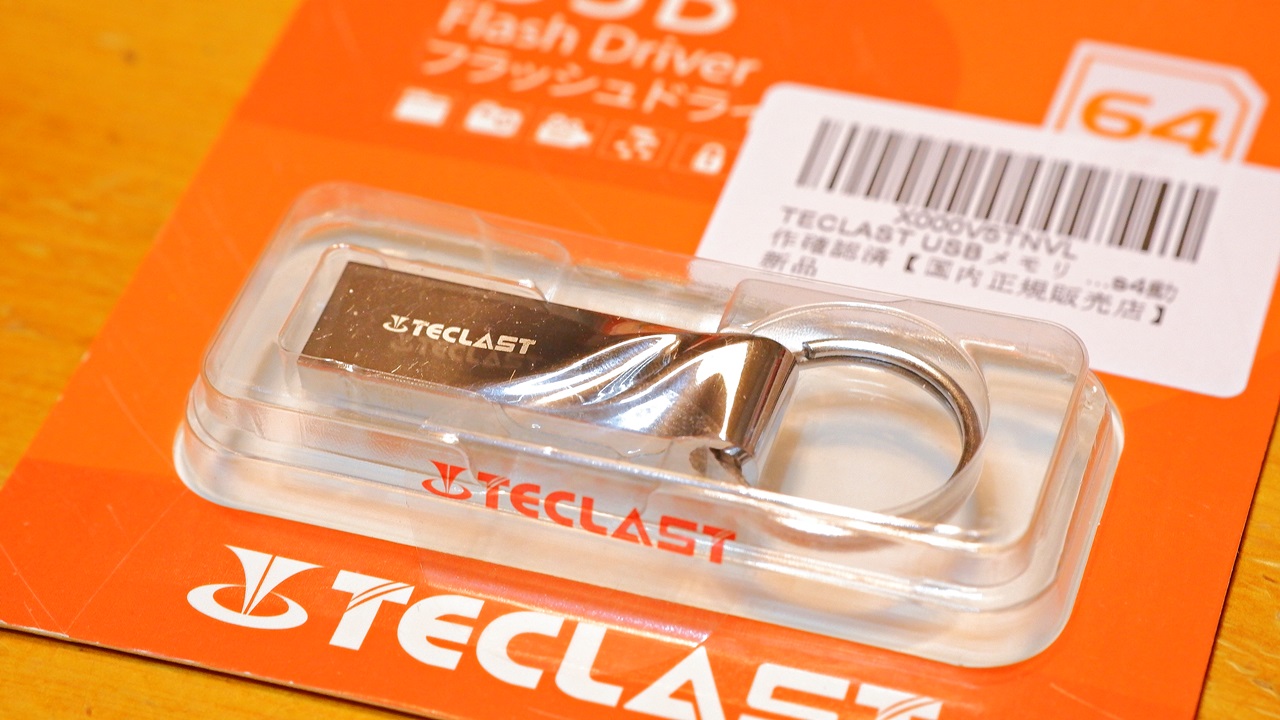
The absence of a product model number on the drive itself is a little concerning, but it appears to be the same as or equivalent to a model called the NEX-S3 USB3.0, sold for the European market. The back of the packaging is in Japanese and is configured for the domestic authorised distributor. The warranty is a rather brief 12 months. The TECLAST EUROPE product page is here. Note that the same design and product name exists in both USB 2.0 and USB 3.0 variants, so do be careful not to accidentally purchase the USB 2.0 version. It is described as waterproof, dustproof, shock-resistant, zinc alloy body, and PS4 compatible — and the actual build quality, with its chrome-plated zinc alloy body, is unexpectedly high, with a pleasingly solid weight to it. There is also a conveniently sized loop, making it easy to insert and remove — a nice touch.
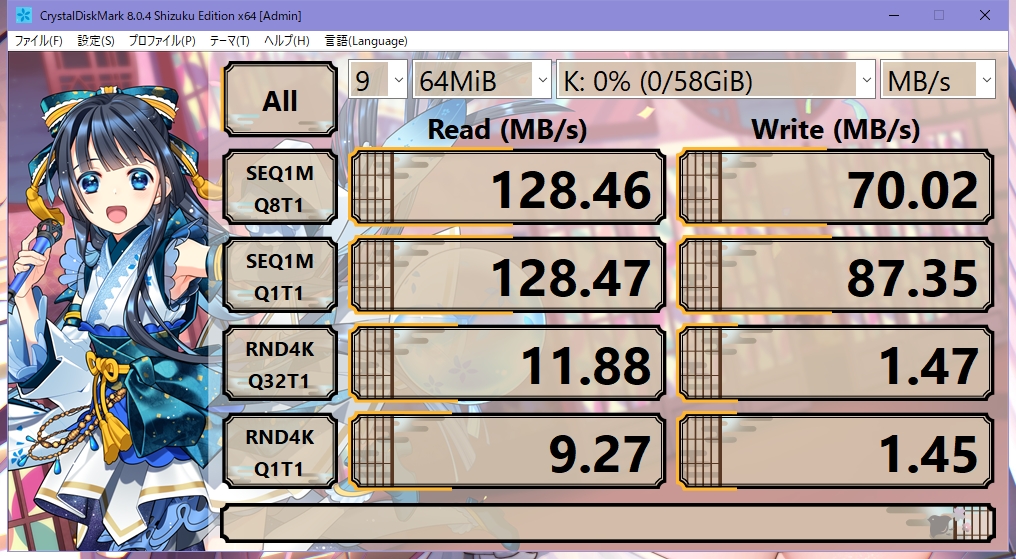
| Read (MB/s) | Write (MB/s) | |
| Sequential 1MiB Q8T1 | 128.57 | 70.02 |
| Sequential 1MiB Q1T1 | 128.49 | 87.35 |
| Random 4KiB Q32T1 | 12.01 | 1.49 |
| Random 4KiB Q1T1 | 9.79 | 1.48 |
Better than expected — or rather, genuinely fast. Sequential read is slightly modest, but sequential write at 70–90 MB/s puts it second only to the Lexar E31, which is a strong result. Random write, however, falls into the slower category. So again, this one is best suited to reading and writing large files. It is a Chinese-brand product, and the one-year warranty is on the short side, which does leave a vague sense of unease where long-term storage is concerned — but the speeds themselves are solid, so in terms of initial performance, this looks like a capable USB drive.
~ Summary ~ Which USB drives would I recommend?
I had assumed there would be a clear gap in USB drive performance depending on the manufacturer’s reputation, scale, and country of production — but as it turns out, some of the major-brand results were underwhelming, while some Chinese-brand drives put in strong numbers. The reality seems to be that you simply cannot know until you actually measure. The advertised speeds printed on the packaging turn out to be a surprisingly unreliable guide: some drives barely scraped their stated figures, while others exceeded them by a considerable margin. Random write and random read performance in particular gave no clues whatsoever from the manufacturer name or published specs. As I mentioned at the outset, I tend to choose USB drives based on appearance — but as you can see, whether you choose by looks or by published specs, the actual quality of what you end up with seems to be more or less a roll of the dice.
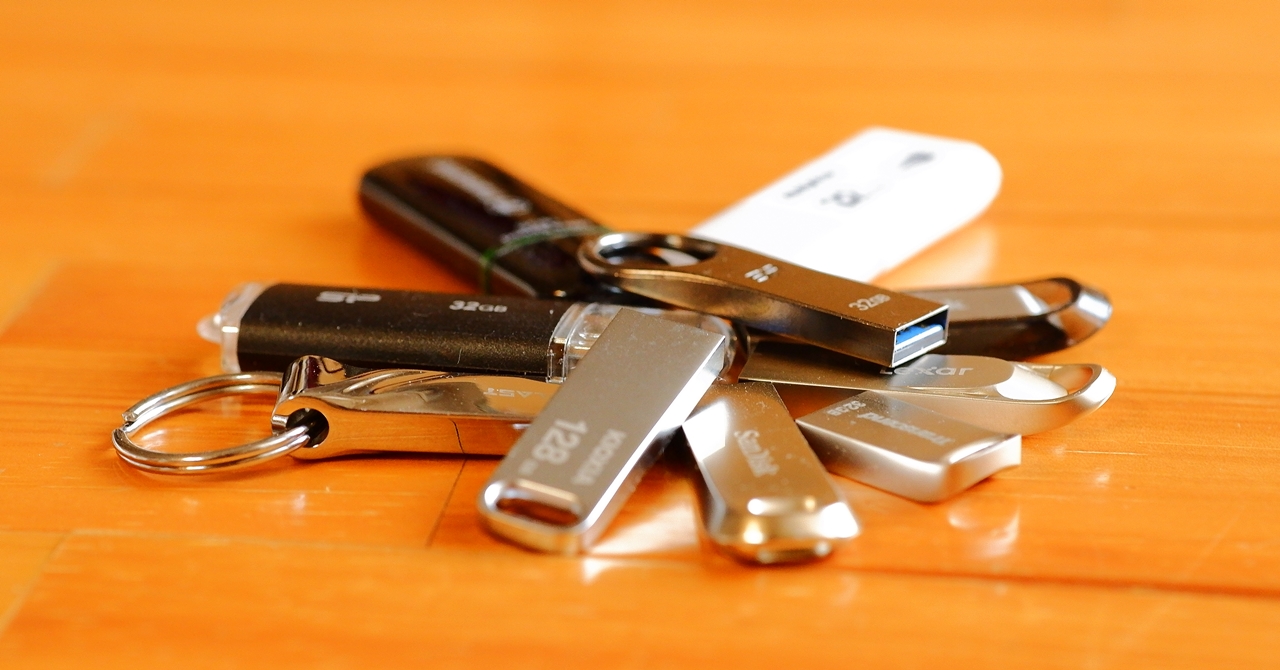
This is speculation on my part, but USB drives are often sold for several years with the same appearance and model number unchanged, while NAND flash memory technology advances at a rapid pace during that time. Minor internal changes — such as chip generation updates — may well be improving speeds as production lots progress, which could explain these results. It is entirely possible that products which came out fast or slow in this round of testing would produce completely different results with a different capacity or production lot — and that is the frustrating thing about USB drives.
Of the eleven drives tested this time, my top three for performance are:
These are the three I would personally recommend. As it happens, the three I chose on the basis of appearance delivered the best performance of the lot — so I think I will continue to focus my collection on USB drives with aluminium or zinc-alloy bodies. In the end, though, if I am being honest, it is simply that I like opening a box to find a little pile of small, gleaming metal USB drives inside — they look rather like jewels, and that is enough for me.
Reliability is not something that can be judged from new-unit speed measurements alone — how a drive holds up under regular daily read/write use, or whether it retains data after being left unpowered for an extended period, are questions that remain essentially a black box. If you have concerns on that front, I would recommend choosing a product from a major manufacturer with a long warranty period. And one more thing: leaving a flash drive sitting in a drawer for years can cause it to lose its charge, meaning your data may well be gone when you finally need it — so please do remember to plug it into a PC periodically, once a year or so, just to keep it ticking over…
SD Card Comparison |SSD Comparison|USB Drive Comparison

Auto Translated by CS4.6