Shortly after purchasing an iPad mini 4 last year, I fitted one of those common tempered glass screen protectors, both to protect the Retina display and to cut blue light. Similar tempered glass protectors are sold by all manner of manufacturers, both Japanese and Chinese, and this was one of those — the kind that says things like 9H hardness or “uses Asahi Glass” (whether that’s actually true is anyone’s guess).
The one I bought had excellent clarity, and the blue-light-cut effect was visible as a reflection in sunlight. The product itself was of very high quality — it went on cleanly and easily, with not a single bubble. I continued using it without any issues for a year and a half, but after all that time I had begun to feel that my eyes were actually getting more tired, not less. After thinking it over for a while, I steeled myself and decided to remove it.


 ポチップ
ポチップ
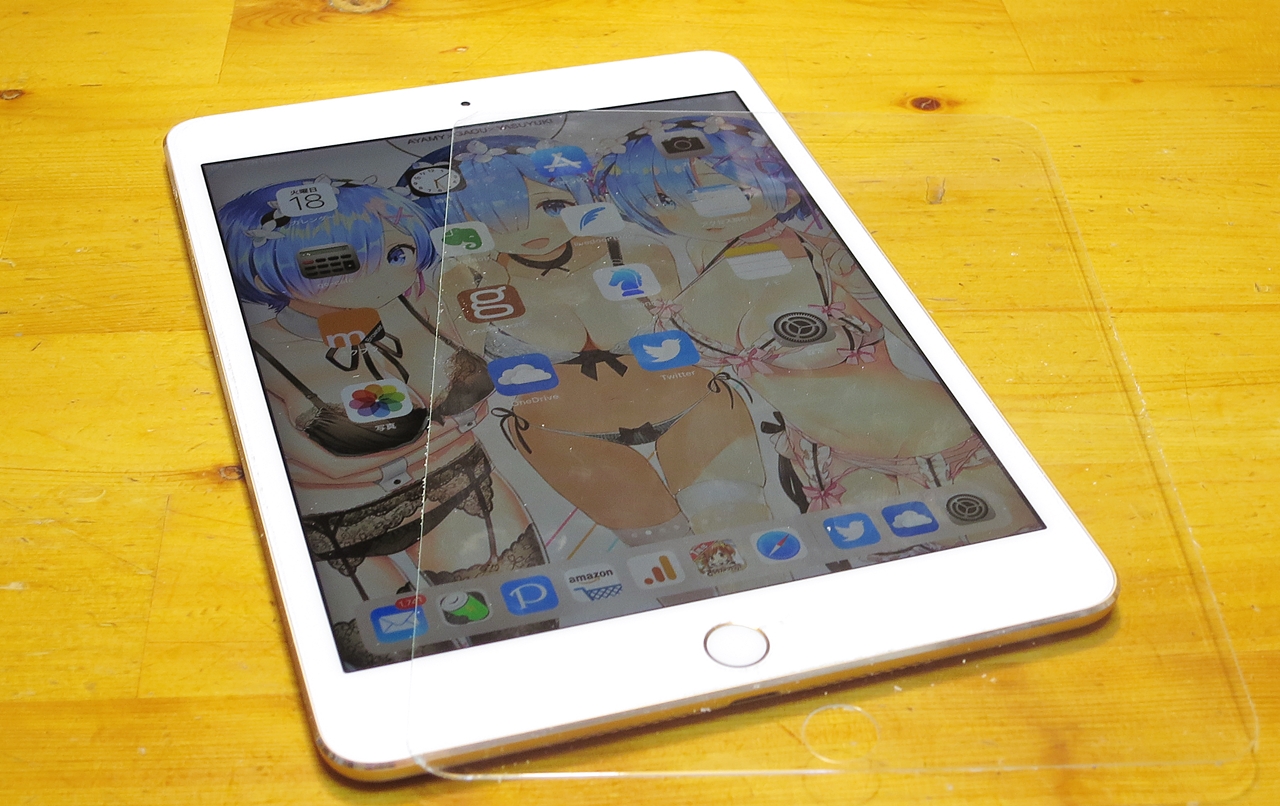
Unlike the soft films of old — where you had to be incredibly careful about air bubbles getting in during application — a tempered glass protector is essentially a sheet of glass, more like rigid plastic in feel. When removing it, if you peel carefully from the edge so as not to crack it, it comes away cleanly in one piece, just as in the image at the top. I immediately wrapped the removed film in cling film so it could be reused if needed.
 Search for iPad Glass Screen Protectors on Amazon.co.jp【PR】
Adhesive Left Behind by the Glass Film, Leaving the Screen in a Blotchy Mess
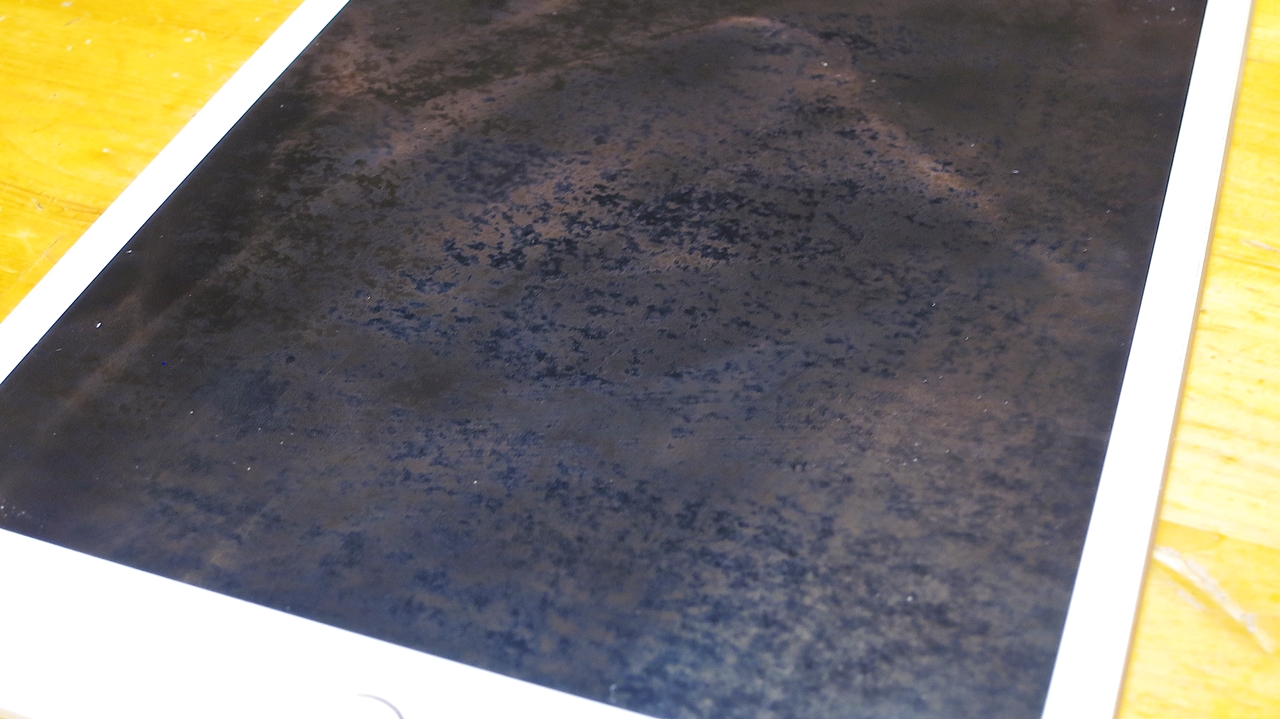
The problem, however, was with the screen of the iPad mini 4 itself. The adhesive from the glass film had been left behind, leaving the screen in a blotchy mess just like this. I tried wiping it with the rubbing alcohol I use almost daily for cleaning the iPad mini 4 and iPhone 7, but it wouldn’t come off at all. And the blotchiness was bad enough to be noticeable even with the screen on.
After some thought, I first tried the Hakuba Lens Cleaner Kit 30 — a safe, neutral detergent-based surfactant or possibly alcohol-based product safe enough for use on delicate digital camera lenses. I thought it would be similar in formulation to the dedicated LCD display cleaners and cleaning liquids you commonly find. But it was far too mild and had almost no effect at all.

I gave it a bit of a rub and thought to myself that the iPad mini 4 screen is actually quite tough — but that still didn’t make me willing to try anything with micro-abrasive particles, which felt far too risky. I’ve been through iPhone 4 → iPhone 5 → iPhone 7, and from the iPhone 7 onwards I stopped using glass protectors altogether. And honestly, even without one, there has been no sign whatsoever of scratches appearing. Which made me wonder — are screen protectors even necessary in the first place? That was, in fact, one of the reasons I steeled myself to remove the film from the iPad mini 4.
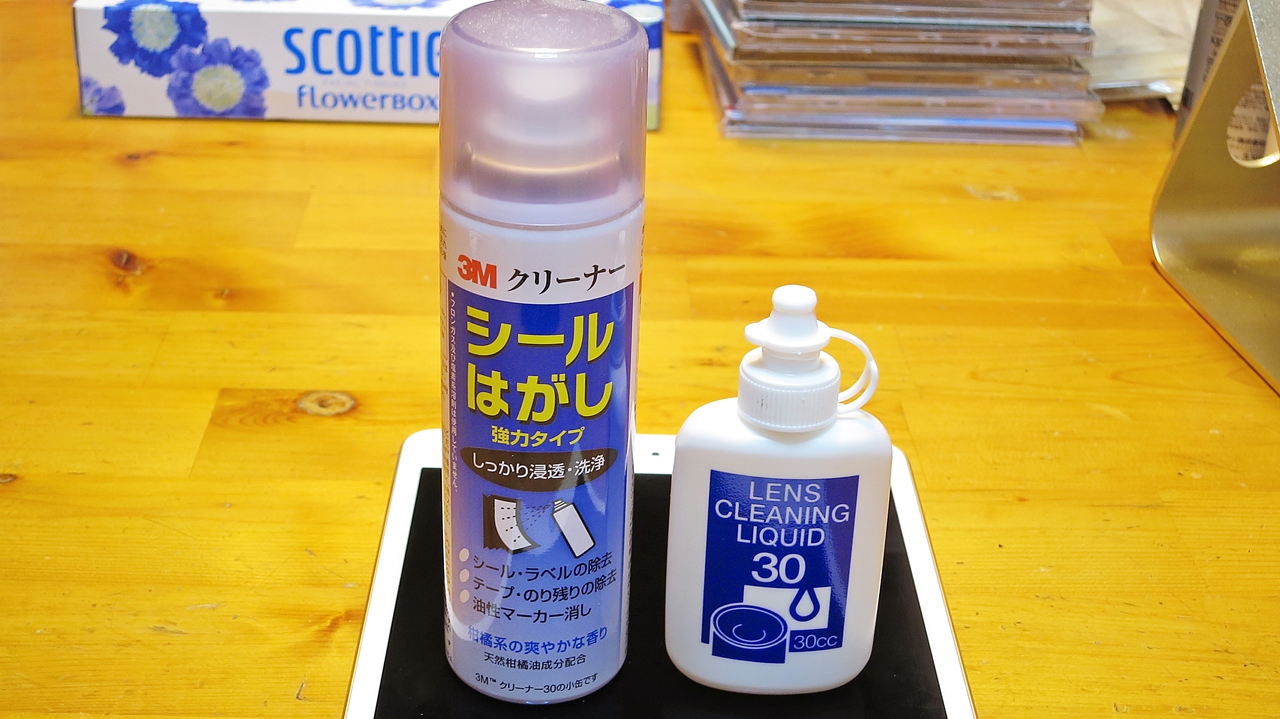
I tried several other cleaners that seemed unlikely to damage the screen, but none of them produced satisfying results. Searching online, I also came across suggestions to try rubbing with an eraser. After a bit more trial and error, what came to mind was 3M Sticker Remover Cleaner (Heavy Duty). I remembered that this stuff works a treat on adhesive residue, and so I gave the screen a light spritz and wiped it with a lens cloth — and it came clean instantly, in spectacular fashion. Brilliant!
 ポチップ
ポチップ
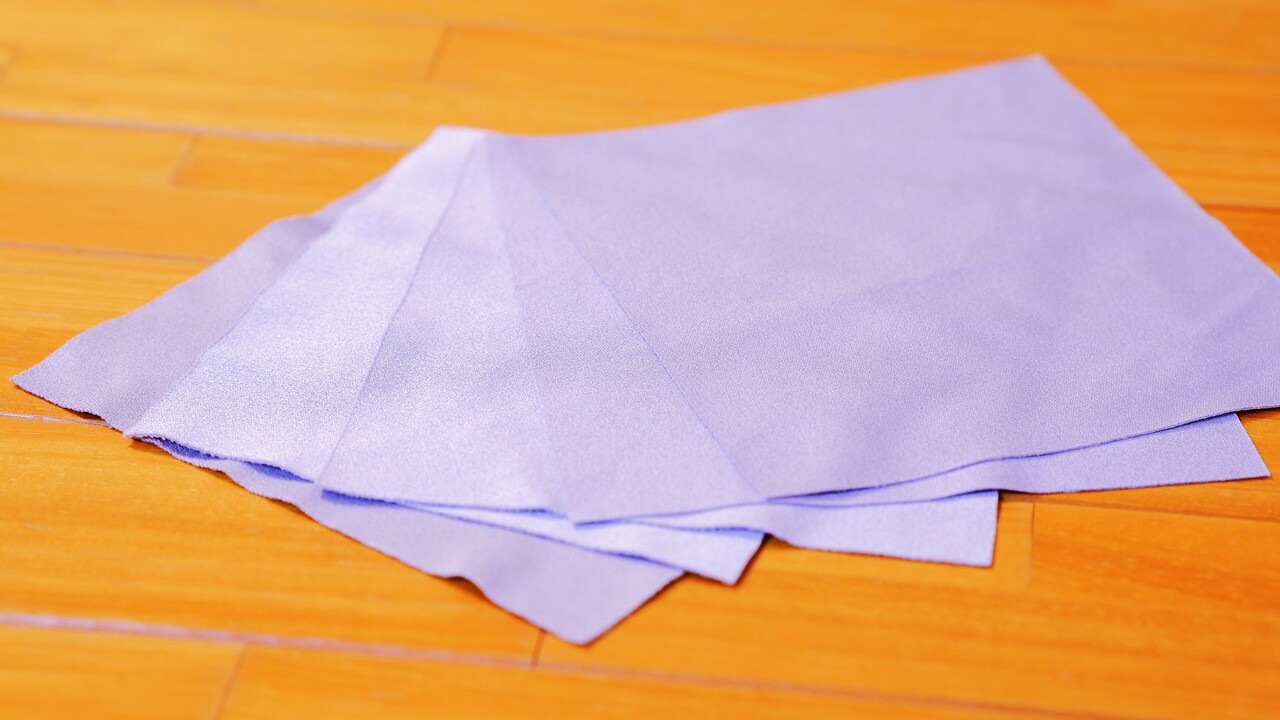
Since things hadn’t been going well and I was getting a little flustered, I just grabbed the lens cloth that was right in front of me — but that of course meant the cloth got dirty and needed washing. For this kind of job, disposable Silcot wipes are the better choice if possible. And so, the great blotchy-screen-adhesive-residue disaster was resolved with surprisingly little fuss.

The Real Merits — and the Drawbacks You Shouldn’t Overlook — of iPad/iPhone Tempered Glass Screen Protectors
The benefits are blue-light reduction and protection for the screens of tablets and smartphones like iPads and iPhones — the idea being that if you drop the device, the glass film cracks before the screen does, improving the odds that the device itself survives. But in nearly two years of using the iPad mini 4 at home and in hotels, I rarely dropped it, and with my home being mostly carpeted, I’ve started to think it perhaps wasn’t all that necessary in my situation. For drop prevention, a soft silicone case — mentioned below — is really the better recommendation.
On the other hand, having actually used one, I’ve come to feel that this type of tempered glass film has quite a few drawbacks.
※ The touchscreen responsiveness actually becomes less sensitive — a source of low-level frustration you don’t even notice.
※ The colour rendition and crispness that Apple originally designed the iPad mini 4’s Retina display to deliver are no longer what they should be.
※ The screen becomes harder to focus on.
※ It adds a small but noticeable amount of weight.
These are all things I noticed more after removing the film than when I first applied it. On top of all this, the biggest problem is eye fatigue. It struck me only after removing the film, but a glass screen protector doesn’t actually absorb blue light — it deflects it. Apparently it blocks around 90% of the blue light coming from the screen itself (though oddly, the colour on screen barely looks any different), but blue light and other visible wavelengths coming in from outside — from the surroundings — are reflected back enthusiastically. What bothers me most is the sharpness of the glare: even compared to the already-glossy screens of the iPad and iPhone themselves, the glass film reflects the surrounding scene far more vividly, almost like a mirror.
Whether it was this excessive glare that caused eye fatigue, I’m not certain, but it does feel as though my myopia has progressed and my eyesight has dropped noticeably over the past year since getting the iPad mini 4. Of course, staring at an iPad screen for long periods is bad for your eyes regardless of any film. But I’ve been using a PC and the small screen of an iPhone for years, and while my vision has been gradually declining with age, the rate of deterioration after introducing the iPad mini 4 felt markedly faster than in any comparable period before. Given that I’d been perfectly fine with the longer screen time on every iPhone I’ve owned — all of which have smaller, finer displays — I think the sheer size of the iPad mini 4’s screen is one factor, but staring for long periods at that blurry, glossy image through the glass film may well have been a significant contributing cause too. In my case, removing the glass film has made the screen noticeably easier to look at, so perhaps it really was a case of too much of a good thing.
From iOS 11, iPhones and iPad minis gained “Night Shift,” a feature that reduces blue light, so before relying on a film, the first step should be to actively lower the colour temperature using that. Since iOS 11, I have my settings configured so that for 23 hours and 59 minutes of every day the colour temperature is reduced, giving the screen a slightly warm, yellowish tint that cuts the total amount of blue light at the source. Being able to cut it from the film side as well would be ideal, but if protecting your eyes is the goal, what you really want is not a glossy glass film with all its reflections, but a matte — non-glare, anti-glare — film instead. That said, apparently those make the image slightly hazy, so I haven’t gone down that route myself.
 ポチップ
ポチップ
For Drop Protection on Your iPad, a Soft Silicone Case (Cover) Is the Way to Go
An iPad is heavy enough that even a modest drop can cause serious damage, but since purchasing the iPad mini 4, I have been using a soft silicone case. Honestly, it looks rather cheap, and the added bulk robs the iPad mini 4 of its pleasingly refined feel in the hand — but soft silicone provides cushioning in the event of a drop, and more importantly, its grip dramatically reduces the chance of it slipping out of your hand in the first place. The raised edges around the screen side of the case are also substantial enough that, unless you’re particularly unlucky, the screen is unlikely to make direct contact with the ground even in a face-down drop. A review of this soft silicone case can be found here below.
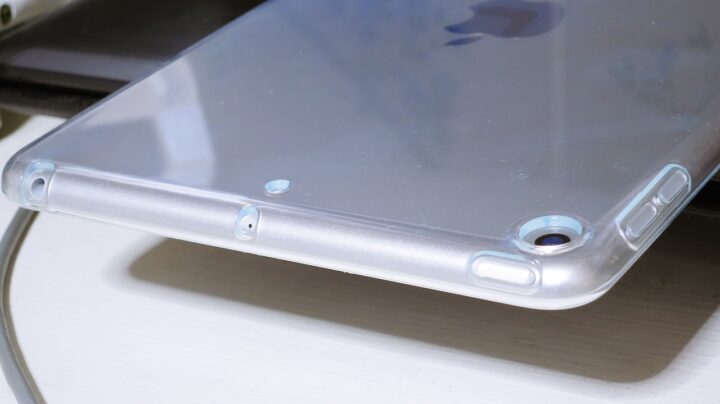
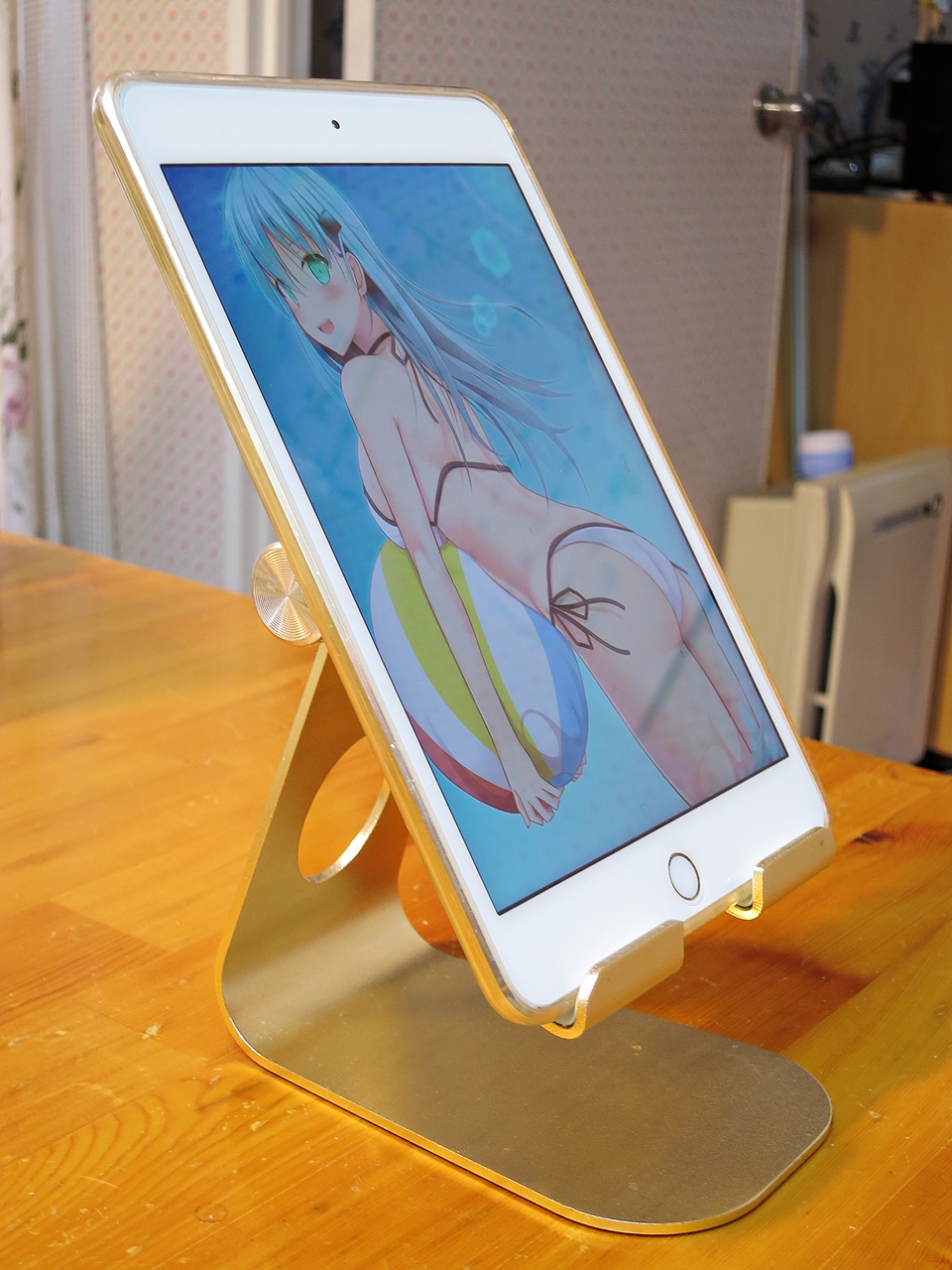
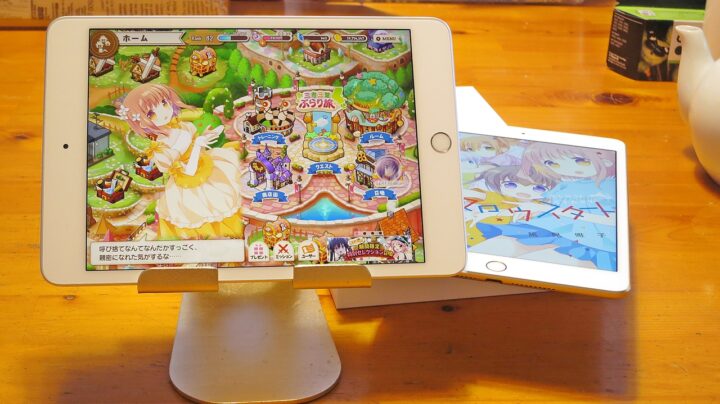
It started out clear and colourless, but after more than a year of use it has yellowed, and once removed it looks even more sorry for itself — though since my iPad mini 4 is in Gold, the yellowing isn’t particularly obvious at a glance, so there we are. Incidentally, this metal tablet stand, the “Lomicall stand,” has a pleasingly firm feel to its joints, and the overall build quality is solid enough that the tablet doesn’t wobble. The stand itself has non-slip feet, and the soft silicone case also acts as a non-slip surface, so the two work together to make everything even more stable. It gets a lot of use on the kitchen table and PC desk.
Later note: For what it’s worth, on the successor iPad mini, I went and stuck on a glass screen protector from a different manufacturer (blue-light-cut type) all over again, having apparently learned nothing.
 ポチップ
ポチップ
February 2019 addendum: In the end, switching back to the bare Retina display didn’t make a great deal of difference to eye fatigue. The reflections from a glossy glass film are genuinely bothersome in a bright room, but in dimmer indoor settings it actually feels easier on the eyes, and so I eventually went ahead and stuck the glass panel back on. When reapplying it, I inevitably trapped some dust and ended up with around ten bubbles ranging from 100-yen to 500-yen coin size — but if you peel it back off, carefully remove the tiny speck of dust at the centre of each bubble using a cotton bud dampened with rubbing alcohol, and reapply, then even if plenty of bubbles remain at first, most of them will disappear on their own within a month. This self-healing ability probably varies from product to product, but the glass panel I bought turned out to have a remarkably good capacity to re-adhere, which was rather impressive.

Auto Translated by CS4.6