【NAS goes down, HDD suffers a logical crash】
Part 1|Part 2
Let me go back a few months. On the recommendation of an acquaintance, I’ve had a place in a network audio-related mixi community for about two years now, but truth be told, I still don’t own a single dedicated network audio player unit — a completely ghost member. As for PC audio, rather than mastering it, I’ve been muddling along in a half-hearted way, so far behind that I can barely keep pace with the world’s progress anymore (bit embarrassing, really).

Honestly, network audio still feels like it’s very much a work in progress, but as a miniature-garden pure audio author, I’ve built a modest home LAN network for my desktop PC audio via a simplified NAS running through a BUFFALO wireless LAN router.
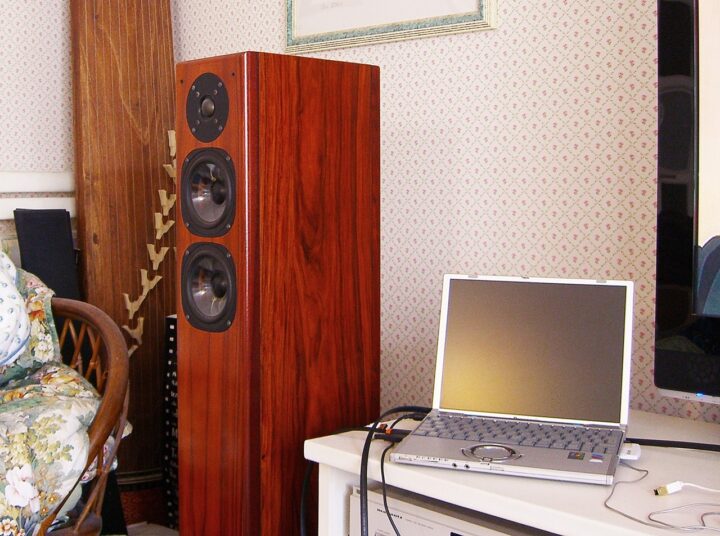
The current state of my miniature-garden desktop PC audio, including the simplified NAS
Currently, separate from my pure audio system, I run desktop PC audio and a simplified NAS for the following purposes.
As a miniature-garden pure audio author, I’m firmly in the fully-uncompressed-only camp when it comes to music files. So as the number of tracks grows, the storage requirements balloon accordingly, and there’s no way it all fits on my laptop’s mere 250GB SSD, or the 320GB USB external HDD I still use. So I added a USB external HDD as NAS storage via the BUFFALO wireless LAN router AirStation WZR-600DHP, which has a built-in simplified NAS function, and I’d been running things by simply dumping all my large music files and videos onto it.
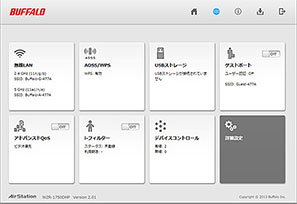

When playing back on the main desktop PC audio rig, it’s connected either via (a LAN cable I’ve run roughly 20 metres) or over wireless LAN, so this counts, in a rough sort of way, as a network audio setup. Of course, since a PC is doing the actual playback, this strays from the strict “pure audio” definition of network audio — but I’ve kept things set up so that if I ever bring in a proper high-quality standalone network audio player, I can simply slot it straight into the system.

Right, that’s enough preamble…
The NAS — the network server’s HDD crashed
The other day, I thought access to the NAS — the network server — was behaving oddly, so I unplugged and replugged the Wi-Fi router’s USB, fiddled around with settings on the wireless LAN’s NAS management screen, and, wondering “why on earth…?”, connected the PC directly to have a look inside. ← This was the mistake. Originally, the drive had been split into two partitions using the XFS format unique to NAS file storage, and meaning only to delete an empty, unused partition, I went into the NAS settings on the Wi-Fi router’s management screen and deleted the empty partition… and then,
Would you believe it, the wretched thing went and suffered a logical crash!
Well, anyone who knows their stuff will recognise this as a spectacularly obvious blunder, but along with deleting that partition, all the music data that should have remained safely in the other partition vanished entirely, root and branch. That said, it was “merely” a logical crash, so naturally I set about attempting swift data salvage — but with an HDD formatted in NAS’s proprietary XFS, unlike NTFS or FAT32, data recovery software struggles to even see what’s inside.
I lost over 95% of my music data in an instant
In short, unlike an ordinary PC’s logical crash, with XFS format you can’t simply ignore the partition’s logical crash and pull the data out easily. I don’t have a Linux environment at home either, so I was stuck. In the end, using the trusty Complete Data Recovery PRO I’ve relied on several times before, all I managed to rescue were a tiny handful of MP3 tracks from old anime songs dating back around 2000. What I recovered amounted to maybe 3% at most of everything that had been on there. Beyond that, the only survivors were tracks stored in Apple Lossless in iTunes, which remained on iTunes and my iPhone — so, in effect, I lost more than 95% of my music data in an instant.
Particularly hard-hit were the large-capacity high-res tracks and, worst of all, my own private piano recordings made in concert halls years ago — all wiped out completely. As for the WAV data ripped from CDs, quite a lot of individual tracks were somehow still playable, but the folders were gone, the titles had been renamed, the same track existed multiple times for some reason, each copy with different salvage quality, and if you listened closely, noise had crept in here and there too. It wasn’t simply a matter of losing the partition — somehow it looked as though the data had been run through a shredder at random. At this rate, it honestly seems far better to just re-rip everything from scratch…

In my case, I’m not one of these modern brave souls who sells off the original CD once it’s been ripped, so it wouldn’t actually be the end of the world even if I lost the CD-sourced tracks. Aside from a very small handful of long-ago rentals I ripped, I still have almost every original CD safely stored in my real-world study library, and as for the rented CD tracks, they were mostly just the usual domestic releases by Japanese performers — the kind of albums you can easily pick up cheaply second-hand or via rental if you ever need them again…


The real problem was my own old piano performance recordings. Surely there’s a backup copy stashed somewhere, right? Ha ha, of course there is… or so I thought, but no matter where I dug, I simply couldn’t find it anywhere. ← It turns out that, having swapped storage locations between hard drives so many times — like a hermit crab changing shells — I’d apparently mistakenly deleted the mirrored data along the way. There’s a slim chance it might have survived, by sheer luck, inside some full OS backup I compressed and archived ages ago, but trying to restore it one by one from some ancient OS on some ancient PC… it’s just too much effort… ugh. And at this point, my playing has deteriorated so much anyway that I couldn’t perform at the level I did back then even if I tried (sob).
What to do about the high-res tracks I’d previously purchased as downloads?
And then there was the high-res audio. I really thought that was a lost cause. But when I tried checking through, as best I could remember, all the free download tracks I was fairly sure I’d once had, quite a surprising number of them turned out to still be available for download. So I spent several days gathering those back up.
 AK120 DSD playback support commemoration — 5 free DSD sample tracks now available!! 2L the NordicsoundBlue Coast Recordse-onkyo music free high-res tracksOTOTOY list of albums including free downloadable tracks
And then there was the main event — high-res downloads from e-onkyo music. Between you and me, most of what I’d downloaded came via bonus coupons that came bundled when I bought SACD players and DACs and so on from ONKYO DIRECT, so being the tight-fisted sort, the number of titles I’d actually paid cash for was very small — and every single one of those, dating from 2005 onward, was wiped out. Ugh.
Wondering whether I could re-download them, I checked my purchase history on e-onkyo music’s management page, only to find that anything purchased before 1 May 2013 simply isn’t shown. e-onkyo music also had a 30-day (720-hour) download deadline(note added later: the download deadline was abolished in 2016), so either way it looked hopeless… Since I’d only ever downloaded each purchase once, I hadn’t noticed, but had there always been this kind of download time limit? (cold sweat). And to make matters worse, my memory of what exactly I’d downloaded in the past was a jumbled mess — I genuinely couldn’t recall properly. Digging through old purchase confirmation emails, sure enough, there were scattered tracks in there I’d completely forgotten about…
Well, as for tracks purchased between 2010 and 2015, there weren’t that many, so I managed to sort those out somehow. The real problem was the DRM-protected tracks purchased before 2010. Unfortunately, it turns out that for any DRM-protected tracks purchased before 14 May 2013, following Microsoft’s end of support for e-onkyo music, it’s now, for system reasons, completely impossible to re-download them or reissue the licence key. I’d always vaguely suspected that something like this might happen eventually with cloud-based ebooks too, for reasons on the rights-holders’ end — but I hadn’t expected it to actually happen to me quite this soon…
※In the case of e-onkyo music, DRM-protected tracks were abolished entirely from May 2013 onward, so no further DRM licence issues have arisen since then.


 ポチップ
ポチップ
As far as I can recall, I think the only one I actually wanted to buy again was a single SACD title on EXTON/Octavia Records — Vladimir Ashkenazy’s Mozart Piano Concertos No. 17 and No. 20 (…probably). The daft thing is that although I’d lost the actual data completely, copies of the licence key alone somehow still remained scattered across various spots on my PC — how very like me (bit of a laugh). So, having no choice, I thought I’d simply buy it again as DRM-free high-res — only to find that, at some point, that very Ashkenazy title had vanished from e-onkyo music entirely… (checking again years later, I found the listing had returned).
I’d never really given it much thought before, but it turns out that, just like physical disc media, downloaded tracks too can end up being discontinued depending on the terms of the distribution site’s contract… come to think of it, obvious really. Anyway, there was nothing to be done about it now, so I took the opportunity to buy the same lost album again on SACD instead. ← If I’m honest, part of the reason was also that I wanted to listen to it through the ONKYO C-S5VL in my main system rather than through PC audio.

【NAS goes down, HDD suffers a logical crash】
Part 1|Part 2
Auto Translated by CS5